
 Become a TechRadar Insider





We list the best video conferencing software, to make it simple and easy to set up and use video calling, for business or personal use.
Video conferencing used to be the domain of enterprises, requiring expensive hardware setups - but not any more. Advances in cloud technology mean that video conferencing has become accessible and affordable to the masses.

We've also featured the best business phone systems.
The best video conferencing software of 2026 in full:
Why you can trust TechRadar We spend hours testing every product or service we review, so you can be sure you're buying the best. Find out more about how we test.
Best video conferencing software for webinar hosts

ClickMeeting is absolutely loaded with features for webinar hosts. To start with, the software includes just about all the tools you could want during a presentation.
You can share your screen, play slideshows and videos, and even let attendees take over your mouse to explore an interactive display.
Better yet, ClickMeeting supports question-and-answer sessions and live polls, so you can get your audience participating and collect valuable data about attendees.
What’s really exciting about ClickMeeting for data-driven businesses is how the software integrates with analytics and marketing tools.
You can embed a Facebook pixel on your webinar’s landing page or connect that page to Google Analytics. Your webinar page is also fully customizable, enabling you to show off your brand.
ClickMeeting even offers integrations with a number of popular business apps. You can link your Dropbox to have your webinar recordings automatically stored in the cloud, or use Zapier to integrate with some of the best CRM software or email marketing platforms.
There’s a lot to like about ClickMeeting if your company relies on webinars to garner leads or stay in touch with employees.
This video conferencing software has a number of tools for keeping audiences engaged during meetings, plus automated follow-ups so you can capitalize on a successful webinar.
The integrations are also a huge plus for productivity. For everything this software offers, the price is fairly reasonable, too.
Read our full ClickMeeting review.
Best video conferencing software for office use

RingCentral's RingEx offers the full range of industry-standard video conferencing features across all of its plans. These include, among many others, video call scheduling and recording, screen sharing and annotation, and in-built chat functionalities.
Undoubtedly, however, RingCentral’s greatest feature is its integration of Slack, Google Workspace, and Microsoft 365. This means users can schedule and begin calls directly from these 3rd party platforms.
Users are also able to integrate their calendar with the RingCentral platform, and easily visualize their schedule for the day. This cross-platform integration also makes RingCentral ideal for businesses that already use Slack, Google Workspace, or Microsoft 365 for digital collaboration.
RingCentral’s analytics dashboard is another powerful feature enabling administrators to monitor the usage of the service, and pinpoint performance issues down to the exact location, ISP, network, and endpoint.
Such in-depth analytical analysis is uncommon and makes RingCentral particularly appealing for organizations where video quality and performance is a priority.
Overall, RingCentral is a solid performer that offers high-quality video conferencing software for businesses. It's loaded with features, offers a high degree of administrator control, and is optimized to work on web browsers, minimizing the need for additional applications and software.
Read our full RingCentral Video review.
Best video conferencing software with AI

Dialpad Meetings (formerly UberConference) is a well-known video-conferencing platform with many features. It has noteworthy high video and audio quality which is important.
The user can pick their own layout, hold music, and meeting URL to keep things exactly as they like. You can join meetings on any device using a web browser or by downloading the app on iOS, Android, Windows, or macOS.
The main selling point for Dialpad’s video conferencing tool is incorporating artificial intelligence features. For instance, you can get live transcriptions of your video calls, which makes it easier to understand what the person you’re conversing with is saying.
The transcriptions are not perfect but are accurate enough for a layman to understand. You can also get a transcription automatically delivered to your email after each video meeting so that you can go through it later.
This software is good for collaboration within an enterprise. You can share your screen while streaming video so that everyone can understand what you’re saying better. You can chat while video calling and send out relevant files and links in the same messaging channel for meeting participants.
This app supports picture-in-picture mode, meaning you can participate in video meetings while using another app; you will see the video in a floating window while you work on another app or document.
Read our full Dialpad review.
Best affordable

Zoom offers a video conferencing and messaging solution for desktop and app for mobile devices, that aims to be very quick and easy to set up, and offer a wide range of scaleable features.
Not only does it provide HD video and audio, but it can support up to 1,000 participants at the same time, and up to 49 videos on a single screen, though such large gatherings are probably best suited to big-screen monitors.
Meetings can be saved locally or to the cloud, along with transcripts that have searchable text to work with. Additionally, collaboration is built in with the ability for participants to share their screens and work together to provide their own notes as required.
On top of this a team chat feature allows for file sharing, a searchable history, and a ten year archive. Meetings can also be escalated into one-on-one calls.
Security is built-in, using 256-bit TLS encryption for both meetings and shared files, and automated scheduling can be done from Gmail, Outlook, and iCal.
Even better is that a feature-rich free tier is available, and able to accommodate up to 100 people for up to 40 minutes, but to include additional tools for team administration and management and for more dedicated business and enterprise use.
Read out full Zoom review.
Best video conferencing software for mobile

GoToMeeting is the standalone videoconferencing service provided by LogMeIn. As expected it provides audio and video conferencing, as well as screensharing, and we've provided a guide on how to use GoToMeeting.
One of the features that sets GoToMeetings apart is its mobile friendliness - you can set up and start a conference from your smartphone, something some big brand software would struggle to do. There are also settings to maximize call and image quality, as well as one-tap invites to join meetings as well as chats.
Mobile apps are provided separately for Android and iOS, and both have high positive review volumes, which again makes a change from some other providers who struggle to balance quality and usability with mobile use.
In terms of pricing, almost all standard features are available with the most basic payment tier. Even the limit of 150 participants is generous, and for most businesses this is all that will be required.
A Business plan tier is available which increases the number of participants to 250 and includes a few admin features plus drawing tools and mouse sharing. An Enterprise plan is available to accommodate up to 3,000 participants.
However, while there are many good things to be said for GoToMeetings, if you're looking for a business VoIP solution then GoToConnect offers a cloud-based phone system which integrates GoToMeetings as part of the package, and it may be more cost-effective to sign up for that instead.
Read our full GoToMeeting review.
Best video conferencing software for advanced features

RemotePC Meeting is backed by a number of video conferencing features designed to streamline the collaboration process.
For starters, you can create a meeting instantly and share it with your colleagues or employees via a clickable link. The Chrome extension makes it even easier to share meeting links, and the program can be integrated with Google, Outlook, or Yahoo calendars.
Additionally, meetings can be joined using VoIP for improved security and in situations where a person’s internet connection is limited. There’s no maximum limit on the number of team members you can add to a video conference, and there are also several built-in individual and group chat tools.
You can also share your screen to make it easier to deliver presentations or make a point. All sessions can be recorded and saved as video or audio files for future reference, and there’s even a collaborative whiteboard that allows you to brainstorm ideas with other meeting participants.
RemotePC Meeting provides advanced video conferencing tools, but they are only available with a remote access subscription. If you want a pure video conferencing program, there are various other options available.
Ultimately, RemotePC Meeting provides powerful video conferencing tools backed by a range of great features and an easy-to-use interface.
The only criticism is that there isn’t anything unique on offer, but that's hardly a big complaint and RemotePC remains a viable option, especially for those who need remote access tools as well.
Read our full RemotePC Meeting review.
Best accessible video conferencing software

Within one application, Microsoft Teams enables users to schedule video or audio meetings with a single person or a team. Administrators can also organize webinars and large meetings with up to 10,000 participants.
Full integration with Microsoft 365 means that calls can be easily scheduled and invites shared among the organization, while external guests can join from their web browser without downloading the application.
Microsoft Teams also provides the full range of features expected from a leading video conferencing software provider, including screen sharing and call recording, live captions, background blur technology, and chat functionalities.
Integration with Microsoft 365 makes the platform the market leader in video conferencing and digital workspace integration.
The platform’s powerful video conferencing software is complemented by hardware options that enable users to join calls from almost anywhere. When you’re working alone or on the go, mobile devices, desktop computers, and Bluetooth conferencing headsets can power communication.
Overall, Microsoft Teams is ideal for businesses who already use Microsoft 365, or who are looking to reinvent their organization’s digital communication and collaboration workspaces. Additionally, it's also great for home users to connect with friends and family who also use Microsoft 365.
Read our full Microsoft Teams review.
Best video conferencing software for Google Workspace

Google Meet, formerly Google Hangouts Meet, is part of the Google Workspace office productivity platform (formerly known as G Suite). Having enjoyed a recent rebrand, Google Meet aims to provide a first-class conferencing service.
Developed specifically for business needs, it can cater for a large number of users at once, and also uses smart participation and a fast interface to reduce the need to wait.
As an updated version of the standard Google Hangouts, Google Meet aims to make it easier to work with external clients. It does this first by providing a web app experience, which means there is no software to download.
Secondly, it also provides a dedicated dial-in number, which not only means that employees on the go can join in, but this also ensure that line quality is maintained and that there are no drop-outs.
As well as having dedicated apps available for mobile users in the Apple AppStore and Google Play store for Android, Google Meet can also work with existing conferencing hardware.
All that's required is that it follows SIP and H.323 standards for Skype for Business users. This also applies to Cisco, Lifesize, and Polycomm in particular, and by using Pexip Infinity can join in Hangouts meets.
Another key advantage is that by being within the Google Workspace platform it's easy to use data from other Google applications, not least Google Calendar, to not just plan meetings but also set up event information as required when users do sign in.
Ultimately, Google Meet is a serious business-grade conferencing platform that doesn't require big up-front costs for hardware, making it especially accessible for businesses of any size.
However, Google Meet still struggles to compete on features with dedicated video conferencing providers, and the interface has arguably become less user-friendly compared to the previously popular Google Hangouts.
Read our full Google Meet review.
Best video conferencing software for multimedia

CyberLink is a Taiwanese multimedia software company. It was founded in 1996. U Meeting is the company’s video conferencing solution.
U Meeting has four pricing plans, priced according to the number of participants and hosts required. Each also includes an increasing number of features as the pricing increases, up to the Enterprise edition which offers meeting analysis, premium customer support and end-to-end encryption. Users need to contact sales for a quote.
‘PerfectCam’ is a most random feature. Users can add computer generated makeup to their faces with the company promising to ‘create a truly professional look’.
U Meeting is entirely web-based. This might put some users off but it can be an advantage as you will not need to download any additional software to use U Meeting. It also does not offer video recording or the ability to dial into meetings using VoIP systems.
Read our full CyberLink U Meeting review.
Best video conferencing software for online learning

BigBlueButton is packed with features perfect for online learning webinars. During sessions, you can share audio, video, presentations, and your desktop while also collaborating with students using a whiteboard, shared notes, polls, and chat.
Where BigBlueButton goes further than traditional video conferencing software is in its features useful to a virtual classroom. For example, you have a multi-user whiteboard and can place students into group breakout rooms to work on problems together.
BigBlueButton is arguably the best open-source video conferencing software solution for online learning. Compared to most video conferencing solutions it’s difficult to set up, but it’s free and has all the features of expensive commercial online learning video conferencing software, and performance is great.
Read our full BigBlueButton review.
Best video conferencing software for ease of use

Zoho Meeting edges out the competition when it comes to price and ease of use. However, there are a couple of drawbacks to this platform, such as the absence of advanced integrations with third-party productivity tools.
Although Zoho Meeting lacks some of the fancier features available through competing services, it’s worth a look for anyone who wants solid screen sharing functionality or to set up scheduled video meetings.
Even though this video meeting platform might miss out on some common features, such as shared whiteboards and advanced integrations with third-party services, its simplicity is also an advantage, as no complex settings have to be adjusted prior to starting your first call.
Affordability is also a major draw for Zoho Meeting customers, especially when it comes to coverage for up to 100 participants. For webinars and online conferences, Zoho Meeting is a good option.
Read our full Zoho Meeting review.
Best cost-effective video conferencing software

Amazon Web Services (AWS) is the world’s biggest cloud storage provider, and Chime is a video conferencing solution that it offers. It’s suitable for enterprises that already use AWS for a lot of functions and don’t want to adopt yet another separate platform for video conferencing.
Chime is noticeably easy to use. You can join a meeting with a simple tap and avoid inputting long passcodes. You can also If you have the Amazon Alexa smart speaker, a simple voice command of “Alexa, start my meeting” will also do the trick. You can also join by dialing in with your mobile phone or providing your number for Amazon Chime to call you.
When participating in a meeting, you're free to share your screen to help others follow along. If you're the organizer, you can monitor the visual roster to know who has joined or declined your meeting invitation, who is currently speaking, the source of background noise, etc.
Picture-in-picture mode is supported, so you can participate in a meeting while doing something else on your device. If you wish, you can record your meeting and replay it when needed.
This software has a chat feature, so you can talk directly with a participant or with multiple participants within a chat room. You can also enable chatbots within your chat rooms.
The main drawback we observed is that Chime’s user interface is clunky and can be confusing. It needs a lot of improvement in the user-friendliness criteria.
Read our full Amazon Chime review.
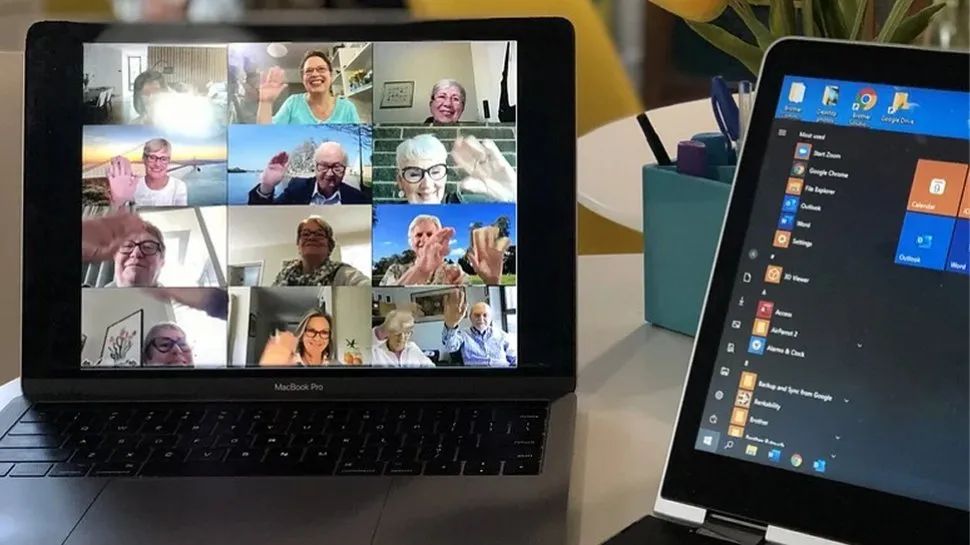
Best free video conference software
Normal consumer offerings such as Apple's Facetime, WhatsApp Video and Zoom have made video conferencing apps a normalized part of the communications process, especially as the best alternatives to Skype. Getting an accessible and affordable tool is vital, so here is our round up of the best free video conferencing apps around today.
We've also featured the best bluetooth headsets.

For a free software, 8x8 has an impressive array of features. The one that most users will turn to immediately is calendar app integration. 8x8 has custom browser extensions for Chrome and Firefox and plugins for Google Calendar and Office 365, any of which you can use to quickly schedule meetings and invite participants.
Within meetings, you can easily share your screen, chat with other participants, or raise your hand to signal that you have a question or want a chance to speak up. You can also record any meeting or create a live stream, even without a paid subscription.
The only advanced feature that 8x8 is missing was an in-meeting survey function, although we haven’t seen this functionality for free in any video conferencing software.
What's especially good about 8x8 is that you’re not missing out on key features with a free plan, since upgrading mostly serves to unlock speech-to-text for transcription. The only minor complaint is the lack of detail about the platform’s security.
Read our full 8x8 Video Meetings review.

With a name like Cisco behind it, expectations for Webexare understandably high – and it doesn't disappoint. While there are various plans available for Webex, for most circumstances the free version should be just fine.
This enables you to hold HD video meetings with up to 100 participants, and to take advantage of options such as screen sharing and private chat rooms.
When you sign up for an account, you are assigned a personal URL that can be used to manage all of your meetings, schedule video conferences, and access the recording you have made.
When it comes to holding a video meeting, you have the choice between using the Webex app or just sticking with the website, though it could be argued that the desktop apps give a smoother experience. There are also mobile apps available.
Security is catered for by TLS 1.2 and AES 256-bit encryption, and backed by Cisco's networking know-how means performance is impressive.
Read our full Cisco Webex Meetings review.

FreeConference keeps things beautifully simple for users by not requiring any software to be installed. There are mobile apps available, but it is possible to take part in a video conferencing session from just about any device with a web browser installed.
You can participant in text or video chats, and use features such as screen and file sharing – but FreeConference is not without its limitations.
The maximum number of conference participants is five, which rules this out as a tool for many small businesses who may regularly want to host meetings for more people.
A number of international dial-in numbers are available for conference calls, and you have the option of recording calls if you like.
Configuring, managing and scheduling meetings is very simple with FreeConference – including from Outlook – and there are some nice touches such as being able to set up recurring meetings.
It's a shame that features such as advanced security, video recording and transcriptions are only part of premium packages, but the free version is still pretty powerful.
Read our full Freeconference.com review.

Livestorm is another well-known video conferencing tool. It keeps things simple by allowing you to join a video meeting from any device with an active internet connection and web browser.
There’s no mobile or desktop app, which we consider a drawback, but the browser-based platform works very well.
This software is very user-friendly and supports seamless collaboration. You can open a virtual whiteboard during video meetings to jot down ideas and brainstorm with participants.
The physical whiteboard is a staple at many offices, and this is no different except being online. Multiple meeting participants can write on the whiteboard at the same time and exchange ideas.
Livestorm is a very customizable tool. You can use custom branding for all your meeting assets such as registration pages, email invitations, and backgrounds.
It also has many interactive features such as creating polls to get opinions from participants and enabling participants to vote on questions that they want to be answered. You can create recurring events with multiple sessions or on-demand events that participants can join at any time.
Livestorm was actually designed as a tool for hosting webinars with a large number of participants, but it doubles as a video conferencing tool for individuals and businesses. The free tier allows a maximum of 30 attendees in an online meeting and up to 20 minutes per session.
Anything above that, and you'll have to pay for a premium plan, which starts at $110 per month.

FreeConferenceCall is a web-based video conferencing tool. It’s free and simple to use; you create an account with your email and password and receive relevant information including your dial-in number and access code in your email.
Then, you can provide the dial-in number and access code alongside the date and time of the scheduled meeting. At the specified time, the participants can call the dial-in number and enter the access code to join the meeting.
This platform offers dial-in numbers in over 70 countries. People in non-supported countries can also dial in via Voice over Internet Protocol (VoIP). The main flaw we observed is that FreeConferenceCall has a user interface that looks outdated and clunky.
Also check out these other business conferencing guides:
Best video conferencing software FAQs
Which video conferencing software is best for you?
When deciding which of the best video conferencing software to use, first consider what actual needs you have. For example, someone simply wanting to talk to a handful of people on a casual basis may find a free option is the most cost-effective as well as providing all of the necessary fundamental tools that would be needed. However, if you're planning to use video conferencing for professional or business purposes, especially with a large number of people and on a regular basis, then you will probably want to look to the higher-end options.
How to choose the right video conferencing camera
Rene Buhay, Vice President of Sales & Marketing at leading education technology manufacturer AVer Europe, gives tips on choosing the right video conferencing camera or webcam.
With a wealth of camera options on the market for video conferencing, identifying what suits your needs best and is not simply the latest or recently launched model can be challenging. Most of us are working from home currently and working practices will evolve moving forward. While fundamentally all conferencing solutions will need to be adaptable, the quality, collaboration opportunities, and operational requirements of the conferencing solution must be considered to ensure the purchase is a cost-effective and sound investment.
1. Consider the right solution for your space
We’ve all been in meetings where the technology has let us down, and often it is because the technology is not appropriate for the meeting space or the task at hand. Perhaps the microphone is not strong enough to pick up the voices of people in the room or the camera does not fit all attendees in the field of view, or perhaps the technology is simply taking up too much space.
Whether your meeting space is a home office, a huddle room, a large meeting space or a conference room, you should weigh up the features of different conferencing systems. An all-in-one USB solution is great for a small meeting space, for example, and would not necessarily require features such as pan-tilt-zoom or a powerful zoom.
2. Optimize collaboration with certified solutions
Following a dramatic increase in people working from home and signs of remote working being more prevalent in working practices moving forward, it’s crucial that your conferencing camera is optimized to work with platforms you are using to communicate with your team.
Explore cameras that are certified by the likes of Zoom, Microsoft Teams, Google Hangouts and Skype for Business. Not only is this endorsement from Zoom, Google or Microsoft enough to provide confidence in the manufacturer, it also ensures that you and your team’s video conferencing experience is seamless and efficient when using these platforms.
3. Think ahead
Whatever the size of your space or budget for technology to equip it, ideally you should be looking to find a solution that is ready for a range of scenarios that you may encounter. Plug and play solutions are ideal for this, providing minimal set up and ultimate flexibility, so you can work wherever you need to and still have the same video conferencing experience.
In this unprecedented year of business, forecasting may be challenging; investing in the right video conferencing solution for your needs will reap operational and communication benefits for years to come.
How we tested the best video conferencing software
To test for the best video conferencing software we searched for a range of popular options as well as took recommendations from people we know who use video conferencing software regularly. We then tried each platform to see how user-friendly each was, as well as determine what range of tools and advanced webinar options were available. Pricing also came into account when determining our best list.
Read how we test, rate, and review products on TechRadar.
Get in touch
- Want to find out about commercial or marketing opportunities? Click here
- Out of date info, errors, complaints or broken links? Give us a nudge
- Got a suggestion for a product or service provider? Message us directly
- You've reached the end of the page. Jump back up to the top ^
