


For the smoothest post-production flow, the best video editing computer is essential - whether you're cutting content for social media channels or delivering high-res features. I spent years working in professional editing houses working on advertising global campaigns, so I've picked our top-performing PCs for video editors of all levels and budgets right here.
For just about any creative pro, the Apple Mac Studio is the powerhouse of choice. This computer is specifically designed for content creation, and during our testing it tackled high-resolution video editing in Premiere Pro as effortlessly as it it were streaming a YouTube video. It's a genuinely impressive machine.
If you want a Windows machine, I keep banging the drum for the Dell Tower Plus (EBT2250). It's not the most exciting machine to look at, but it's so incredibly upgradeable that it's the sort of video editing PC that you can buy when you're starting out and keep configuring it into a true content creation workstation in the future. Performance here was excellent during our review.
Each Apple and Windows computer I've selected has been comprehensively tested, benchmarked, and reviewed by our panel of computing experts. We've ran everything from CapCut to Final Cut (and Pro and Resolve for good measure) to make sure performance is perfect for seamlessly editing and rendering 1080p and 4K footage.
Best video editing PC overall
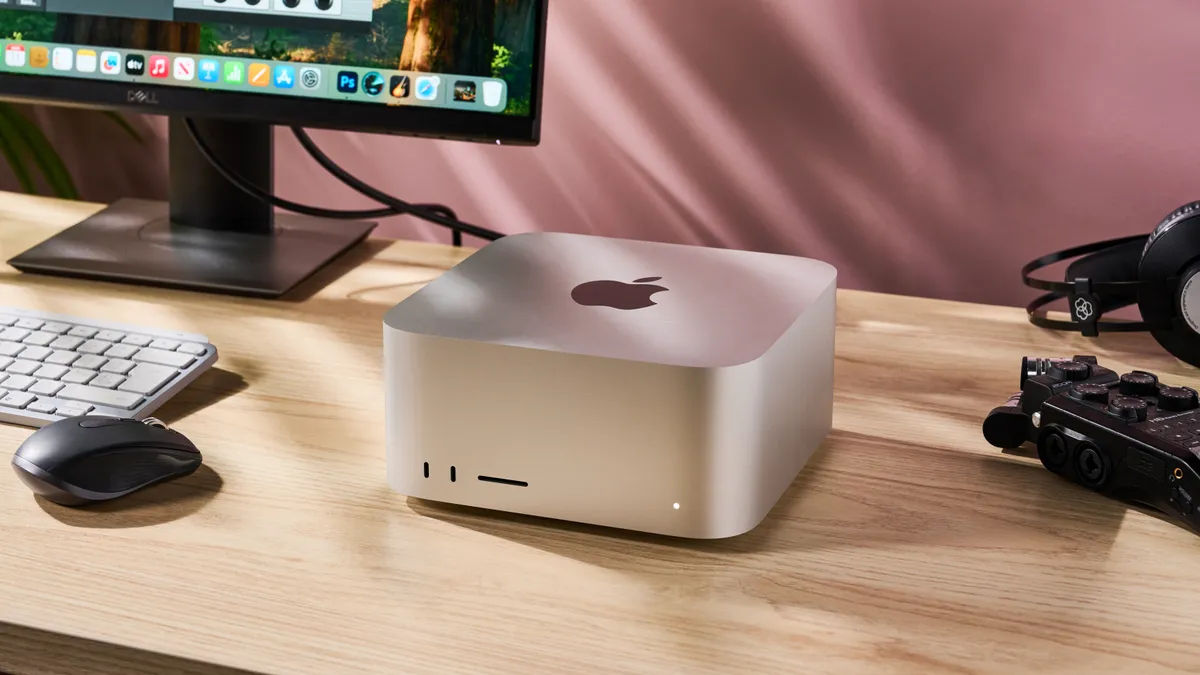


For most people, the best video editing computer has to be the Apple Mac Studio. The latest version comes with either the M4 Max chip or the more powerful M3 Ultra (which we reviewed). And in our experience, this one delivers incredible performance across the board - as you'd expect for Apple's most powerful Mac.
It's a well-built, well-designed machine that's compact (3.7 x 7.7 x 7.7in), suitable for the home, office, or studio. Beyond the processor, specs are good even on the base model, providing more than enough power for editing videos. Like most Apple devices (and unlike most Windows machines), upgrading isn't possible here, so you can't swap out the GPU, RAM, or storage. But for many people, that's part of the appeal here - it just works, no need to fiddle with internal components.
In our own tests, we found editing high-quality 4K footage in Adobe Premiere Pro to be very smooth, and just as responsive when scrubbing through the timeline. Previewing changes was effectively instant. Alongside that, we were impressed with how quick the internal SSD loaded and saved complex video projects.
The M3 Ultra model won't be for everyone. Unless you're rendering complex 3D models or working feature-length films, the M4 Max version will more than handle most creative duties.
Read our full Apple Mac Studio review
Best video editing PC on a budget

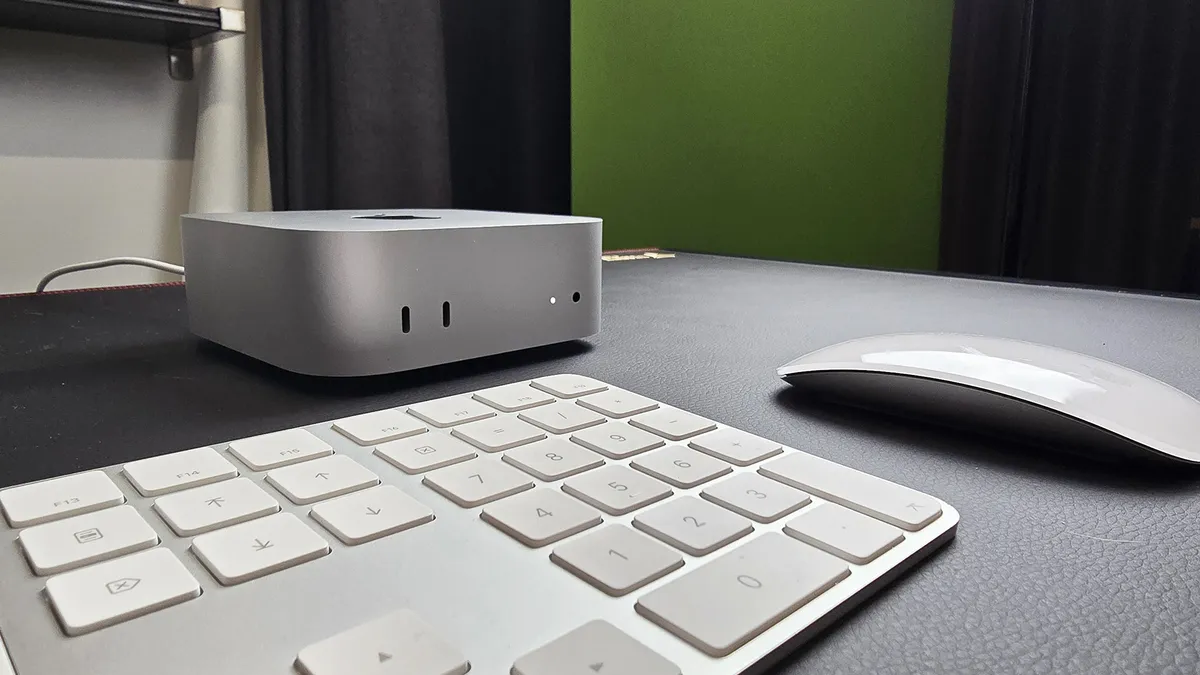


For a mini computer, the Apple Mac mini packs a lot of power, especially with its M4 chip. For anyone looking for a video editing PC that doesn't cost thousands of dollars, this is it - and if you want to cut costs even further and don't mind an older desktop, even the M1 and M3 versions of the Mac mini will make a suitable computer for video editing.
Performance proved excellent during our tests. Naturally, it powered through general office tasks and even handled gaming at high graphical settings (although I wouldn't recommend using this as a dedicated gaming rig). That impressive performance continued when we switched to video editing. Running Adobe Premiere Pro, the Mac mini brilliantly kept pace while editing 4K footage - and throughout most of our time with the computer, it remained virtually silent.
The Mac mini might not be the best pick for those editing 8K or working on pro-grade feature films, but for a compact all-rounder suited to all kinds of content creation, including photo and video editing, it ticks every box, and the price makes it a very attractive offer.
Read our full Apple Mac mini review
Best video editing PC for Windows


The Dell Tower Plus (EBT2250) is one of those PCs that's an easy recommendation for any type of content creator or creative professional. It may not have the exterior style of an Apple machine, but inside, it's a total powerhouse. We loved that it's so widely configurable that you can pretty much spec it out to exactly meet your current and future needs.
In our own tests, we ran the full gamut from general office software to video editing and 3D design, and it tackled it all with ease. Impressively, even during the most demanding workloads, the fans stayed near-silent. If you're ever tried cutting together complicated timelines you'll know how important - and how rare - that can be.
Considering it's a hugely customizable machine - from a lightweight PC for general editing to a graphics-intense content creation station - the only reason issues are the aesthtics, which feel very 'business-y' (dare we say 'dull'?). And the keyboard and mouse felt basic in the hands, and not the sort of kit you'll want to work with on features. Beyond that, there's a lot to like about this PC.
Read our full Dell Tower Plus (EBT2250) review
Best all-in-one video editing PC
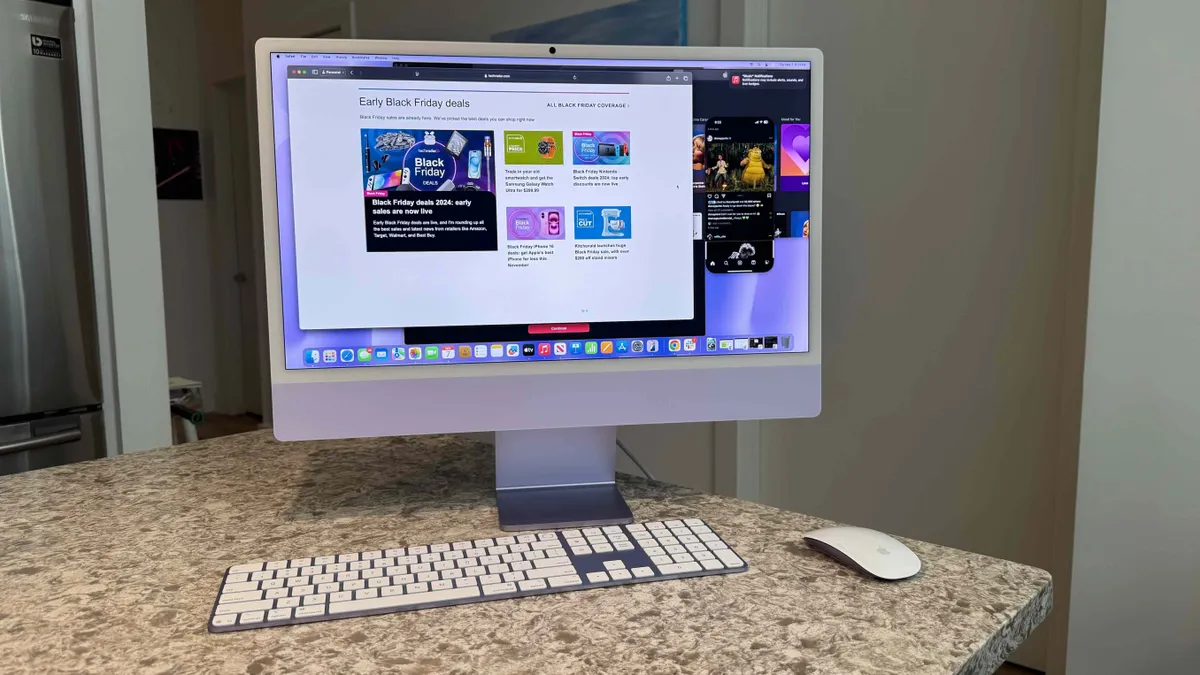


Apple's iMac is another machine that's been upgraded with the M4 processor, which means it's a powerful all-in-one computer well-suited to editing videos and other content creation projects.
Design-wise, there's not much to differentiate it from past models - although it's now available in a broader range of colors to suit your studio or workspace, and the bundled Magic Keyboard and Magic Mouse has USB-C at last. The screen delivers a gorgeous 4.5K resolution, 500 nits brightness, a built-in 12MP ultrawide camera, and boasts Wide Color P3 gamut and Apple’s True Tone technology, so your on-screen edits should be accurate to the final export. There's also external display support for two 6K screens or a single 8K screen for editors working on complex projects.
Our review unit showed excellent performance whether it was general office duties like office software, email, web browsing (with many, many open tabs), as well as photo, music, and video editing. At no point did the computer slow down, in part thanks to that starting 16GB RAM. At the top-end, the 512GB SSD may be low for video editors working with large files, but it is configurable to a more generous 2TB, and you can always hook up external storage.
Read our full Apple iMac (M4) review
Best mid-range video editing PC


The Lenovo Lenovo Legion Tower 5 Gen 10 is technically a gaming PC - but that just means it comes with all the features general editors need.
It's relatively high-end, rocking the RTX 50-series GPUs, although no 5080 or 5090 here that some creative professionals will need. Still, that helps keep the costs down without compromising on effectiveness. In our own tests, it delivered blistering performance overall. And it stay cool and silent, even when we began pushing it to its limits.
You can get Intel and AMD variants (we tested the AMD version) with a fair range of configurations to match your budget. Where it falls down here is the 32GB RAM cap, with no option to upgrade further.
Spec it right and you can get an impressive mid-range performer for video editing. It's not the cheapest budget pick we've tried, but it does offer excellent value for money. Especially considering the build quality here is exceptional.
Read our full Lenovo Legion Tower 5 Gen 10 review
Best premium video editing computer


Like almost all gaming PCs, the Alienware Aurora (ACT1250) has the chops for video editing, with top-end specs designed to crush content creation tasks.
During our tests, the computer smoothly ran a range of creative workloads, from high-resolution, multi-layer image editing in Photoshop to 1080p and 4K projects in Premiere Pro. For lower-res 10-minute videos, we clocked the Aurora rendering and exporting in seconds; at 4K, it was just a couple of minutes. For us, this makes it a reliable pick for content creators - and with its inherent gaming prowess, it's a good dual pick if you're splitting time between work and play.
The mid-range configurations aren't as good, as you'd expect. For video editors serious about rapidly scrubbing through timelines and editing complicated, multi-layered projects, we'd recommend speccing up here. That's easy enough though because, like all Dell systems, this one is highly configurable.
It's not a cheap video editing PC, but it tackles content creation with absolute ease and all-round performance for other tasks is reliable. Bonus points because this computer is ultra-stylish in design.
Read our full Alienware Aurora (ACT1250) review
Best video editing PCs: Frequently asked questions
What is the best computer for editing videos?
The best video editing computers are those equipped with enough CPU, RAM, and GPU to smoothly run video editing software. Creators tend to opt for Apple devices like the M2-powered Mac mini, which offers a near-flawless performance throughout the post-production process. For Windows machines, we like the HP Omen 30L and the Velocity Micro Raptor Z95. If you're looking for the best mini PC for editing videos, and don't want a macOS machine, check out the Minisforum Neptune HX99G and HX100G.
Can a gaming PC be used for video editing?
Yes, gaming computers are generally ideal for video editing, as they usually have the sort of components that needed for demanding video editing applications. However there's a few of things to bear in mind:
1. It will depend on your software. You can't use a Windows gaming PC for Final Cut Pro or iMovie as these run exclusively on Mac.
2. After sales conundrum. Gaming PCs do not usually come with any business-class level of aftersales that a video editing professional may expect which is, at a minimum, next-business day, onsite warranty.
3. ISV Certification. No gaming PCs have so called ISV certification. This ensures that your hardware solution is 100% compatible with the video editing software it will run on. Such certification, while not essential, is a sign that the application has been optimized.
4. Business features. Gaming PCs do not - as a rule of thumb - come with workstation/business features such as RAID (for data protection), ECC, vPro (for management), security features etc.
How to choose the best video editing PC
Specs |
Minimum |
Recommended |
Ideal |
|---|---|---|---|
Processor |
8th Generation Core i5 or equivalent AMD Ryzen |
Intel i7, AMD Ryzen 7, M2 |
Intel i9, AMD Ryzen 9, M3 |
Memory |
16GB |
32GB |
64GB |
Storage |
512GB SSD |
1TB |
4TB |
GPU |
6GB VRAM |
8GB VRAM |
16GB VRAM |
Operating system
When looking for the video editing computer best for you, there are a few key areas to explore. First, decide whether you want a Windows or Mac system. Macs tend to be favored across the industry, and are priced accordingly.
In recent years, the best business laptops and mini PCs have become more popular thanks to advances in mobile graphics and display technologies, but they cannot compare to a standard desktop computer with regards to expandability and upgradeability. If you're looking for a portable model to edit videos on the go, these are worth exploring.
Software and specs
We've tested all the best free video editing software, best video editing software for beginners, and best alternatives to Premiere Pro. And in almost every case, the software demands a powerful processor and lots of RAM. If your editing needs are simple, the best video editing apps and the best video makers out there let you cut content on your phone and in your browser, without the need for a high-end machine. Consider whether you need to also run other post-production tools like VFX software and best 3D modeling software. These are often demand a reliable GPU - look for the amount of VRAM (video memory) your graphics card has.
For more advice, see our guide on the 5 things to consider when selecting a video editing PC
Best video editing PCs: Expert advice
How do you choose a video editing or rendering computer?
We asked James Higuchi, writer, director, and CG Supervisor at VFX studioMonsters Aliens Robots Zombies (MARZ): "How do you choose a video editing or rendering computer?"
Nearly every machine for use in production requires its own specifications to meet the needs of the artist using it. For example, editorial requires fast I/O, lots of RAM and now that most editing suites are making use of some form of GPU acceleration, having a decent GPU can go a long way. Lastly, high clock speed CPUs are a must to help keep encoding/transcoding times down. Typically you're going for clocks over cores in this situation.
Rendering is not too dissimilar depending on what application you're rendering in. CPU-based rendering requires as much processing power and RAM as you can fit into a single chassis. Obviously, there is a level of diminishing returns, but I don't think I've ever heard "it has too much RAM."
On the other hand, GPU rendering is dependent almost solely on the specs of the GPU/GPUs in the system and relies on CPU for specific processes (texture processing, compression, I/O, etc). Another consideration for rendering, regardless of the processing unit, is parallelity. Since render processes are typically broken down to a per frame basis, the more frames you can have processing at one time, the better.
So typically we're looking at setups with more cores, more GPUs and more machines in general. At the end of the day, the biggest consideration is cost effectiveness. You could throw $50,000 into a machine that can do everything, but that’s just not practical or cost effective.
We typically try to tailor the machine for the task - balancing a mixture of processors (CPU and GPU), RAM, I/O, scratch and static storage depending on the need. This allows us to target the hardware in a more efficient manner and have a more straightforward hardware-upgrade path. It also keeps driver/software overlaps to a minimum, as there are cases in which some driver/firm compatibility conflicts can prevent you from running some processes on the same box.
James Higuchi is Lighting and CG Supervisor at VFX studio Monsters Aliens Robots Zombies. He has worked on film and TV shows including The Umbrella Academy, and WandaVision.
What are the different types of workstations?
TechRadarPro Q&A with Anu Herranen, Director of New Product Introduction, Advanced Compute and Solutions at HP Inc.
There are two main categories of workstation: desktop workstations, and mobile workstations. Within both, there will be different levels of performance which is defined by each manufacturer. Mobile workstations typically come in the form of a laptop and are designed for users who need flexibility to work from the office, home or in the field. As the name suggests, desktop workstations are a computer tower on or under a desk, requiring a separate monitor, keyboard and mouse. Although extremely powerful in performance, they aren’t portable like a mobile workstation.
There is a third category that people might be less familiar with, and that is the centralized workstation. If you have a team of people, but not all need access to high performance computer power all the time, this can be a very cost-effective option. Say you have a team of 30 people, of which 10 need constant access to workstation performance, you would give them their own workstation. For the other 20, who need it occasionally, you can install a centralized workstation in your office. These are usually stored in IT rooms, rather than sitting on the end user’s desk.
This is a rack-mounted desktop workstation that can take care of intensive workflows for any user, anywhere. Centralized workstations are also known as virtual workstations, as team members can connect to the centralized workstation with their standard issue desktop, laptop or notebook using the appropriate software, whenever they need to access high-performance computer power.
The user can then access workstation power performance to complete compute-intensive tasks from anywhere. The centralized or virtual workstation takes care of the heavy lifting, allowing the user to get the job done on almost any device from anywhere. Usually, only the encrypted pixels are sent over the network, so company data remains highly secure at the source with the racked centralized workstations.
During the pandemic as a result of increased virtual collaboration, users who relied on high performance computing via a desktop workstation needed a solution that provided the same capabilities and experience they were used to having in the office, at home. In the future, this is likely to be a continuing trend as workforces spend more time working remotely.
How we test the best video editing computers
We've tested a massive range of desktop computers and laptops for creatives, including the best video editing laptops, best photo editing PCs, and the best video editing monitors. So we know what to look for when you're looking to cut professional videos in the home, office, and studio.
To work with heavyweight video editors like Adobe Premiere Pro you will need 16GB of RAM to plod away comfortably, although technically it can run with just eight. A fast discrete GPU -if available- will also help as once you get past simple chopping of footage and start involving transitions, overlays and other fancy effects. Premiere Pro and DaVinci Resolve are optimised to offload encoding from the main CPU to the video card´s GPU.
Large amounts of storage is essential. It's not enough to rely on even the best cloud storage. And fast storage is just as important. Luckily, most systems nowadays come with SSDs to quickly load the operating system and applications. Having a secondary, old-fashioned spinning disc hard disk drive (HDD) as a secondary storage medium for your final work exports is a huge bonus, so we focused on systems that either come with 1TB or more of secondary storage or which can be easily expanded with additional HDDs internally.
We present you options from a wide range of prices. If you are on a budget, a good rule of thumb is to keep the internal storage modest and get the largest and best external HDD or the best flash drive you can. For added storage, especially when editing videos professionally, looked into investing in one of the best NAS devices for local backup purposes, ideally with RAID for data redundancy and disaster recovery.
Given the requirements, we selected systems with 16 gigabytes of RAM and fast 8-core processors like Intel´s i9, and AMD´s Ryzen 9 when available in each given device’s form factor. Future expandability and upgradeability was also considered as a bonus.
