
My team and I put the best mobile workstations through their paces - and these are the top-performing laptops in our tests. If you're coding, engineering, running data analysis, CAD, or AI, these are the powerhouse machines I recommend.
For anyone who prizes power and portability - well, as portable as a heavy-duty workstation laptop can be - the Dell Pro Max 16 Plus is the best overall. It delivered desktop-class performance throughout our tests, never once flinching as we threw at it a wide range of complex workloads.
Best mobile workstation overall


The Dell Pro Max 16 Plus is an exceptional mobile workstation, delivering desktop-class performance in a surprisingly portable package throughout our testing.
There's a lot to like with this high-powered Windows 11 Pro laptop. Of course, it's powerful. But it's also sleekly designed, and we were even able to stow it in a backpack. Not that this is some kind of miracle ultrabook. It's still heavy, but compared to the cumbersome Pro Max 18 Plus, this is the better choice if you're working across multiple locations.
Add in Thunderbolt 5 connectivity, a vivid 16in OLED display (this was an upgrade, as most configs have FHD+), and a keyboard comfortable enough to type on all-day, and you have the complete package here.
During our tests, we ran local dev environments, large codebases and CAD files, local LLMs. Then, just for fun, we opened every productivity app we had to hand, an absurd number of tabs in Chrome, while converting and transferring videos. And still, the Core Ultra 9 CPU never broke a sweat.
As with most Dell devices, it comes in a range of configurations, too, so you can find the one that best matches your workflow. Overall, then, the Dell Pro Max 16 Plus is a self-sufficient mobile workstation offering excellent usability for day-to-day operations.
Read our full Dell Pro Max 16 Plus review
Best mobile workstation on a budget


No true mobile workstation is cheap, but the HP ZBook X G1i packs in some good specs for less than the Dell machine, depending on your configuration. But what's most surprising is just how lightweight this 16in laptop actually is. True, you might not be tossing this into your rucksack everyday, but on the days you do, it's a pretty portable mobile workstation.
The design is professional without being boring, with an elegant silver finish. The keyboard feels comfortable to type on for extended periods, and bonus points for including a full num-pad. Port selection is also notably good, which is a core requirement for any workstation worth its salt.
We ran a whole series of tests with this model - from photo and video editing and 3D printing, right up to running large and complex database tools like DBeaver. And it works incredibly well with VSCode and other coding apps. As you'd expect, performance remained high throughout.
Overall, this is ideally specced for coding, 3D modeling, CAD work, and project managers running QA software, from testing to the push to production.
Read our full HP ZBook X G1i review
Best mobile workstation for engineers


Editor's note: We're currently reviewing the P16 Gen 3, which is an upgrade, but in my experience, any of the P16 ThinkPads will fit the bill here depending on your workflow.
The Lenovo ThinkPad P16 is a dream machine for almost any branch of engineering, with top-end specs and performance that effectively just strolls through projects without breaking a sweat.
Design-wise, it's like very much a large, heavy, but unmistakable ThinkPad. It has a durable magnesium-aluminum chassis. Of course, that means it also has easily the best keyboard on any laptop going. And, yes, the iconic red Trackpoint is here, too.
We ran a series of tests with the mobile workstation, such as content creation, 3D rendering, CAD, and AI workloads. These, the P16 tackled without even flinching. Performance remained superb throughout.
Where it does fall down - and to be fair, it's always an issue with most Windows mobile workstations - is the battery life. Under heavier workloads, we clocked it lasting around two to three hours.
Still, for a top-of-the-line ThinkPad workstation laptop, the P16 delivers everything most users will need.
Read our full Lenovo ThinkPad P16 Gen 2 review
Best 18in mobile workstation


The Dell Pro Max 18 Plus is one of the most powerful mobile workstations we've ever tested - in our review, we called it "the developer’s dream machine, the coder's crutch, and the engineer's engine." This beast does it all.
Of course, at 18in, this machine is large, heavy, and general pretty cumbersome. But that feels like a fair trade-off for a high-specced workstation laptop like this.
We found the Pro Max 18 Plus delivered remarkable amounts of power, fully capable of tackling any task we threw at it. Running large repos on GitHub, pulling up databases in DBeaver, projects in VS Code, nothing made slowed this laptop down.
It was so fast, there was barely any time to even think, let alone wait, for load times. And it proved more than able to tackle multiple projects at once.
As you'd expect, Dell offers a range of configurations here - and they're all pretty expensive. But then, this isn't just a performance-driven business laptop. It's a fully realised mobile workstation for professionals who require brute force with a big screen.
Read our full Dell Pro Max 18 Plus review
Best mobile workstation for AI and data science
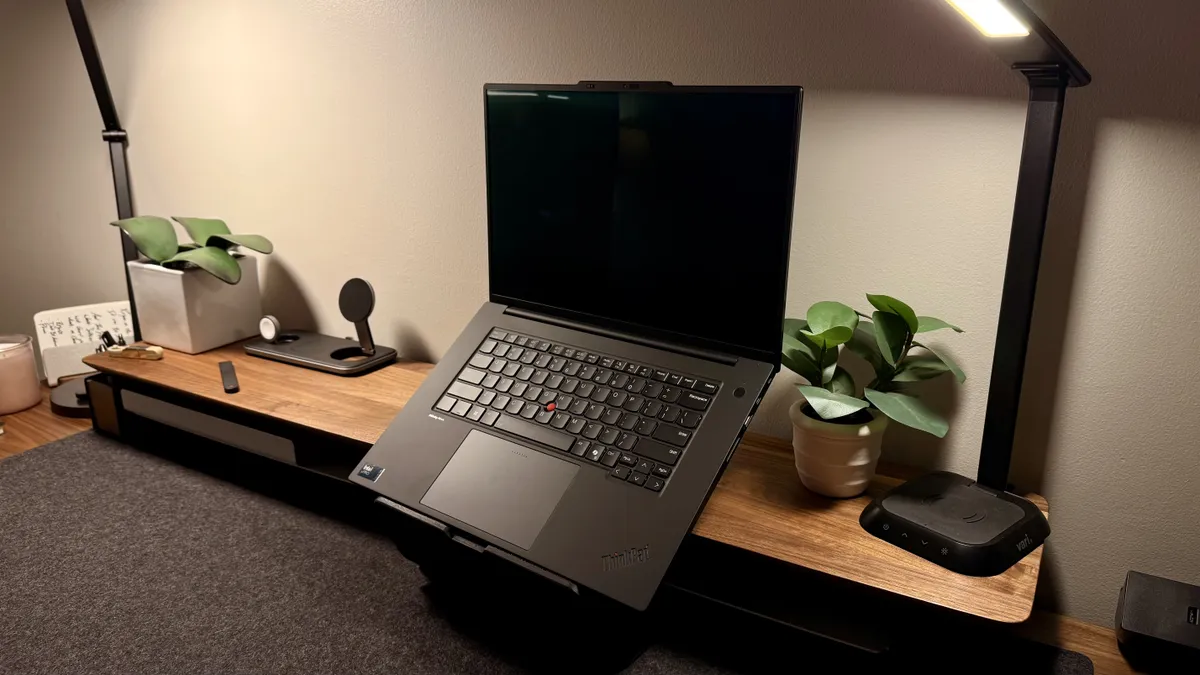


The Lenovo ThinkPad P1 Gen 7 is a wonderful powerhouse workstation that combines desktop-level performance with the fantastic portability of a laptop.
Designed for even some of the heaviest workloads, this machine is powered by an Intel Core i9-13950HX processor and NVIDIA RTX A5500 graphics, ensuring seamless performance for tasks like running local AI, 3D modeling, video editing, software development, coding, web design, and other hefty business use cases.
The 16-inch UHD+ display makes using this computer as visually pleasant as it is powerful. This display offers brilliant colors and visuals all on a fairly large display, especially for a portable workstation designed to replace a full desktop.
Read our full Lenovo ThinkPad P1 Gen 7
Best mobile workstation for creative professionals
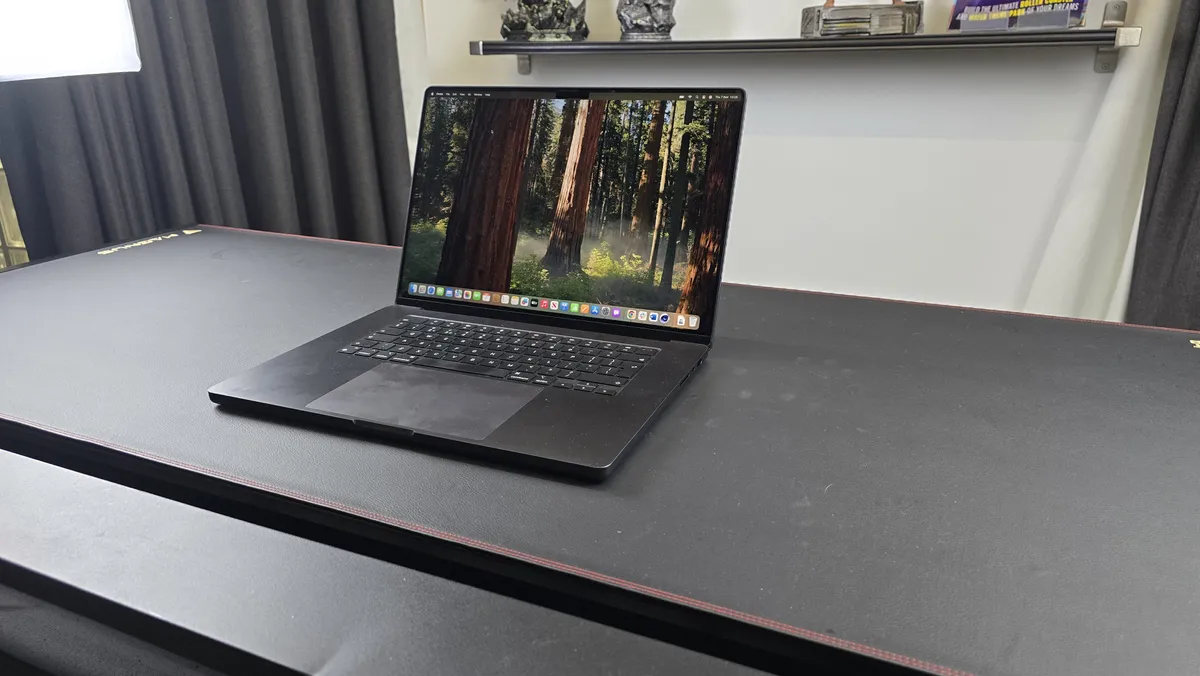
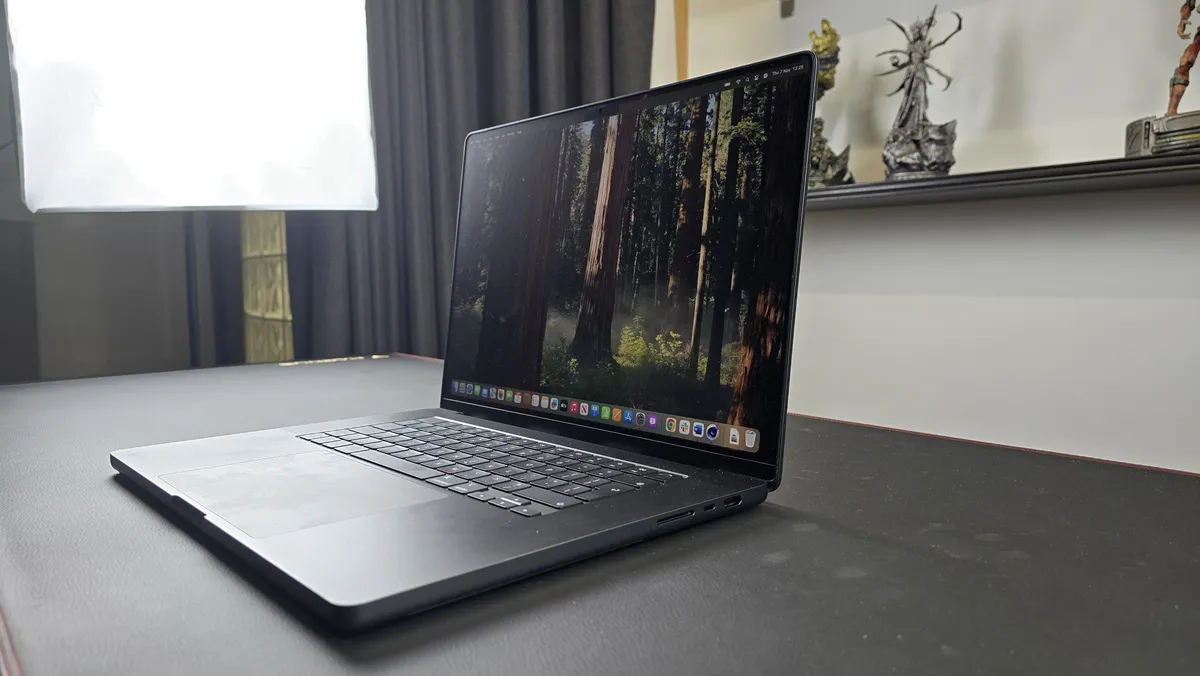


First off, if you want workstation-levels of power, you're going to want the MacBook Pro with either the M4 Pro or M4 Max processor - don't settle for the standard M4 chip.
With that in mind, this M4 Pro-equipped Apple laptop combines sleek design with unparalleled performance, and is only outpaced by the M4 Max chipset. However, in our experience, the M4 Pro is so good that the cost is only worth it to those who somehow find themselves pushing the M4 Pro chip, which we found incredibly hard to do.
This mobile workstation is purpose-built for demanding professionals who need cutting-edge speed and efficiency, all in a portable workstation that still looks great. And that's exactly what it delivered under our tests, capable of multi-tasking in Chrome with twenty different tabs to high-resolution video editing without slowdown. If you're predominantly working in programming, I'd opt for this device over a Windows machine, since you have the option of booting in both macOS and Windows.
It might not offer the biggest jump in performance compared to the M3 Max, but we still saw a noticeable bump in the benchmark tests we ran. With up to 64GB of unified memory, up to 8TB of storage, advanced CPU and GPU cores, a ProMotion Liquid Retina display, and a full 16-inches of real estate, it offers everything most people will need from a mobile workstation laptop.
Read our full Apple MacBook Pro 16-inch (M4 Pro) review
Best mobile workstation: FAQs
What is a mobile workstation?
A mobile workstation is a distinct class of laptop, featuring high-performance processors, pro-grade graphics cards, and expansive amounts of memory.
These machines are often billed as desktop replacements and are designed for professional workloads, such as computer science, data analysis, CAD, local AI, 3D rendering, and software development.
Mobile workstation laptops also have ISV certification, which means they'll run professional or enterprise-grade software from the likes of Autodesk, Adobe, and Dassault.
What specs does my mobile workstation need?
What specs you need for a workstation laptop will depend on the work you're performing.
In the table below, we've outlined the minimum, recommended, and best specs for seamless performance.
Component | Minimum | Recommended | Best |
CPU | Intel Core Ultra 5 / i7, AMD Ryzen 7 PRO | Intel Core i9 HX-series, Core Ultra 7, AMD Ryzen AI Max+ Pro 375, Apple M4 Pro | Intel Core Ultra 9 200HX series, AMD Ryzen AI Max+ Pro 395, Apple M4 Max |
GPU | Nvidia RTX 500, Nvidia RTX 1000 Ada Generation | Nvidia RTX 2000 / 3000 Ada, Nvidia RTX Pro 3000 Blackwell | Nvidia RTX 5000 Ada, RTX Pro 5000 Blackwell |
RAM | 32GB DDR5 | 32GB DDR5 | 64GB, 128GB DDR5 |
How to choose the best mobile workstation for you
- We asked Anu Herranen, Director of New Product Introduction, Advanced Compute and Solutions at HP Inc, how to choose a workstation.
"There are a couple of basic questions you need to ask yourself before choosing a workstation. The first is simply to think about the work you need it to support. Do you need fantastic graphics performance, or to analyze huge data sets in hours, rather than days? Do you need to be able to do a range of tasks concurrently? Which applications or operating system are you relying on?
The next step is to think more broadly about how and where you will use your workstation. Are you always in the field, therefore need a lightweight device, combined with great battery life? Or like so many of us today, do you need something that you can use at home, but doesn’t take up much space so you’re able to hide it away when not working? What audio experience do you need? Do you need to be able to work collaboratively?
Reliability is another key factor in choosing a workstation PC. Imagine that you are in a hospital environment analyzing CT scans: your computer needs to run 24/7 all year round and must never fail. Likewise, a NASA astronaut in a space station cannot ever take the risk of having their computer fail due to system crashes, component breakdowns and sluggish performance.
Some have undergone hundreds of thousands of hours of extensive testing under extreme conditions, where frequency, voltage and temperature are varied in such a way that it goes beyond what one could call normal operating conditions."
How we test the best mobile workstations
✅ More than 1,800 laptops, Chromebooks, and MacBooks reviewed
✅ 18 years of product testing
✅ Over 16,000 products reviewed in total
✅ Nearly 200,000 hours testing tech
Our team of experts have tested a range of business-use devices from the best MacBook Pro and the best Lenovo ThinkPad laptops to the best laptops for video editing.
When evaluating the performance of any machine, including the best mobile workstations, we looked at how the workstations run different types of applications — from graphics-heavy programs and apps like the best video editing software to large data sets.
We analyzed numerous specs, like CPU, RAM, graphics, and storage, to determine what kinds of users the workstation would be best suited for. We considered how many connectivity ports the workstation had, whether the fan was noisy, and if the laptop would get hot with prolonged use.
Another key area we assessed was the laptop’s portability and battery life. Having already tested the best rugged laptops, we were looking for machines that were reliability robust but sleek and light enough to carry on the commute. So, we assessed size, weight, and design of all mobile workstations to find the ones best suited to the professional lifestyle.
Get in touch
- Want to find out about commercial or marketing opportunities? Click here
- Out of date info, errors, complaints or broken links? Give us a nudge
- Got a suggestion for a product or service provider? Message us directly
- You've reached the end of the page. Jump back up to the top ^
