





We review all kinds of printers and multifunction devices and this is my shortlist of the very best small business printers. Some offer excellent document copying, or exceptional color printing, while others deliver efficient black and white pages, but all of them come with the features essential for office use and represent great value for money.
Overall, the Xerox C225a is my top recommendation for small businesses. This solid multifunction device has all the ingredients for a successful small office printer, and its excellent print quality comes at a competitive price. Check out my shortlist below and click through to the full reviews for my in-depth assessment.
Check out the full reviews for all our top choices below. We've personally tested each of these recommended printers here, and compared their performance to those of the best home printers.
Just a quick note: printer model names differ depending on region, so I've added the US name first, with the UK and European model in brackets. However, they are all the same printer with the same features.
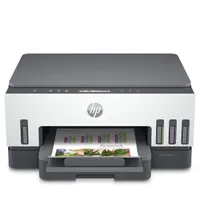
Best small business printer overall


✅ You're equipping a small team office.: The Xerox C255a combines printing, scanning, copying, and faxing in a single compact device, making it a convenient workhorse for small teams needing shared access.
✅ Limited desk space frustrates you.: Setup is quick and guided via the touchscreen, and the C255a’s footprint suits cramped spaces—ideal if you need a feature-rich device that won’t dominate your desk.
❌ You regularly digitize two-sided documents in bulk: The C255a lacks a dual-scan ADF, so double-sided scanning or copying requires you to flip pages manually. If you frequently digitize two-sided documents, a device like the Xerox C325 would be more efficient.
❌ NFC or Bluetooth connectivity is essential for you: The C255a supports Wi-Fi and Ethernet, but does not offer Bluetooth or NFC for quick mobile device pairing. If tap-to-print is essential, you’ll need to look elsewhere.
If you need a compact all-in-one for your small office, the Xerox C255a stands out with its full suite of print, scan, copy, and fax features, plus a user-friendly touchscreen. Setup is simple, with the device walking you through wireless and Ethernet connections so you can get started right out of the box.
The C255a keeps pace in a busy workgroup, thanks to a tested print speed of 26 pages per minute. With both Wi-Fi and Ethernet onboard, it's easy to share across a team. Black text comes out crisp and reliably sharp, even during longer print runs. This throughput and consistent output make it a strong fit for teams that print frequently throughout the day.
The main trade-off is scanning. Unlike the step-up Xerox C325, the C255a lacks a dual-scan automatic document feeder, so double-sided scanning requires manual intervention, which could slow down high-volume workflows. For most small teams, though, the practical multifunction features and speedy printing are what matter most. If fast, hands-off duplex scanning is a priority, consider the C325 or see our full review for more alternatives.
Read our full Xerox C225a review
Best value small business printer


✅ You print a lot of color documents. Canon’s bottled ink is cheap enough that you don’t need to worry about refuelling, and there’s plenty of ink in the box.
✅ You print a wide variety of documents. During the test, this printer coped with all kinds of paper and put in a strong all round print performance.
❌ You scan a lot of documents. The ADF works well enough, but it won’t scan both sides of your document automatically.
❌ You need to print quickly. The top speed in simplex mode is 18ppm, which is not bad for an inkjet, but laser printers are faster.
There’s a lot to like about the Canon MAXIFY GX4020 (known as the GX4050 and GX4060 outside of the US).
From its robust, yet compact design to its vivid print quality, I think Canon has hit the sweet spot with this mid-priced MegaTank printer. It’s not as fast as a laser and it lacks a couple of premium features such as duplex scanning and a USB Host port, but it has everything else that a small to midsize business might need.
There’s plenty of room for paper and ink with a 250-sheet main paper tray and it holds enough bottled ink in the tanks to print 6,000 mono and 14,000 color pages.
The print quality is impressive, whether you’re talking about text or full color images and it’ll print on anything from sticky labels and card to glossy coated photo paper.
Read our full Canon MAXIFY GX4020 review.
Best small business printer for copying and scanning


✅ You print a lot. The C325 is a speedy printer with a 250-sheet paper tray that can be expanded with additional cassettes, allowing up to 901 sheets.
✅ You need reliable double-sided printing and scanning. This is one of the highlights of this printer - I found it incredibly easy, incredibly fast, especially with the single-pass duplex ADF, letting you scan double-sided documents without turning over the page.
❌ Your office lacks space. This is a large and bulky laser printer than demands more space than most home offices offer, although it's well-sized for shared workspaces.
❌ You want to send documents via Bluetooth. The Xero C325 lacks Bluetooth and NFC connectivity, which may limit its use for some workers.
With its responsive touchscreen interface, comprehensive feature-set and rapid print and scan rates, the Xerox C325 was a pleasure to test. It looks bulky and top-heavy, but the design, with the cartridges more easily accessible at the side, makes sense.
It also printed reliably and well during the tests, especially when it came to mixed color documents and even photos. The enhanced 4,800 DPI resolution and vivid toner combine to give eye-catching color pages. Plain text pages look pretty good too and this printer can churn out mono and color pages equally quickly.
The Xerox C325 makes a great copier too, swiftly scanning both sides of each document automatically and delivering accurate 2-sided copies in its deep out tray. It doesn’t have an NFC module, but this is more than made for with features like the USB Host port, separate paper inputs and its upgradability.
Being so large and somewhat expensive, it’s better suited to a shared office or a home office with a lot of space, where I’ve no doubt it will meet the high print demands of a workgroup of up to ten people.
Read our full Xerox C325 review.
Best compact small business printer
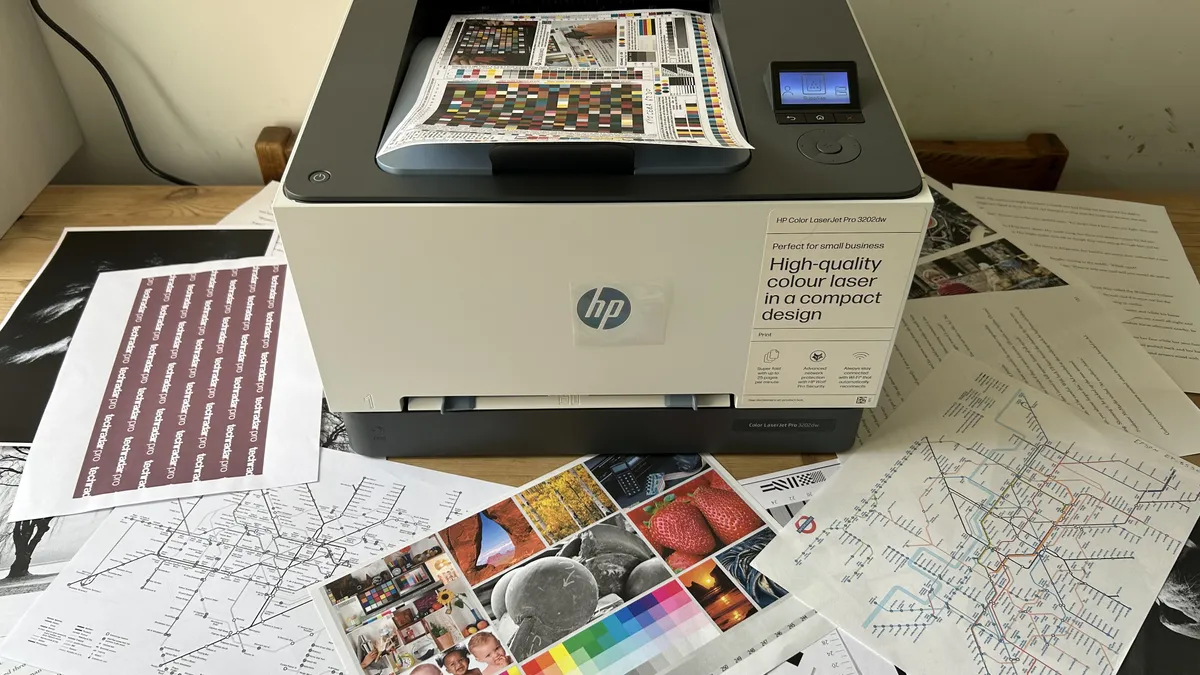


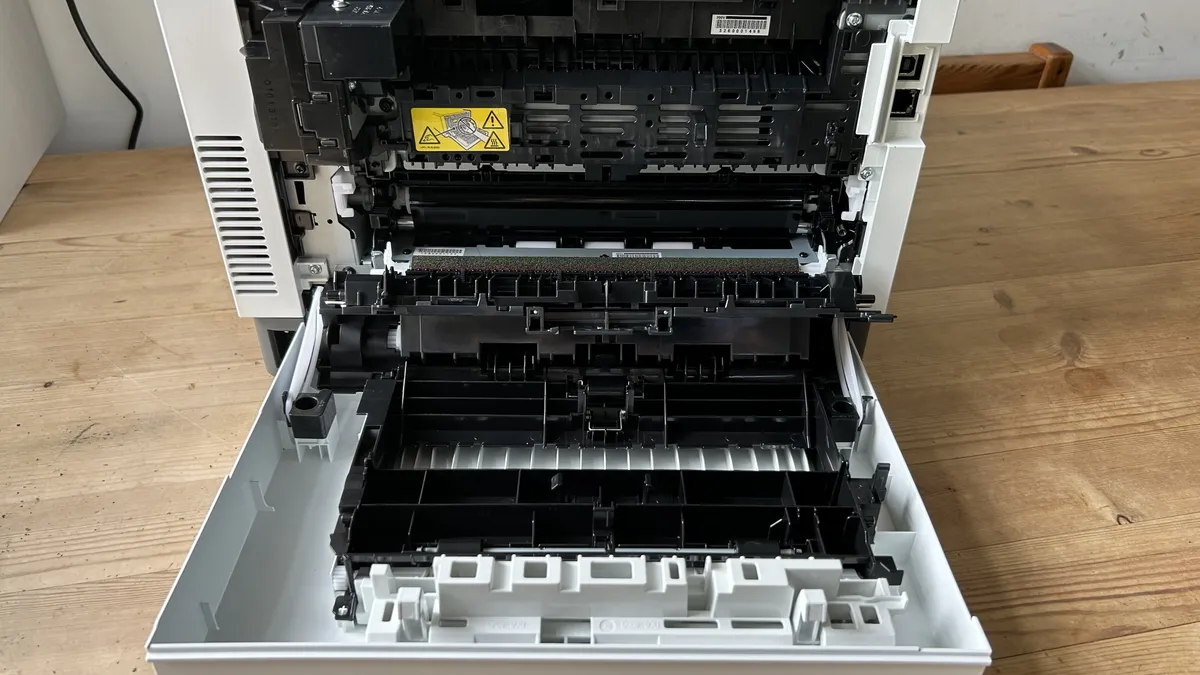


✅ Your office space is limited. Laser printers are always larger than their inkjet counterparts, but this is one of the smallest I have tested.
✅ You need to print a lot of pages quickly. HP’s print rate is fast enough to beat any inkjet and its toner cartridges are more economical than its inkjet cartridges.
❌ You also need to scan documents. This is a single use device, so you should be browsing HP’s multifunction models.
❌ You print exclusively in black and white. Mono laser printers are simpler devices that are much cheaper to buy and run than color models like this.
The HP Color LaserJet Pro 3201dw (HP Color LaserJet Pro 3202dw in the UK) is a compact desktop printer aimed at the home office or shared workgroup that demonstrates all the advantages of a laser printer.
It prints very quickly at 26ppm and turns the page promptly in auto duplex mode, while HP’s TerraJet toner renders crisp and dark text and particularly vivid colors. I found the print quality was excellent for everything except photos, which laser printers are never good at.
The relatively small size of the unit and its two-tone color scheme is appealing and so is the low price point. Being an entry-level laser printer, the feature set does not include a touchscreen, NFC or a USB Host port, but you do get a convenient multi-purpose tray, strong embedded security and inbuilt Wi-Fi with AirPrint compatibility.
There’s not much toner in the box (enough for 600 mono and 500 color) and cartridges are not cheap, but overall, there’s enough to like about this inexpensive laser printer to recommend it as one of the best small business printers.
Read our full HP Color LaserJet Pro 3201dw review
Best small business printer for wide formats


✅ You want big eye-catching prints. This large format printer uses bright pigment-based inks to produce vivid photos and color documents on paper sizes up to A3+.
✅ You use various paper sizes. With two paper trays to draw from, you can load both letter and tabloid-size paper and select the best size without having to reload.
❌ You print a lot. Epson’s DURABrite cartridges are somewhat expensive so printing a high volume of large pages is not economical.
❌ You mostly print photos. It can print a reasonable photo, but the pigment inks are better at vivid documents.
The Epson WorkForce Pro WF-7310 is a capable, high-capacity business printer designed for the home or small office. It’s a wide-format inkjet device so it can print on a broad variety of media up to size A3+.
It looks a little bulky, but it’s actually quite compact considering it can hold a whole ream (500 sheets) of Tabloid/A3 paper in its two paper trays. A multifunction tray at the rear expands the media compatibility still further by allowing you to print on quite thick card.
There’s no touchscreen on this model, but it’s easy enough to operate using the tilting control panel with its 6.1cm LCD. Wi-Fi and AirPrint connectivity are built in, while the motorized output tray is a nice touch.
It prints pretty quickly for an inkjet and its all-pigment inks make for fast-drying, durable and vivid printouts. The only real catch is the cost of the DURABrite cartridges, which push the CPP (cost per page) over 12 cents (or 10 pence) for color pages.
If you need to produce large professional-looking brochures regularly, this printer could be worth the expense.
Read our full Epson WorkForce Pro WF-7310 review
Best small business printer for envelopes and labels


✅ You want a printer that can do it all. This feature-packed all-in-one device has a scanner, ADF and almost every feature you can think of - and the multi-purpose tray easily handles the stacking of envelopes, labels, and other marketing materials.
✅ You hate using printers. The customizable color touchscreen and intuitive interface make this printer easy to use, especially when setting your own shortcuts.
❌ Your budget is limited. This upmarket printer is somewhat expensive. Its toner cartridges are certainly better value than inkjet cartridges, but not the cheapest.
❌ You need to print on larger paper sizes. This is a regular letter, or A4-size printer, so for anything bigger than that, you'll need a wide-format unit.
The Canon Color imageCLASS MF753Cdw (or Canon i-SENSYS MF754Cdw) is a compact AIO laser printer with the speed and functionality to suit a busy workgroup, but it’s also small enough to slot nicely into a home office.
I think the smart design looks as good as the spec-sheet, which makes impressive reading. It prints at a swift 35ppm in simplex mode and duplexes quickly too. There’s room for 250 sheets of paper in the main tray and 50 more in both the multi-purpose tray and ADF. That multi-purpose tray is designed to hold more than just paper - you can also place inside envelopes, labels, and other marketing stationery, giving this real versatility in any office.
You can also buy a second paper cassette to add a further 550 sheets. The broad feature set includes automatic duplex scanning and a sophisticated customizable 5-inch touchscreen.
Canon sells high-yield cartridges for this model, although the cost-per-page is still not the most competitive in its class. It’s also worth noting that the bundled setup cartridges don’t less toner than standard cartridges – enough for 2,100 mono pages and 1,100 color. When it comes to print quality, however, this flashy MFP is hard to fault.
Read our full Canon Color imageCLASS MF753Cdw review
Best small business printers: Frequently asked questions
Are all-in-one printers good for small businesses?
The small business printers on this list can also handle multiple tasks from multiple people throughout the day. Even the smallest of businesses will be sending documents from networked PCs all day – and if they can also offer photocopying, faxing, and scanning features as well, that's even better.
We've got some brilliant multi-function printers on this list which are space and money-saving devices for the smallest of offices. All-in-one printers that offer photocopying and scanning can save your small business money compared to buying the devices individually. Having them all in one compact device will also save space.
If you're unsure about what type of small business printer you need, head to the bottom of our guide, where we explain the best ways to find and buy the best small business printer that suits your needs.
What's the difference between the best small business printers and home printers?
While home printers will do in a pinch, if you're running a firm, sooner or later, you'll want to invest in a suitable printer for a small business. Home printers are famously slow, they quality is usually not as high as business-focused devices, and they don't hold much paper. Since the majority use inkjet cartridges, running costs tend to be high. Features are usually stripped back to keep prices consumer-friendly and within budget.
The best small business printers, on the other hand, are centered around greater productivity. So, they're usually fast to print, with better quality results. For even more workflow efficiency, they usually feature auto-duplex (double-sided) printing mode and an automatic document feeder (ADF), so you're not constantly refilling a paper tray which is already generous compared to printers for the home. Those destined for busy offices or enterprise-use also tend to be bigger and more robustly built.
You'll also find many of the top-rated printers for the office (or home office) include 4-in-1 capabilities, so you can print, scan, copy, and fax - a function most home users don't need.
How to choose the best small business printer for you
Why you can trust TechRadar We spend hours testing every product or service we review, so you can be sure you're buying the best. Find out more about how we test.
There are a lot of different factors to consider when choosing which small business printer is best for you. While you can largely use any laptop, PC, or mobile devce to print, there are some areas you'll want to check.
Every business is different - you may be looking for the best all-in-one printer, effortlessly capable of handling printouts, scanning, photocopying, and faxing. Or perhaps you're on the lookout for a dedicated printer that excels at print quality - and can handle the demands of an office. This means it will need to be able to produce printouts quickly and from several different sources.
One of the first choices to making is selecting between inkjet and laser printing. Generally speaking, inkjet printers are cheap to buy, but ink cartridge costs are more expensive. Printing speeds are slow compared to the faster laser printers, which have a higher initial outlay, but are cheaper to run in the long-term.
Even the most modest office will likely be networked, and sharing a resource as useful as a printer is essential. So you should only look at printers capable of networked use. Wired offers speed and robust function for a fixed office. Even the best wireless printers may be flexible and cheap to deploy, but in our experience they're not as fast in use.
Multi-function features can be found across the board and at all cost scales. Basic features start with a USB Key and card readers for PC-free printing, moving to scanner and copier functions. At the higher end, automatic document feeders (ADF) can manage 50 copies simultaneously and produce booklets, including duplex printing, stapling, and folding. Often the basic ADF features will accommodate most medium-sized offices.
Print size is a serious consideration - especially if you're going big with your print-outs. The best printers for small businesses can all easily handle traditional paper sizes up to A4. For bigger jobs, you'll want to explore the best sublimation printers, the best A3 printers and the best large format printers. These are the best printers for small businesses who need to produce posters, banners, or marketing assets liked logos on mugs.
There has been a marked difference in Cost Per Page (CPP) between lasers and inkjets, but in recent years, inkjets have managed to drop their prices to compete. Either way, you must carefully assess each device's CPP.
Manufacturers measure the toner or cartridge yields with an industry-standard ISO rating. So you can safely assess the total price of replacing all the cartridges or toners divided by the print yield across all the potential models.
The total volume of prints you're going to make also needs to be considered. Devices often quote a "duty cycle" monthly maximum and recommended figures. These are the total number of prints it handles per month. If possible, assess the office's number of prints per employee and ensure the device can meet your current and future demands.
Finally, in the past, color, especially for laser printers, has demanded a premium, but that's not so much the case these days. However, these models are still more expensive due to the additional materials required for the toners and printer manufacture. For on-going cost reduction, the best ink tank printers may better serve your business. There's still a big enough differential that if you don't need regular color, you should opt for a mono model, perhaps using a cheaper inkjet or even out-of-house printing for occasional color requirements.
How we test the best small business printers
I’ve been the senior printer editor at TechRadar Pro long enough to have tested hundreds of printers including the best printers for Mac, best photo printers and the best label printers. And in my experience, there are plenty that would be well suited to small business users. My methodology follows a series of repeatable tests and comparisons and the process starts right from the unboxing and initial set-up, which is timed. If there’s a problem with unsustainable packaging or a baffling user manual, I’ll call it. If it’s a pleasure to use, that’ll be reflected in the final score too. I always test both wired and wireless connections and explore the various remote printing companion apps as these often enhance the user experience.
For the performance tests, I have a folder of test cards, photos and text documents designed to assess detail resolution, contrast, color accuracy and gamut. Some test images are particularly good for spotting feathering and smearing among inkjets, while others highlight color blocking and banding in laser prints. A ten-page text document is useful for measuring print rates because I never take manufacturer's claims at face value. Having said that, the quoted print and scan speeds are usually accurate enough that I rarely contradict them.
I print each test page on a range of standard paper stock from cheap 75gsm sheets to 600gsm card, as every printer has its limits and preferences when it comes to paper quality. And if the manual claims you can print on envelopes, labels or t-shirts, I test that too.
Features such as auto-duplex scanning or copying multi-page documents via an ADF (automatic document feed) are evaluated, and an assessment of build quality and design contributes to the overall rating. I pay particular attention to the COO (cost of ownership) because cheap printers can often give lower value for money when you calculate the ongoing consumables cost.
Find our more about how we test, rate, and review printers on TechRadar Pro.
Kitting out the office? We tested the best business computers, the best business laptops, and best business monitors,
Get in touch
- Want to find out about commercial or marketing opportunities? Click here
- Out of date info, errors, complaints or broken links? Give us a nudge
- Got a suggestion for a product or service provider? Message us directly
