


The best Xbox controllers can reliably take your gaming experience up a notch, offering great build quality and enhancements like Hall effect sticks or digital trigger locks. Just like the best PC controllers, the number of stellar Xbox pads increases year on year and now there's plenty of quality options all across the budget spectrum.
Our curated guide to the best Xbox controllers is primarily aimed at the Xbox Series X and Xbox Series S consoles (though they'll also all work on PC) - and all bear the official 'Designed for Xbox' seal of approval. And as we've rigorously tested and reviewed every single controller in this guide - analyzing everything from build quality and longevity to the usefulness of their features - they've all been given the TechRadar Gaming seal of approval.
We've made our choices with the best Xbox Series X games in mind, and how owning one of these controllers will drastically improve your experience. We've carefully considered everything from comfort to cost, aiming to recommend top quality products that are typically much easier on the wallet than many of the best PS5 controllers.

As a lifelong gamer and someone who's been writing professionally about gaming hardware for almost half a decade, controllers are my bread and butter. From the Sega Dreamcast to the Xbox Series X, I've always had an appreciation for controller design and ergonomics, as well as the unique features they bring to the table.
In terms of today's Xbox controller market, I'm always on the lookout to test gamepads that offer compelling features at competitive price points. Whether that be drift-resistant Hall effect sticks or something as simple as long-lasting battery life, I'm confident my best Xbox controller selections will have something for you.
Best Xbox controllers
Why you can trust TechRadar We spend hours testing every product or service we review, so you can be sure you're buying the best. Find out more about how we test.
The best overall Xbox controller
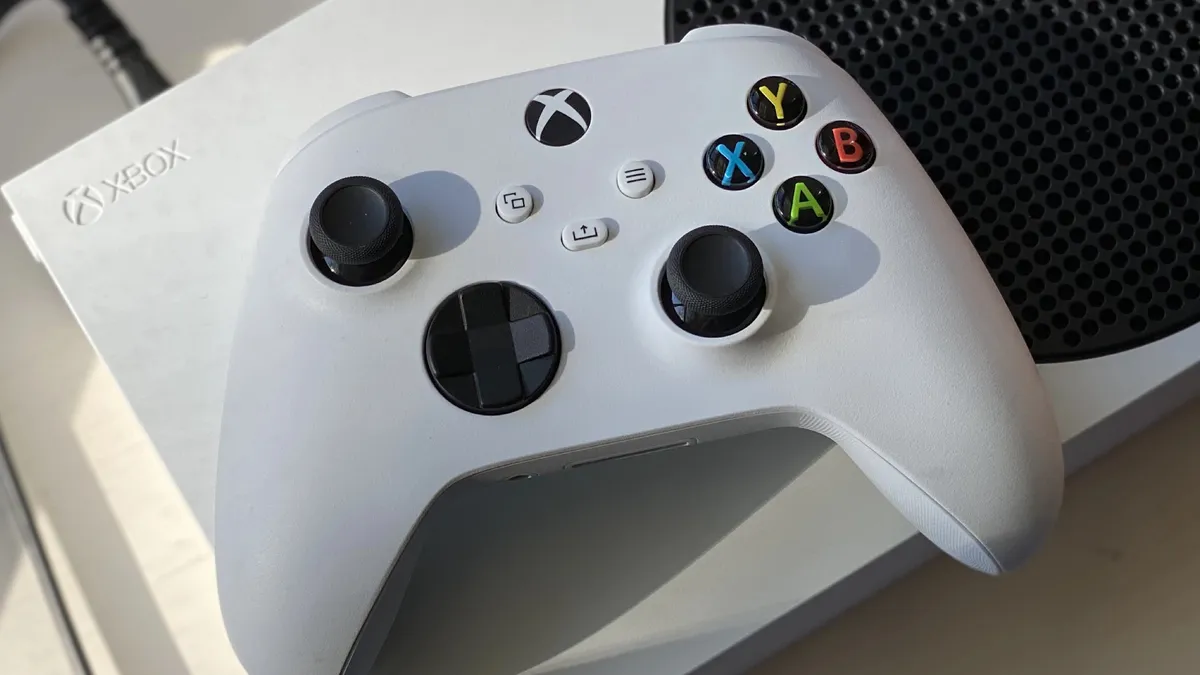
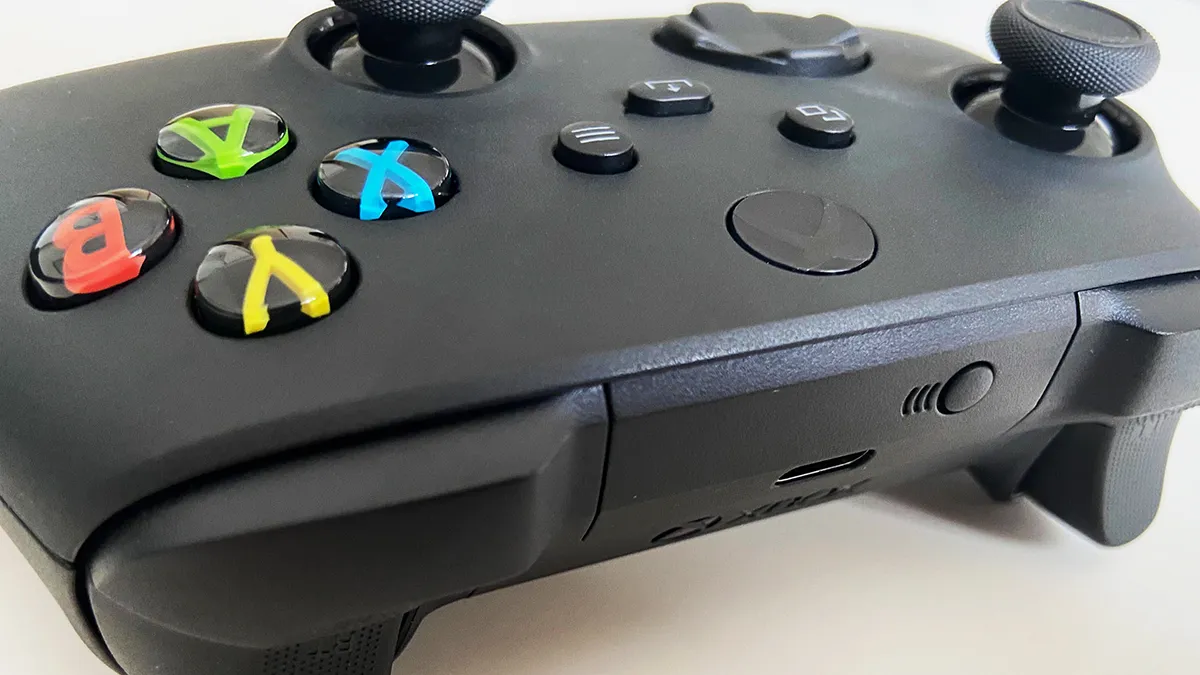
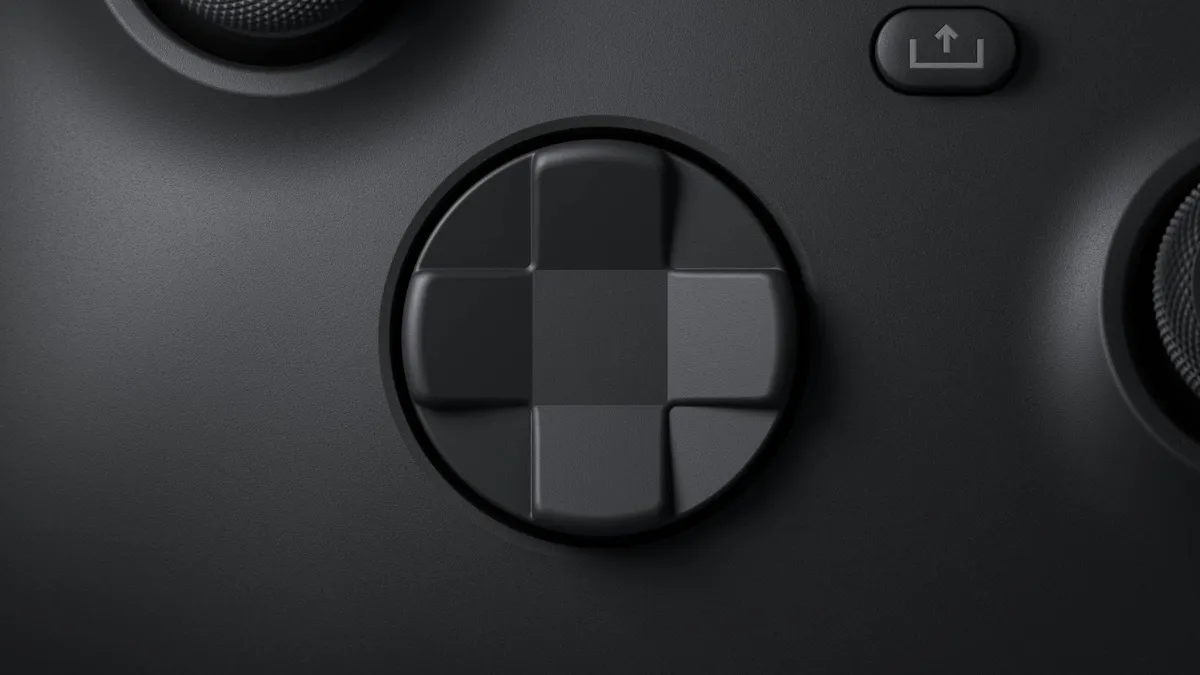


✅ You want a controller you can use with a range of devices: The Xbox Wireless Controller works with more than just the Xbox Series X|S. The gamepad is compatible with Xbox One, Windows 10 PC and Android, too.
✅ You like flashier alternate colors: There are more colorways for the Xbox Wireless Controller than practically any other gamepad on the market. And most of them aren't priced too much higher than the standard black and white models.
❌ You want lots of extra features: The Xbox Wireless Controller does what it says on the tin and nothing more. It's an excellent pad, but one that's also very straightforward.
The Xbox Wireless Controller might seem like a boring choice for a 'best overall' pick, and one that is (obviously) as old as the Xbox Series X|S consoles themselves. So what makes it such an enduring pad?
Well that's the keyword right there; endurance. The Xbox Wireless Controller is just an incredibly reliable product with few - if any - real standout flaws. Build quality is among the best you'll get in its price range. Its chassis, sticks, buttons, d-pad... they all feel great in the hands and during gameplay.
It might not have the fancier features of controllers found on competing hardware. For example, there's no DualSense-esque haptic feedback here. Yet for as relatively basic as it is, it's incredibly rugged. The Xbox Wireless Controller that came with my Series S at launch is the same one I use today, more than half a decade later. It greatly outlasted my old Xbox Elite Wireless Controller Series 2 (a vastly more expensive choice), which developed an unresponsive right bumper after about a year and a half of usage.
The only real kicker is that the Xbox Wireless Controller relies on AA batteries for charge, at least by default. My advice would be to buy an official Xbox Rechargeable Battery which comes with a USB-C cable. With it, you'll never have to run to the store to pick up disposable batteries in a pinch ever again.
Lastly, I have to talk about the sheer amount of colors and liveries available for the Xbox Wireless Controller. They range from basic colors to more standout special editions, as we've seen for Forza Horizon 5 and Doom: The Dark Ages. Beyond that you have the Xbox Design Lab; a website where you can customize your very own Xbox Wireless Controller from the ground up. That's an expensive service, but one that's unique in the controller space and ideal if you want something with a more personal touch.
- Read more: Xbox Wireless Controller review
The best budget Xbox controller


✅ You’re on a budget: Though wired controllers tend to be cheaper generally, the Drakong Challenger offers great value even compared to its peers.
✅ You want cheap and cheerful: Low price does not mean low quality here. Build is solid overall, and controls are tight and responsive.
❌ You're big on extra features: The Challenger is very much a 'what you see is what you get' controller. No accompanying software has been made for it, and it's light on extras.
It's immediately tempting to give the Drakong Challenger the side-eye with its ultra-low price point. But this budget gamepad surprised us with its solid build quality and all-round top notch performance during play. It may be cheap, but it sure doesn't feel like it.
At just $34.99, the Drakong Challenger boasts some pretty unbeatable value, even compared to the Xbox Wireless Controller when it's (frequently) on sale. As such, we reckon the Challenger makes for an excellent spare pad, something for friends and family to use for local multiplayer, or even as your main controller if you're on a tighter budget.
There are some concessions. It's a wired-only controller, which could be an issue if you prefer that cordless freedom in your gaming setup. It's also not big on ancillary features. So if you're the type who enjoys tinkering with your pad's particulars either on the controller itself or via accompanying software, you're out of luck here. It does bear a 3.5mm jack for your gaming headset, though, which is always a welcome sight.
- Read more: Drakong Challenger review
The best Xbox controller for competitive gaming


✅ Input lag frustrates you: With a 1,000Hz polling rate and 2.3ms wired input latency, the Raikiri II delivers ultra-responsive performance ideal for competitive play.
✅ You value long-term durability: TMR sensors in the thumbsticks are designed to resist drift and maintain peak precision. Longevity is the name of the game here.
✅ You want pro-level customization: Gear Link software offers robust settings for button mapping, response curves, and profiles—making it easy to tailor the controller to your playstyle.
❌ You change controller profiles frequently on console: Switching onboard profiles on Xbox requires connecting the controller to a PC with Gear Link, which adds friction for console users.
❌ Keeping hardware costs low is your priority: The Raikiri II’s price reflects its advanced hardware and features, but more affordable options like the standard Xbox Wireless Controller or GameSir G7 Pro may make more sense for casual play.
The Asus ROG Raikiri II Xbox Wireless makes a compelling case for the competitively-minded, thanks to its ultra-fast 1,000Hz polling rate and input latency as low as 2.3ms over a USB-C connection. Both are crucial for split-second responsiveness in high-stakes play. Its solid, substantial build quality immediately stands out, too, feeling premium in the hands without skimping on ergonomics.
Delving into the hardware, the Raikiri II is engineered for long-term precision. Both thumbsticks (as well as the triggers) use TMR sensors, delivering heightened accuracy and performance that you'd typically only get in Hall effect sticks. The shoulder triggers are a highlight, too: you can switch between a TMR sensor mode for gradual pull or a micro-switch mode for lightning-fast taps, ideal for shooters and any game that involves rapid-fire actions.
When set to micro-switch mode, the triggers feel tactile and responsive - perfect for hitting those quickfire actions in intense moment-to-moment gameplay. This attention to tactile detail extends to the micro-switch face buttons, which activate instantly and provide crisp feedback, giving every input a snappy response time.
Customization is another major strength. Asus’s Gear Link software lets you remap buttons, tweak response curves, adjust deadzones, fine-tune trigger points, set rumble strength, personalize RGB lighting, and save up to five onboard profiles. The ergonomics match the software flexibility: rear shortcut buttons are positioned right under your middle and ring fingers for quick access, while textured grips keep the controller securely in hand during marathon sessions. The Raikiri II is tailored for gamers who want total control over both feel and function.
There are some drawbacks to consider. Profile switching on Xbox isn’t seamless—you’ll need to connect to a PC and use the Gear Link software there, which feels like an oversight and undoubtedly will prove frustrating for Xbox-only players.
The price is steep, too, reflecting its top-tier features, and for those who don’t need advanced hardware, the standard Xbox Wireless Controller remains more affordable and maintains that Xbox and PC dual compatibility. But, if you want best-in-class responsiveness, deep customizability, and a true pro-grade build, the Raikiri II is the controller to beat.
- Read more: Asus ROG Raikiri II Xbox review
The best mid-range Xbox controller


✅ You want top tier customization: Swappable face plates, sticks, and d-pad modules make the G7 Pro ideal for tinkerers, particularly those who enjoy a wide variety of gaming genres.
✅ You need pinpoint responsiveness: The G7 Pro's micro switch buttons and rapid digital trigger locks allow for a reflexive edge in competitive games.
❌ You want better battery life: The G7 Pro does come with a charging dock included, but overall battery life is far from best-in-class at around 10-12 hours on a single charge.
GameSir is a brand that typically doesn't miss, and is a fantastic outlet for affordable third-party controllers that offer superb build quality, performance, and features at very competitive price points.
That's no different with the GameSir G7 Pro. While it's a slightly pricier option than most GameSir pads (even having some spenny limited edition models, like the Zenless Zone Zero variant pictured above), that's justified by the sheer quality put forward by this controller.
The G7 Pro is a tinkerer's dream. For those who love customizing their controllers - be that in terms of hardware or software - will be well-served here. The controller allows for swappable stick and d-pad modules, and these are included in the box. Furthermore, you can swap out the face plates of the controller for others sold separately on the brand's website.
In terms of performance, it's one of the best around in the Xbox controllers realm. The option for trigger locks, as well as micro switch face buttons and Hall effect sticks and triggers, make for a controller that's simply sublime for online multiplayer environments.
It's been my personal go-to ever since I reviewed it. And while I do wish battery life was a little better (coming in at around 10-12 hours), it's seriously difficult to find fault with the G7 Pro.
- Read more: GameSir G7 Pro review
The best Xbox controller for customization
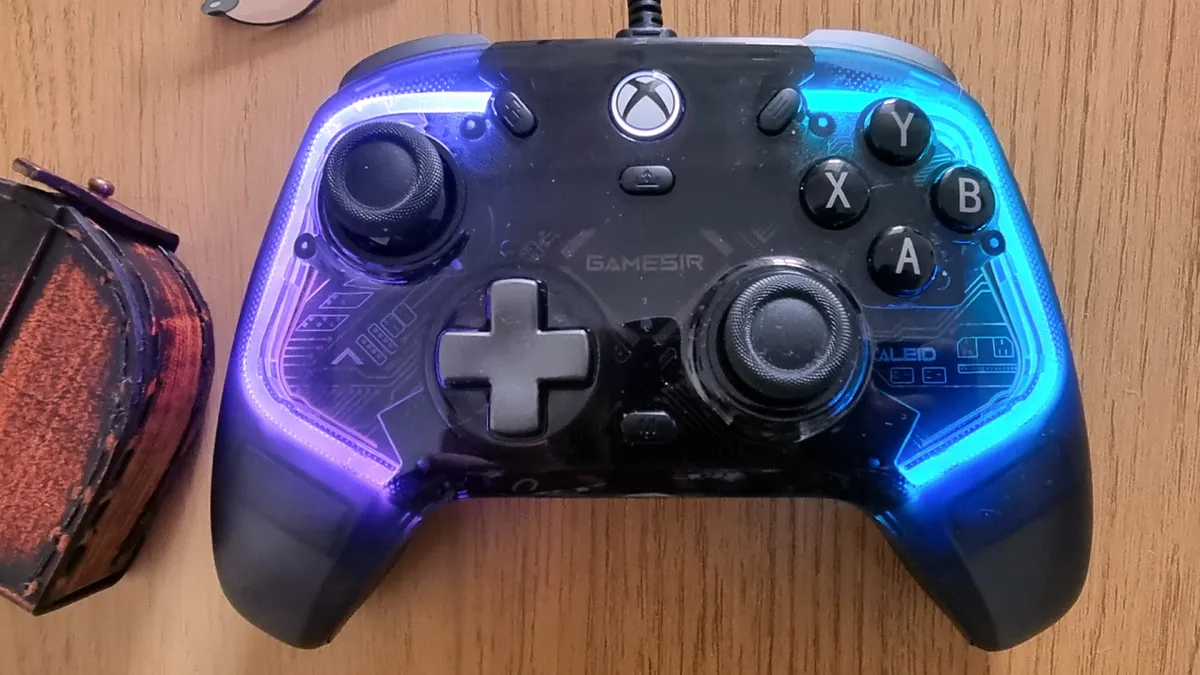


✅ You want the Xbox version of an amazing PC controller: The Kaleid is already an incredible PC controller, and features in our best PC controllers list. Now, that same quality is available for Xbox players.
✅ You like deep customization: Many things are customizable through the Nexus app, a version of which is available on Xbox and PC.
❌ You'd prefer to go wireless: As good as the Kaleid is, the lack of wireless connectivity may be irksome for some who prefer to lose the cables.
The GameSir Kaleid is already one of our favorite PC controllers (that version being named the T4 Kaleid), and finally the budget-friendly brand has seen fit to manufacture a version of the gamepad that's compatible with Xbox consoles. And it's fantastic.
The Xbox version of the GameSir Kaleid has all of the original's best features. Drift resistant Hall effect sticks, mappable rear buttons for secondary inputs, a gorgeous translucent design brightened by smartly-layered RGB, and a robust app that allows for in-depth customization of all of these elements and more.
At a decent $49.99 / £59.99, the Kaleid comes in at roughly the same price as the Xbox Wireless Controller. And indeed, the only real dealbreaker with the Kaleid is its lack of wireless connectivity. Still, if you're willing to trade that for some truly superb features, you'll find a long-lasting and visually striking controller here.
- Read more: GameSir Kaleid review
Also tested...
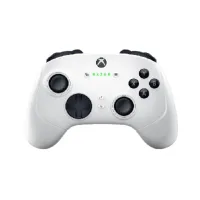
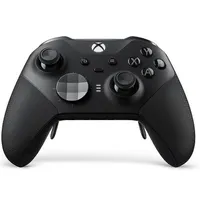
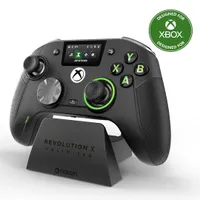
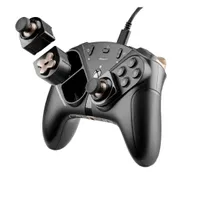
I've tested tons of Xbox controllers here at TechRadar Gaming. Naturally, this means that not all of them will quite make the cut for this list. However, there are still plenty worth shouting about, so here's a handful of honorable mentions I think you should also consider.
How we test the best Xbox controllers
- We live with the pads as if they were our own to recreate the way you'll use them
- We test all of their features and buttons extensively across platforms and games
- We compare controllers directly to each other to help identify pros and cons
The best Xbox controllers are tested and reviewed based on a number of criteria, including design, feature set, and arguably most importantly of all, price. There's rarely a one-size-fits-all Xbox controller, so we endeavor to test each to its strengths, such as options for voice chat or being suited to a particular genre.
We test the pads vying to be our picks for the best Xbox controllers in every conceivable manner of use to help us recreate the context of living with them as our go-to pads - just like you'll do after you buy them - for days on end as a minimum. We use them across platforms where possible and genres of games to ensure they do what they claim they can do, and to see how they fare in a variety of situations.
We also compare them to each other, which is key. We know what makes a great Xbox controller tick, and by having the opportunity to compare models, we can identify shortcomings and differences incredibly easily - which is really useful for forming a complete opinion on it and its place in the market. This extends from use and feel and performance to price too - each controller offers a certain value proposition and our testing ensures we can fairly assess that; no product lives in isolation, after all.
Best Xbox controllers - FAQs
Which Xbox controllers are the best?
If we had to isolate a couple of controllers from this list, and you can afford them, we would put forward the Asus ROG Raikiri 2 and the GameSir Kaleid. The former is the full premium package, with unrivaled build quality and superbly responsive modules. The GameSir is the next best thing, coming in at a much cheaper price tag while also offering ‘Pro’ features like Hall effect sticks and slick RGB lighting.
Will Xbox controllers work on other platforms?
It depends on the platform. Xbox controllers are primarily designed for Xbox Series X|S, and Xbox One consoles. By and large, they will also work on PC via USB-C or wireless 2.4GHz connectivity. For other consoles, like PS5 and Nintendo Switch 2, you'll want to buy controllers specifically made for those platforms. You can check out our best Nintendo Switch 2 controllers guide, for example, for more information.
Are cheap Xbox controllers worth it?
If you're after a controller as a spare gamepad for any extra players, you won't want to pay top dollar for it. Generally, most third-party controllers offer a decent product without hosting a significant price tag, especially in comparison to some of Microsoft's official offerings. For a kickabout controller, cheap alternatives are always worth it.
Are wired or wireless controllers better for Xbox?
It all depends on personal preference. If your console is set up at a desk, you're probably closer to your screen, so a wired controller won't feel like too much of a tether. But, if you're using one of the best gaming TVs rather than one of the best monitors for Xbox, a wireless controller provides a little more flexibility.
What's the difference between Xbox Elite Series 2 and Core?
The Xbox Elite Wireless Controller Series 2 and the later-released Core edition are, essentially, the same controller. Core versions have a few more color schemes to choose from (white, red, and blue). However, they lack any of the additional accessories that come with the standard Series 2 pad, like those swappable parts and rear paddles. Core controllers, then, are cheaper to buy, and the accessory pack can be bought separately.
What causes stick drift in Xbox controllers?
The standard Xbox Wireless Controller relies on traditional analog sticks and doesn't feature Hall effect technology. As a result, stick drift is more likely to occur as the sticks' internals wear down over time, thanks to their physical potentiometers. Hall effect utilizes a magnetic connection for stick movement, meaning there's no physical part to wear down, leading to much longer life overall. That said, the Xbox Wireless Controller's analog sticks are impressive durable, so your mileage may vary.
Will updating my Xbox controller fix stick drift?
Unfortunately not. Xbox controller updates are typically for firmware updates. While updates like this can reduce input latency or offer other quality-of-life improvements, stick drift is more of a hardware-related issue, as mentioned above. You'd be better off sending your controller to Microsoft for repairs, or replacing it entirely if you've the means to do so.