


The Kindle Scribe is much more than an oversized e-reader, combining a 10.2-inch Kindle display with a digital notebook that you can actually write on. And right now, a Like-New 64GB Metallic Jade Amazon Kindle Scribe with Premium Pen is down to $320 (was $405) at Amazon.
It's one of those devices, like the reMarkable tablets, that we often recommend for professionals looking to take digital handwritten notes. If you're not too fussy about owning a brand new model, you can save a good chunk of money here. Our hardware editor purchased the same Like-New Scribe and, just as Amazon promised, it showed absolutely no signs of use.
In the UK? The same 64GB Like-New Kindle Scribe is down to £270 (was £387) at Amazon.
Editor's note. I've checked prices and these Kindle Scribe deals are available. I've also added a UK option here, as the 64GB model is also on sale at Amazon.
Why we recommend it
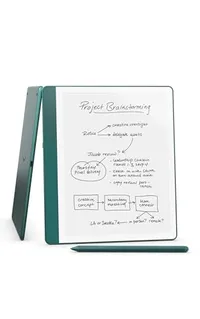
If you read a lot but also fill notebooks with ideas, lists, meeting notes or general scribblings, the Scribe can replace both your Kindle e-reader and a pile of paper. The 10.2-inch, 300ppi glare-free display is front-lit, while the Premium Pen requires no charging or setup.
You can write directly on book pages using Active Canvas, annotate imported PDFs and documents, and send files including DOCX and EPUB to the Scribe.
In his four-and-a-half-star review, our expert Philip was impressed that Amazon had "added AI features and… they’re good?!" He explained that "Kindle AI brings better handwriting recognition and note summaries, nothing untoward, and it makes the Kindle Scribe an even more competitive writing tablet, on top of being the best big e-reader you can buy."
Also consider
Price context & historical value
Amazon has reduced this 64GB Scribe from $404.99 to $319.99, which knocks $85 off the usual price and works out to a discount of about 21%.
This is a Like-New device rather than a brand-new Scribe, although Amazon says these units are refurbished, tested and certified to look and work like new, and they carry the same limited warranty as a new device.
This model has been cheaper in the past however. I've seen it sell for as low as $279 towards the end of 2025 and at the start of this year.
Should you buy it?
✅ Buy the Kindle Scribe if...
You love reading on a Kindle but have always wished you could properly write on one too. The Scribe adds a large digital notebook and Premium Pen while keeping the distraction-free reading experience that makes a Kindle appealing.
❌ Skip the Kindle Scribe if...
You want a tablet that can organize your writing with dedicated apps. The Scribe is deliberately more like intelligent electronic paper, so an iPad will give you far more flexibility for apps and more complex workflows.
The Catch: What to know before you buy
The obvious question is whether “Like-New” should put you off. Our hardware editor Steven bought a Like-New Kindle himself and says it arrived in perfect condition.
That doesn't guarantee every unit will be cosmetically flawless, however, and Amazon notes that Like-New devices may arrive in generic Amazon-branded packaging.
If you're buying it as a gift, that might make the saving less appealing, but if you're buying for yourself, it will likely be fine.
