





I've been a big champion of the best standing desks - they're a great way to stay active throughout the day, giving you the flexibility to sit and stand at the push of a button. My team and I have tested almost 75 sit-stand desks now, so I've hand-picked the top 10 models.
Scoring 5 stars in our tests and earning an Editor's Choice award, the FlexiSpot E7 Pro is a staggeringly good all-rounder, with a high build quality, stable at height, and all the features a modern standing desk needs, including cable management. For a budget pick, I like the Fezibo standing desk. It's not flashy, but it is affordable and gets the job done.
You can all our reviews and the specs that count below, including assembly times, build quality, and our thoughts on real-world performance in offices, classrooms, and home offices.
What's new? We replaced the older Herman Miller Jarvis with the Uplift Parsons as our pick for the best premium standing desk.
Best standing desk overall


Why we chose the FlexiSpot E7 Pro
Why you can trust TechRadar We spend hours testing every product or service we review, so you can be sure you're buying the best. Find out more about how we test.
✅ This upgrade on the classic E7 standing desk is solid, stable, and gorgeous. It's quiet in operation, and we especially love the under-desk cable management - it's essential these days.
❌ There is really not a lot we can say bad about this desk. It may be out of budget for some but it's very good value.
The Flexispot E7 Pro delivered aa significant update on our previous 'best overall' choice, the FlexiSpot E7. Now, that's still a great standing desk, but we really liked the upgrades found on the Pro version.
Build quality, as we expect from FlexiSpot these days, is fantastic. It's a hefty bit of kit that doesn't creak when stationary or during its quiet operation. Both assembly and using the control panel are very straightforward, so if you're new to standing desks, you won't have any issues here.
The design feels modern, and we were big fans of the inclusion of a cable management system (something the old E7 desk lacked). In use, it's impressively stable.
It also boasts one of the the best height-adjustable ranges we've seen, running from 25=inches to 50.6-inches without accounting for the casters or desktop thickness. Our reviewer Collin stands at 6'1" and he said, "I can very comfortably set this desk to my preferred standing height without having to slouch even a little bit."
The E7 Pro is one of those desks that offers very little to complain about. Yes, the solid wood desktop is heavy, but it offers even greater stability. And it's not the cheapest desk we've tested, but it's not ultra-expensive for office furniture, and it's good value for money overall. It's available from both FlexiSpot.com and FlexiSpot.co.uk.
Read our full FlexiSpot E7 Pro review
Cheapest standing desk

Why we chose the Fezibo electric standing desk
✅ This is one of the lowest-priced standing desks around from a brand whose other models impressed us for the cost, making it a good way to see if it works for you.
❌ To attach the desk to the frame you screw directly into the wood instead of threaded inserts. If you want to dismantle and reassemble frequently, the screws become loose.
We’ve reviewed a number of other desks and chairs from this budget brand, and for the money, there’s a whole lot to like here. We've been using this desk for two years and cannot find fault with it.
Coming in at around the $100 / £100 mark (and I frequently see it discounted on Amazon), this standing desk is available in a range of tabletop sizes, from 40in to 60in, and colors, including vintage brown, black walnut, and white. So, there are a lot of options here to find the right style for your workspace.
The desk rises between 28.3 to 46.5in, which is about average in my experience, matching the E7’s noise levels as sub-50dB. I'm very tall and find the hight of the main desk to be fine but I added a tall monitor stand on top of the optional storage shelf. Features include anti-collision detection on some models, lockable casters, and two hooks for hanging headphones, bags, and so on.
As a cheap standing desk, what I’d be watching out for here is the materials used in construction. For example, the frame is built from solid steel, which is stable at least at lower settings, but also very heavy. The desktop is also splice-board (two bits of wood), which keeps the cost low, but will be less stable than a single-piece desktop. Over the two years I've been using it, it's put up with plenty of abuse and while there are some minor scratches you have to go looking for them.
Editor's note: For an alternative, look to the FlexiSpot EN1 in the US or E1 Plus in the UK on Amazon. They're a touch more expensive, but feature a single-piece desktop for less wobble.
Best premium standing desk


Why we chose the Uplift Parsons
✅ This desk has a lot of customisation options, a fifteen year warranty, and a premium design and finish.
❌ Some accessories won't' work with this desk and it doesn't go super high for very tall people.
Taking over from Herman Miller Fully Jarvis, the Uplift Parsons is our new choice for the best premium standing desk. It has a range of sizes and finishing options, offering high-quality materials, a slick integrated controller, and motors for all four legs.
There's a solid range of features, like a height calibration capability, and a keypad saftey lock, but it's also simply a great high-end desk for all sorts of spaces. The only drawback is some accessories, like some third-party monitor arms and drawers won't work with the desk.
Over to reviewer Collin Probst to sum up why the Uplift Parsons is worth of this spot in the list: "After 100 days, this is still one of my favorite desks. It's clean, elegant, simple, and it doesn't make me feel bad for having a small desk in the slightest. Rather, it makes me feel great about optimizing such a small space to create something amazing, and all that is made possible by the stability and quality of the Uplift desk.
"If it weren't for this quality, I wouldn't feel comfortable mounting the things I have. If it wasn't for the slimmest and cleanest design, I couldn't have put a desk where I did in the first place. Thanks to all of these things, this desk is so incredible.
"If you're looking for a small or simply elegant desk to put in a non-traditional office, or you just care about your design, then you should check out the Uplift Parsons desk in all of its many shades of colors and materials."
Read our full Uplift Parsons review
Best standing desk for gaming


Why we chose the Secretlab Magnus Pro
✅ This is a really nice desk that stands out from others and will make any gaming set up pop.
❌ Because of the metal surface you cannot screw additional accessories into the desktop like you would a traditional wood desk.
When it comes to the best standing desk for gamers, there’s no doubt in my mind that the Secretlab Magnus Pro fits the bill. This is an all-black, all-metal desk that comes equipped with a full-length cable management tray and, interestingly, a control panel neatly built into the tabletop itself.
Beyond the all-metal construction, the focus is on integrated power and data cabling through the leg to prevent cables hanging down. There's also a built in cable tray in the back of the desk with flip-up access, an easy-to-add lighting package, and interchangable desk pads to change the colors and feel of the desk entirely. Standing at 6’2”, I found the maximum height of 49.2in ideal for taller users compared to other desks. And it’s plenty large and functional enough to accommodate both work and play setups.
If you enjoy the gamer vibe or simply prefer sturdy steel structures with rigidity to support a multi-monitor setup and more, or if you dislike seeing cables dangling from your desk, this is a fantastic option.
Read our full Secretlab Magnus Pro review
Best four-legged standing desk for stability


Why we chose the FlexiSpot E7 Plus
✅ If you need to put heavy things on this desk and not have it move around there are not many others that you cant load this much and still keep stable.
❌ It's hard to find anything bad to say about this desk. It's heavy but there's no avoiding that if you need something to stay still.
Want a more stable workspace and a more classically styled sit-stand desk? Then the E7 Plus is a great pick for the price. The only other one that comes close is the Branch Four-Leg (see my review here), but it's not so widely available and costs more.
The E7 Plus is a spin on the excellent E7 standing desk, adding a more sturdy frame with both the classic T- or C-shaped legs. In my own tests, I was pleased to find it delivered on its rock-solid stability, and even boasts smooth height adjustments.
The lifting capacity is some of the best I have seen, and the four legs have become a design statement more than something that serves a functional purpose. FlexiSpot also offers the Odin (E7Q Pro) if you need something even more substantial. Still, the E7 Plus combines the reliability and rugged good looks of the Odin with the ever-popular E7 to create a perfect middle ground.
Read our full FlexiSpot E7 Plus review
Best standing desk for streamers & creators


Why we chose the Corsair Platform:4 Elevate
✅ This is effectively an all-in-one standing desk that does everything you'll ever need it to do, from the built-in monitor arm to the generous cable management system.
❌ It's not cheap, and availability seems to vary from region to region. We liked the rail system, but it's not for everyone.
There are two versions of the Corsair Platform:4 - a fixed-height version and the Elevate, the standing desk model that we reviewed. Both offer something for streamers and creators, so it's a case of pick your poison here. They're otherwise largely identical.
Designed by gaming brand Corsair, the Platform:4 is billed as a modular computer desk that's surprisingly compact for smaller spaces. We loved the premium-quality materials used in construction, delighting in the "steel tree trunk"-like legs that anchor the whole desk to the floor, keeping the wobble to an absolute minimum during operation and use.
It's a standing desk packed with features most other sit-stand desks we've tested just don't have. Beneath the desk, there's a generously sized cable management tray with access from the rear of the desktop. To the side, are rails for attaching desk extenders if you need more space.
What stood out here, though - and the reason it's our top choice for streamers and creators - is the rail system with a built-in monitor arm. This grooved tier elevated from the desktop allows you attach all manner of accessories for further customizing your zone. Now, that won't be for everyone, but if you're a creative pro looking to maximize space and keep all your gear at a single cockpit, the Platform:4 is a dream.
Not everyone will have the tech to make use of that rail system and monitor arm, and many simply won't want to pay the premium price this desk commands just to get it. But there are so few standing desks we've reviewed that offer this type of workstation, and this is the best we've seen.
Read our full Corsair Platform:4 Elevate
Best standing desk for storage


Buy it if...
Why we chose the FlexiSpot Q8
✅ This desk is great for storage and organization. Alongside the storage space for stationery and laptops, this sit-stand desk also features wireless charging pad.
❌ The built in desk storage is nice but it could do with being a bit deeper.
While the FlexiSpot Q8 isn't the only standing desk with storage built in - the Branch Duo, for example, offers the same - I particularly like this model for the extra features and build quality on offer.
For one thing, it comes with the option of a bamboo desktop, much like the E7, which gives it a beautiful look in the workspace. As part of this, there's also a wireless charging pad for your phone, alongside the charging ports on the control panel.
In operation, it's smooth and swift when lifting and lowering, working beautifully throughout the review period. You'll find the usual four-button control panel, which is programmable. And in the main, it felt robust in use, with only a slight wobble on the carpeted flooring. Lifting capacity is good for a desk this size, and when placing two heavy speakers, a synthesizer, a laptop, and assorted computer accessories on top, there was no sense that they added any strain to the desk or affected operation. The drawer, like most you'll find on standing desks, is simple and relatively shallow (we measured it at 26.22 x 12.20 x 1.97 in). It's ideal for stowing a laptop or stationery, and helped retain the overall slim, stylish feel.
Overall, the Q8 is a great desk that's packed with some genuinely useful features - and while the build quality isn't the best at this price-point, it's a beautiful design with solid performance.
Editor's note: If you prefer a cheaper standing desk with a drawer for around the $200 / £200 mark, check out our FlexiSpot Comhar review.
Read our full FlexiSpot Q8 review
Best standing desk for small spaces

Why we chose the FlexiSpot E7 Mini
✅ This is possibly the smallest standing desk around, but despite its size, it's a spin on one of our favorite desks, the original FlexiSpot E7
❌ If you have enough space for a full-sized desk, then that's going to be a better option, but at least with the E7 Mini you're not comprising on anything except size.
The FlexiSpot E7 Mini is an interesting model in the standing desk world - with its 31.5in desktop, it's one of the smallest we've seen. But what really stands out here is that, beyond its compact design, it's essentially running the same components and specs as the excellent full-sized E7 desk.
We haven't tested the E7 Mini, but given its E7 heritage (a desk we have reviewed), it's still an easy recommendation. It's quiet in operation, boasts quick dual motors, and a surprisingly strong weight load that you might not expect from a desk so tiny. More or less everything we loved about the E7 carries through to the E7 Mini, beyond the size itself. There's even the control panel with preset memory heights and an USB port.
The main issue here is expandability. Unlike the E7, or most other full-sized standing desks, you won't be able to whip off the desktop and replace it with something bigger. But for anyone working in a small home office or just about any other compact workspace, the E7 Mini will be ideal.
Editor's note: If you're based in the US, and want a more premium build, I recommend checking out the Branch Duo. It comes in a range of sizes, big and small, and it's easily one of the best standing desks we've ever reviewed. If it were widely available outside North America, it would be my top pick for this slot.
Read our full FlexiSpot E7 review
Best standing desk for dual monitor setups


Why we chose the Uplift
✅ If you are starting your first desk, or are upgrading every element, this one is a top choice due to all of the accessories you can choose from the point of sale, making a one-of-a-kind desk without any hassle.
❌ It's very heavy for what it is making moving it around difficult.
There are many standing desks available, so finding one with a unique twist is not always easy. The Uplift V3, however, stands out as a desk with a thousand customizable options from the moment you order the desk. That hyper-customization allows you to create your perfect one-of-a-kind desk with all the gizmos and gadgets you may need (or simply want) to get the job done.
It exhibits excellent stability even when fully built out, as I have done with a standing desk. It can efficiently function as the base station for a massive and complex workstation, all the way down to a minimalist and straightforward option. For the cables you have, regardless of the type of desk you build, Uplift has a simple yet effective cable management solution.
All around, this desk remains the professional modular dream, allowing you to design around what you actually want and how you plan to use your unique workspace.
Read our full Uplift V3 review
Best L-shaped standing desk


Buy it if...
Why we chose the FlexiSpot E7L
✅ This desk is massive, which is a con for some but for those that want to keep a lot of stuff on their desk or consider sharing their desk with another this is a good option.
❌ You cannot customize the size of the desk to fit your space.
If you’ve the space for it, the FlexiSpot E7L Pro is a great L-shaped standing desk for corners. It’s a spin on the classic E7 desk, which we proceeded to test in both the home office and in a classroom. It shone in both.
For those who need a massive desktop for whatever reason, the FlexiSpot E7L is a brilliant option. It takes what’s great about the E7, which has been our top-rated desk since we first tested it shortly after its release, and essentially combines two of them to make an L. It’s stable, reliable, quiet, and still robust.
What really impressed us during tests was just how smooth the elevation was. That’s because the E7L boasts three motors, and we experienced no stuttering or uneven lifts at all. This desk raises and lowers just as smoothly as the standard E7. And you have plenty of room to add drawers, desk shelves, speakers, monitors, organizers, desk mats, and the works, or you can leave it expansive for large drawings, diagrams, lots of papers.
Read our full FlexiSpot E7L review
Best standing desks compared
Model |
Height range |
Warranty |
|---|---|---|
25.0 - 50.6in / 63.5 - 128.5cm |
15 years |
|
Fezibo electric standing desk |
28.3 - 46.5 in / 72 - 118 cm |
5 years |
27.9 - 44.11in / 67.8 - 112cm |
15 years |
|
25.6 - 49.2in / 65 - 125cm |
5 years |
|
25.2 - 50.8in / 64 - 129cm |
10 years |
|
29.0 - 48.0in / 74 - 122cm |
5 years |
|
24 - 49.6 in / 61 - 126 cm |
7 years |
|
22.8 - 48.4in / 58 - 123cm |
15 years |
|
21.6 - 47.7in / 54.86 - 121.16cm |
15 years |
|
25 - 50in / 63.5 - 128.5cm |
15 years |
Best standing desks: Also tested
Not every sit-stand desk can make it into the top round-up, but these ones we've tested out deserve an honorable mention.

Stylish, stable, and pretty cheap - it might not be the only standing desk with drawers here, but this is a relatively inexpensive option that has all the core features most people will need.
Read our full FlexiSpot Comhar review
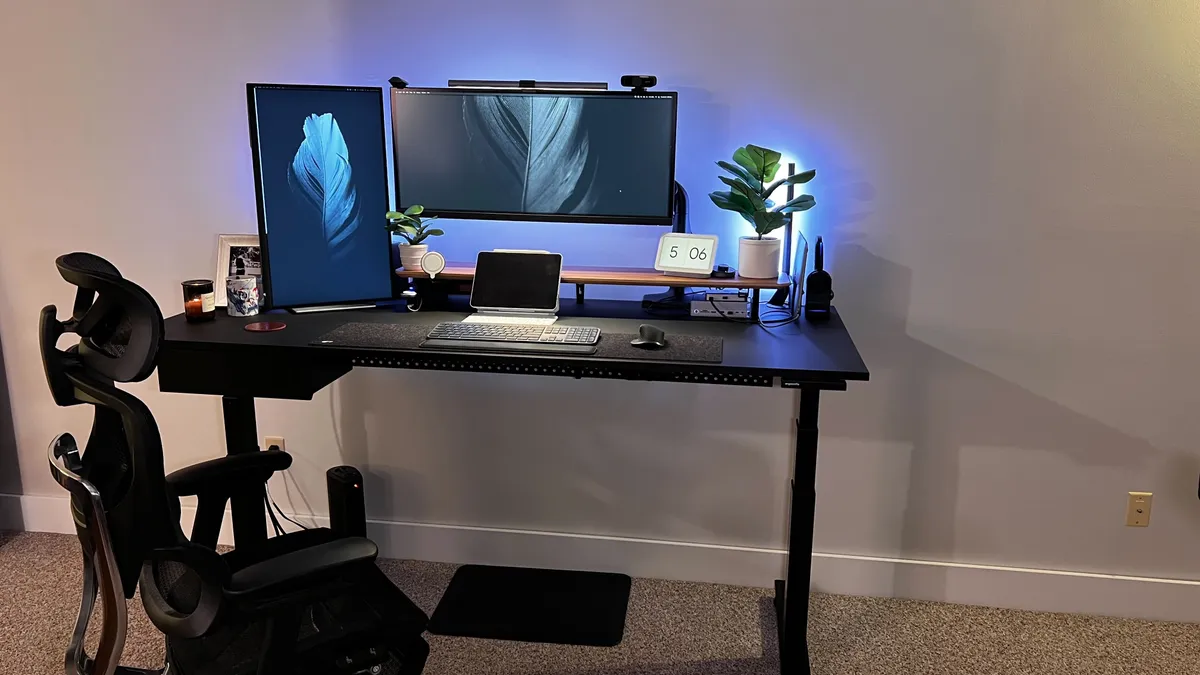
The Ergonofis Shift is a well-made, well-designed standing desk. The cable management is stellar, and one of our favorites for those looking to keep workspaces tidy thanks to its excellent cable management solution.
Read our full Ergonofis Shift review

Stable, sturdy, and near-silent in operation, the E9 (also known as the E9B-UK) proved to be a well-made standing desk with a good weight load capacity. A good, solid all-rounder.
Read our full FlexiSpot E9 review

The Worland from Fezibo is an elegant L-shaped standing desk that offers loads of benefits, including triple leg motors for smooth, precise height adjustments and good storage options.
Read our full Fezibo Worland review

One of the most unique height-adjustable desks we've ever tested, the Lillipad is an electric standing desk that’s completely foldable for easy storage (and extra portability). A great performer and space-saver.
Read our full Lillipad Pro review
Standing desk terms you need to know before you buy
Height range
This is the adjustable height that a desk spans. Typically, this is from around 28in to 48in, which makes the range suitable for most users. For those standing at 5'5”, set the height for around 39 inches. For users 6’ tall, 44 inches will be the approximate height for comfort.
Cable management
Not every standing desk has cable management storage solutions, but as with traditional office desks, some include desk grommets, letting you thread cables through the tabletop, while others have under-desk trays for storing power bricks and computer cables.
Memory preset
Most desks with a full control panel feature a three- or four-memory preset. This lets you store specific heights for standing and sitting. So, at the push of a button, the desk will automatically elevate or descend to this height without further user input.
Weight limit
The weight limit, sometimes called the load or lifting capacity, is the maximum a standing desk can carry while remaining operational. If you’re planning on loading up the tabletop with multiple monitors, laptops, and computers, then choose a higher weight limit. In general, I see lifting capacities of around 250 - 350lb, but there are plenty of exceptions.
Anti-collision detection
A feature you’ll find on just about all the best standing desks, this technology detects objects or people obstructing descent, and will automatically stop lowering to prevent crushing them.
Motors
While you can get manual (or hand-cranked) height-adjustable desks, electric models use motors. What you want to check for is how many your chosen desk has. The more motors, the faster and smoother the movement will be. Most standing desks have a dual-motor design. However, cheaper units often have a single motor, while larger models, like L-shaped standing desks, will have three.
Best standing desks: Frequently asked questions
How long should you use a sit-stand desk?
As a general rule, switch positions every thirty minutes. There are loads of methods out there, but really, the trick to really benefitting from a standing desk is just balancing both the sitting and the standing. Don't spend too long in either position.
Are standing desks good for you and are they worth it?
TechRadar's former Senior Fitness & Wearables Writer, Stephen Warwick, explains how to enjoy the benefits of a standing desk.
“The trick is to balance both sitting and standing. It’s best not to stay in one position for too long. After all, if you stay seated for too long, it carries risks of CVD such as coronary heart disease, stroke, and heart failure. So, make sure you move often during your work day. For anyone using a standing desk for two or more hours, I’d recommend getting an under-desk treadmill, so you can continue staying active throughout the day. Extra support for health and mobility may also help improve your workplace routine, like ergonomic office chairs, smartwatches with movement reminders, and the best fitness trackers.”
For more on this topic, we've studied the reports in-depth in our guide Sitting vs. standing for work: we take a comprehensive look at what the science says.
How high should a standing desk be?
The best height for a standing desk depends on your own height and stance. When using a sit-stand desk in the elevated position, your elbows should be at a 90-degree angle, with arms and wrists flat and resting comfortably on the desk. In this position, you should be able to stand upright without hunching over.
For the best fit, measure the length from your feet to the crook of your elbow - this will show you the best standing desk height for maximum comfort and ergonomics.
Check out my table below for a guide to choosing the right height range for your desk.
User height |
Desk height |
|---|---|
Under 5'4" |
23 - 42in (58 - 107cm) |
Between 5'4" and 6' |
25 - 47in (63 - 119cm) |
Over 6' |
28 - 51in or above (71 - 130cm or above) |
What are the different types of standings desks?
Fixed or non-adjustable standing desks come at a predetermined height and don’t have the option to revert to a traditional desk for sitting down.
Electric standing desks, like the ones above, are very simple to operate with the option to alter between a standard seated desk and one for standing - all at the push of a button.
Mechanical standing desks function the same as their electric counterparts, but will need to be manually cranked to reach your desired height.
Pneumatic standing desks use gas-powered canisters to allow for rising and lowering the desk, similar to those often found in height-adjustable office chairs.
Exercise desks are a niche range of office furniture that let you workout while you work - for example, including a treadmill or bike attached to the desk area.
Desk converters or risers are a separate device that can be placed on top of a standard desk, letting you put your monitor and peripherals at eye-level when standing.
How do you reset a standing desk?
Sometimes, you may see an error code while using your standing desk that requires a reset. We’ve come across this a few times when reviewing some models. Often, it’s because the standing desk has been used or ‘overworked’ too much in a short space of time, and the 'error' is to protect the unit.
For example, in our FlexiSpot E9 review, we received the error code E01 - this is the desk's overcurrent protection, which lets the unit operate for 2 minutes, but requires an 18-minute rest after this. In most cases, simply unplugging the desk from the mains and waiting a few minutes will fix the problem (yes, it’s a case of “Have you tried turning it off and on again?”).
How long will a standing desk last?
The longevity of a standing desk depends on the materials and quality used to construct it. Generally speaking, a good-quality option should last between five and ten years with regular use. The lifespan may be extended significantly if a higher grade of material is used, such as maple or oak, instead of particleboard.
Based on the warranties most commonly offered by standing desk manufacturers, I'd expect a standing-up desk to last between five and fifteen years of regular use. With regular care and maintenance, a good quality choice should provide many years of service before needing to be replaced.
How we test the best standing desks
My team of expert reviewers have tested and reviewed a wide range of office and home office furniture, including the best office desks and best office chairs based on over fifty in-depth reviews. When it comes to standing desks, we prioritize real-world settings and tests - in home offices, businesses, and classrooms - where these desks will actually be used. Each desk is used by the team for a minimum of a week (but usually, a month or more).
These are the four key areas we review…
Assembly
We look at how easy each desk is to put together, clarity of instructions, and whether all necessary components and tools are included in the box. Some sit-stand desks can be assembled in under 15 minutes, others we’ve tried can take double or triple that time.
Size & style
We assess the overall design and build quality of all stand-up desks, including materials used for the frame and desk. As part of this, we’ll look at the tabletop sizes available, as well as the overall height adjustment range and stability in use.
Features
We’ll test out all features available. This includes anti-collision detection, USB and wireless charging, cable management, and storage. We want to know how well they work and where there’s room for improvement.
Operation
No standing desk review would be complete with a full evaluation of how the desk operates under real=world conditions. As part of this, we explore the speed and smoothness of rising and lowering the desk, alongside the noise levels in use.
For more about our test and review process in our guide How we test standing desks.
For more standing desk essentials, we've compared the best standing desk mats, best standing desk converters, and the best under-desk treadmills.
