




Our team has reviewed hundreds of displays, but the best monitors for video editing are the ones that boast high resolutions, color accuracy, and excellent gamuts, with a focus on DCI-P3. With that in mind, these are my top picks for every creative working in post-production.
We've got plenty of experience testing out the best video editing PCs and best video editing laptops - but without a screen to match, not even the best video editing software can fix content in post.
The BenQ PD3225U stands out as a good monitor for video editing for most people. The 32in 4K display is ideal for a range of creative uses, from cutting social media content to professional filmmaking, and it impressed us with its built-in hub and excellent color accuracy across the board. Check out the review below, alongside my top alternatives for every budget and every kind of video project.
The best monitor for video editing in 2026
Why you can trust TechRadar We spend hours testing every product or service we review, so you can be sure you're buying the best. Find out more about how we test.
Below you'll find full write-ups for each of our picks for the best monitor for video editing. We've tested each one extensively, so you can be sure that our recommendations can be trusted.
Best monitor for video editing overall


✅ Accurate color is your top priority: With 99% coverage of both sRGB and Rec.709 gamuts, the PD3225U offers the reliable color fidelity needed for color-critical video or photo work.
✅ Desk clutter from multiple cables frustrates you: Full-featured Thunderbolt 3 and USB-C hub support means you can connect your MacBook Pro, charge it, and attach peripherals with one cable—making desk setup fast and clutter-free.
✅ You don't like sitting still: The stand’s wide range of height, tilt, and swivel adjustments kept our tester comfortable whether sitting or standing, suiting extended editing days.
❌ You are working with a strict budget: The PD3225U is priced firmly in the premium bracket, which may not suit editors on a tight budget.
❌ Minimizing total cost is your priority: The speakers are thin and lack power, so you’ll want external audio for serious work or media playback.
The BenQ PD3225U stands out for its exceptional color accuracy, covering 99% of both the sRGB and Rec.709 gamuts, and sharp 3840 x 2160 (4K UHD) resolution. This makes it a strong choice for those working in color-critical workflows, such as video or photography editing.
Connectivity is another strong point. The PD3225U offers Thunderbolt 3, DisplayPort, and USB-C, with power delivery and hub features that support a streamlined setup for your Mac and peripherals. This integration can reduce the need for multiple dongles, enhancing workspace organization. It's an advantage over generic 4K monitors that may not offer Mac-specific features or daisy-chaining support.
Day-to-day, the monitor’s ergonomic stand and practical adjustability are appreciated by users. Our tester routinely shifted between sitting and standing setups, appreciating the smooth height, tilt, and swivel adjustments. The screen's size and aspect ratio hit a sweet spot for most editing desks, offering ample real estate without overwhelming your space. The only real caveat is the premium price tag, which will give budget-conscious buyers pause. If you value accurate color, robust connectivity, and a seamless Mac editing workflow, it’s a reliable single-monitor solution.
If you rely on built-in speakers, the PD3225U’s audio leaves much to be desired. Sound is flat and underpowered. Coupled with the higher price, it’s not for those seeking bargain options. We recommend pairing it with external speakers or headphones for a complete setup.
The best budget video editing monitor


✅ Color accuracy is your top priority. This monitor has excellent calibration right out of the box. It also features a wide color gamut that covers 99% of DCI-P3 and Adobe RGB, making it ideal for color-critical work in photo and video editing.
✅ You want high-end features on a budget. You get a crisp 4K IPS panel and professional-grade features at a very attractive price point compared to its competitors.
❌ You need true HDR performance. It's only certified for VESA DisplayHDR 400 and has a limited number of dimming zones. If your workflow relies heavily on HDR grading, it's a pass because you lose detail in shadows and highlights.
❌ You need a high contrast ratio. As is typical with IPS panels, the contrast ratio and relativity low and you get a noticeable "IPS glow" in dark viewing environments.
Asus's ProArt panels are usually pretty pricey. But the new Asus ProArt PA279CRV gives you the usual ProArt experience including accurate factory calibration and excellent color coverage in a surprisingly affordable package.
Connectivity is also a strong point thanks to not only USB-C with 96W of power delivery and a dual-port USB-A hub, but also a downstream DisplayPort output allowing for display daisy chaining. The 27-inch 4K form factor is fundamentally great, too, and allows for excellent pixel density and lovely crisp fonts in both Windows and MacOS.
Sure, the HDR support is limited to DisplayHDR 400 with no local dimming. So this isn't a true HDR panel and the inherent contrast of the IPS panel isn't great. It's also limited to 60Hz rather than 120Hz or 144Hz. But then that's the norm for this class of productivity panel.
Anyway, factor in the fully adjustable stand and slick styling and this is one heck of a monitor for the money. You'd have to spend dramatically more to get a tangibly better monitor. A good monitor for video editing if you're new to the art or you're working to a budget, the Asus ProArt PA279CRV is a fantastic value for all manner of productivity and content creation workflows.
Read our full Asus ProArt PA279CRV review
The best video editing monitor for Mac
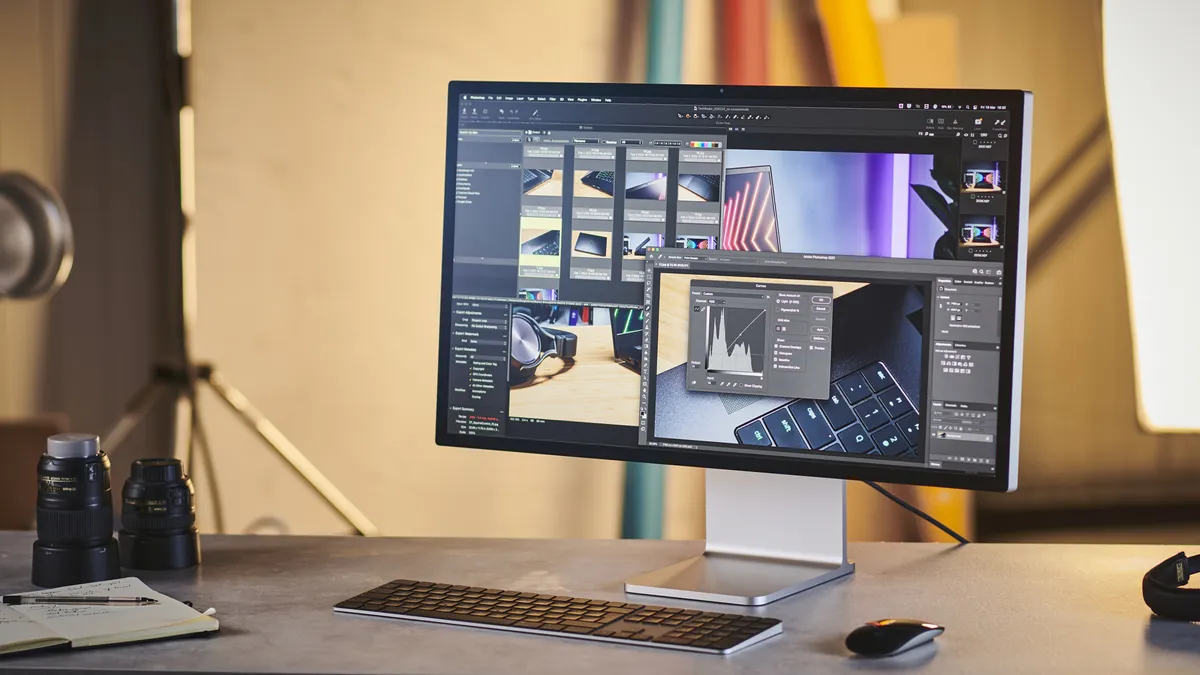


✅ You want perfect macOS integration and scaling. The 27-inch 5K resolution (218 ppi) matches Apple’s target pixel density perfectly. Text, UI elements, and images look crisp without scaling issues or blurry text which can occur when using 4K monitors on a Mac.
✅ Build quality and design matter to you. There are a vast amount of plastic PC monitors out there. The Studio Display is built from aluminum and glass, giving it an incredibly sturdy and aesthetically pleasing match with Apple products.
❌ You need high refresh rates or true HDR. The panel is locked at a 60Hz refresh rate and uses a standard edge-lit LED panel. It doesn't have HDR support or local dimming, so blacks can look gray in a dark room.
❌ You are on a budget. This is a pricey monitor. It's nice to have if you have the budget but it's not a must have.
The Apple Studio Display was introduced as a accessible alternative to the Apple Pro Display XDR, and was designed with video, graphic design, and creative professionals in mind.
Offering a compelling blend of affordability and quality for Apple enthusiasts, its 27-inch 5K IPS display impresses with vibrant colors and sharp imagery, although it doesn’t match the MacBook Pro's brightness or feature the advanced Liquid Retina XDR and mini LED technology. The lack of HDR support is a notable omission for a monitor at this price point, unfortunately.
Despite its shortcomings, the Apple Studio Display is priced competitively within the professional creative market, offering a balance between cost and performance for video content creators, distinguishing itself from options geared towards gaming or general office tasks.
Read our full Apple Studio Display review
The best 8K monitor for video editing


✅ You edit high-resolution 8K footage: The 8K resolution on the Asus ProArt PA32KCX delivers an extreme level of pixel density, making it ideal for detail-obsessed editing, retouching, and visual effects work.
✅ Blurry pixels frustrate you during editing: With 97% DCI-P3 and 95% Adobe RGB coverage, plus automated calibration from a built-in motorized colorimeter, this monitor is tailored for high-stakes color-critical workflows.
✅ You have a pro set up: The PA32KCX’s HDMI 2.1, DisplayPort 2.1, Thunderbolt 4, and USB hub allow for seamless integration into demanding professional setups.
❌ Your workspace requires total silence: The internal cooling fan never truly disappears in quiet rooms—something to keep in mind for audio suites or distraction-free editing.
❌ You expect a high-end, luxury finish: Compared to peers like the Apple Studio Display and Dell UltraSharp 32 6K, the PA32KCX’s chassis feels less solid and less refined.
❌ Perfect highlight control is your priority: The local dimming system introduces visible blooming and haloing around highlights, which may bother perfectionists working with dark scenes.
The Asus ProArt PA32KCX delivers jaw-dropping 8K clarity, with a 7,680 x 4,320 panel that makes working on a 4K monitor feel outdated. During our evaluation, the sheer level of pixel-level detail transformed dense photo retouching and timeline scrubbing. Once you experience this resolution, there’s no going back if every pixel matters.
Color-critical users will find the PA32KCX hard to top. We measured 97% DCI-P3 and 95% Adobe RGB coverage, an essential foundation for reference-level work. The built-in motorized colorimeter automatically calibrates the display, so you can count on consistent, accurate color without breaking your workflow for manual recalibration.
HDR workflows are well served here, too. In our testing, peak brightness reached 1,200 nits, bringing real punch to specular highlights. However, the local dimming array introduces some blooming and occasional haloing around bright objects on dark backgrounds. If you’re editing HDR video or grading stills, you’ll need to weigh the extra contrast against these minor but visible artefacts.
Connectivity is another strong point. The PA32KCX includes HDMI 2.1, DisplayPort 2.1, Thunderbolt 4, and a full-featured USB hub, so it fits seamlessly into high-end workstations. Multiple sources, daisy-chained devices, and high-bandwidth workflows are fully supported, which is critical for professionals juggling large files and numerous peripherals.
Stacked against other pro monitors like the Apple Studio Display, Dell UltraSharp 32 6K, and Asus’s own PA279CRV, the PA32KCX stands alone on resolution and pixel density. That comes with trade-offs: its build quality doesn’t match the Studio Display, and it commands a much higher price than 4K alternatives. You’re paying for extreme clarity and future-proofing, not for best-in-class value or design.
There’s also the constant whir of the internal cooling fan, which never entirely fades into the background. The PA32KCX is for editors who demand uncompromising detail and color accuracy, and who see the cost and quirks as a worthwhile investment in their workflow’s future.
Read our full Asus ProArt PA32KCX review
The best 6K video editing monitor


✅ You want an ultimate single-cable productivity hub. It goes far beyond a standard display, acting as a complete docking station. It features a built-in 4K HDR webcam, dual 14W speakers, a 2.5G Ethernet port, and a Thunderbolt 4 hub that delivers a massive 140W of power to keep even high-end laptops fully charged with just one cable.
✅ You need professional-grade color accuracy. An IPS Black panel provides deeper blacks and better contrast than standard IPS monitors. It also displays 99% of the DCI-P3 color gamut and comes calibrated out-of-the-box.
❌ You don't like bulky monitors. To give the 4K webcam and speakers a home, the monitor comes with a massive bezel.
❌ You want high refresh rates. This is only good for productivity and creativity as it's locked at 60Hz. If you need 120Hz or higher for gaming or UI animations, you will need to look elsewhere.
Dell's U3224KB UltraSharp 6K Monitor isn't just a display; it's a multifunctional device combining a monitor, Thunderbolt hub, 4K webcam, and soundbar in one sleek package.
It's designed with productivity in mind, boasting a 32-inch 6K IPS Black display with 99% Display P-3 color accuracy and VESA DisplayHDR 600. The integrated 4K webcam with AI and manual tilt adjustments enhances video conferencing, while the built-in Thunderbolt 4 hub simplifies connectivity, allowing for a one-cable connection to devices.
An auto KVM switch enables easy multitasking between computers. Impressively, this monitor rivals Apple's Studio and Pro Display XDR in quality and features but at a more affordable price and with a wider variety of ports, making it an ideal choice for professionals seeking a high-performance, versatile workstation monitor.
Read our full Dell U3224KB UltraSharp review
Best video editing monitor for content creators


✅ You work with multiple computers simultaneously. The built-in KVM switch allows you to control two different systems (like a MacBook and a desktop PC) using a single keyboard and mouse, seamlessly toggling between them.
✅ You want physical shortcut controls. It includes BenQ’s "Hotkey Puck G2," a physical desktop dial that lets you instantly adjust brightness, swap color spaces (like switching from sRGB to DCI-P3), or navigate menus without fiddling with clunky buttons on the back of the monitor.
❌ You are paying full retail price. This is a 2019 model that has been directly replaced by the BenQ PD3225U. Unless you are getting a massive deal on the PD3220U, the newer model is a better investment, offering an IPS Black panel (double the contrast) and upgraded Thunderbolt 4 connectivity.
❌ You need deep blacks for darkroom editing. Because it relies on older, standard IPS technology, it is limited to a 1000:1 contrast ratio. In a dimly lit room, black bars on videos will look noticeably gray due to standard "IPS glow."
The BenQ PD3220U immediately stands out with its elegant design and robust build, qualities that make it feel at home in any content creator’s workspace. In our hands-on setup, the understated metal base and slim bezels not only looked sharp but lent a reassuring solidity during frequent monitor repositioning. That detail is easy to appreciate during long editing sessions.
For photo and video editors, this display checks the boxes that matter: a crisp 4K resolution delivers precise detail, while the 140ppi pixel density keeps images tack-sharp at 32 inches. Color accuracy is a highlight. Our unit covered 100% of the sRGB gamut and 95% of DCI-P3, with 10-bit color support for smooth gradients. These specs make the PD3220U appealing for work where reliable color and fine detail matter.
Connectivity is another strength, with two HDMI ports, DisplayPort, USB-C, and Thunderbolt 3 enabling seamless switching between multiple devices. The integrated KVM switch proved genuinely useful when toggling between a MacBook and desktop PC, streamlining a dual-system workflow. The main compromise here is audio: the built-in speakers are weak, so external speakers or headphones are a must for any serious audio work.
Read our full BenQ PD3220U review
Best monitor for video editing: FAQs
What are the different monitor panel types?
In terms of LCD display panels, nowadays there are three main types starting with TN (twisted nematic) which is the oldest and cheapest. Then we have Vertical Alignment (VA), In-Plane Switching (IPS), and OLED. Video editing is more efficient with IPS panels because of their ability to produce a wide gamut of colors. Motion-blurring is a problem with VA panels when displaying fast-paced footage, and OLED have better blacks but still have a high cost and other problems.
When using a monitor for video editing, brightness, contrast, and color gamut are the most important considerations. A monitor's color gamut refers to the possible range of colors it can display. Although all LCD monitors nowadays have good contrast ratios, brightness levels, and color gamuts, the IPS LCD panels have better viewing angles and support more colors than their TN predecessors.
Your monitor also must be calibrated properly if you want color accuracy.
How to choose the best monitor for video editing
Choosing the right video editing monitor involves considering color accuracy, with at least 95% DCI-P3 gamut coverage recommended, and size, where 27 to 32 inches offers a comfortable viewing range, with ultrawide options above 34" providing optimal space.
The aspect ratio is crucial, with 16:9 being standard, though ultrawide ratios like 21:9 offer additional workspace.
Resolution is key for detail, aiming for a display that exceeds your output resolution, making 4K panels a solid choice for 4K video editing. HDR support enhances image depth and realism, important for HDR content.
Connectivity is also vital, ensuring compatibility with your computer's output types, with USB-C offering a streamlined, single-cable solution for modern laptops and peripherals, enhancing the overall editing workflow.
How we test the best monitors for video editing
Our experts have rigorously evaluated a vast array of displays, including the Best 5K and 8K monitors, the best monitors for photo editing and the best business monitors. So, we know what to look out when looking for a screen for video editing. We set aside Full HD 1080P for the superior 4K UHD here, essential for current and future video editing due to the ubiquity of 4K content.
Given the prevalence of 4K recording in devices from the iPhone 7+ to the Samsung Galaxy S8, investing in anything less is short-sighted.
We recommend 27-inch monitors as the optimal entry point for serious editing, with 31", 32", and 34" as excellent choices for larger screens, avoiding anything over 40" for practicality.
Our selection exclusively features IPS panels for their color accuracy, crucial for video editing. Notably, all our top picks, except the Dell 8K, support HDR, with some offering HDR600, indicating HDR compatibility with peak brightness up to 600 nits.
This curated list spans various price points, ensuring a choice for every video editing need, prioritizing resolution, display size, and HDR compatibility.
Today's best video editing monitor deals
