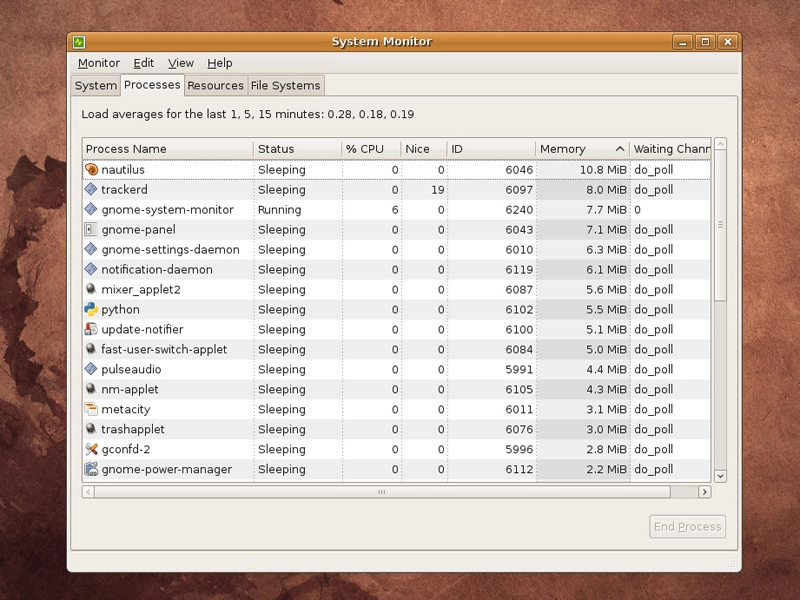
In common with other parts of the early Unix operating system, the term 'daemon' gives little away about what its function might be.
A daemon is a task that runs in the background, and there's a small army of them that are started when you fire up your machine. There are daemons for controlling automated tasks, daemons for managing power and CPU use, daemons for printing and daemons for writing the system logs. Some denote their status by ending with the letter 'd', while others prefer the anonymity of names like 'binfmpt-support' or 'brltty'.
Daemons are obviously an important part of the running environment. But there's also a slight problem. Without any divine inspiration, the average Linux distribution can't accurately guess which daemons are going to be of use to you, and which aren't. The result is that they'll normally play it safe and err on the side of caution.
This means that your desktop may include a laptop power management daemon, or Bluetooth tools, neither of which may be of great use. These will still get loaded up and use valuable memory, so you can save boot time and memory by spending a little time pruning your daemons, and fitting them to your own requirements. The trick is knowing which ones to cut.
Services are what most people think of when they consider daemons. They're often started at boot time and run silently in the background – but they don't necessarily need to be lightweight system management processes. There's no reason why complete application suites can't be considered daemons.
Which services are and aren't running is entirely dependent on your distribution and what you're using your distribution for. If you're using a distribution that's suitable for a server environment, it's likely that the Apache web server, along with its school of helper applications, is running as a daemon.
That's a major resource hog if you don't happen to require a web server, and it wasn't so long ago that distributions like Mandriva installed and ran a web server by default. This is unlikely to happen in these frugal times, but there's probably still going to be something you don't need running in the background.
List the possible offenders
There are many ways of listing which services are running, but one of the clearest ways to do so is to use a command line tool called chkconfig. You might need to install this manually through your package manager, but when it's run from the command line, it creates a list of running services and outputs these to the terminal. Running the command on a default Ubuntu installation gave us 93 separate tasks, whereas running the same command on OpenSUSE 11 gave us 83 tasks. The first thing you might notice is that it's difficult to define exactly what each service is responsible for. Here's a cutting from the top of the chkconfig output on our Ubuntu machine:
acpi-support 2345
acpid 2345
alsa-utils off
anacron 2345
apmd on
The service names are listed on the left, while to the right of each is a description of that service's runlevel. Linux, and Unix before it, uses different runlevels to run different services. For example, runlevel 1 is typically used as a single-user system maintenance mode. This might mean there are no network services, and there certainly won't be a graphical desktop.
In the above example output, you can see that the anacron daemon, which handles running tasks at a specific time, will only be running when the system is booted into runlevels 2, 3, 4 and 5. The problem with runlevels is that there's no particular standard across distributions. The only levels common to all distributions are 1 and 6, which are used to halt and reboot the machine respectively. Runlevel 3 in Gentoo is the full multi-user environment with a desktop. That's runlevel 4 in Slackware and runlevel 5 in Ubuntu, Fedora and OpenSUSE.