


There's no question about it, the Logitech MX Master 3S is our number one choice for anyone who wants a serious office upgrade. Built specifically for productivity, during our testing, the features on this wireless mouse really impressed us
And right now the Bluetooth version of the Logitech MX Master 3S is down to $85 (was $100) at Amazon. It combines an ergonomic shape with a useful collection of programmable controls and an excellent scroll wheel. Plus Logitech Flow can even move text, images and files between multiple operating systems. In the UK, the MX Master 3S is down to £69 (was £78) at Amazon.
August 25. In the US, the deal cost has risen from $80 to $85. I've updated the price for accuracy.
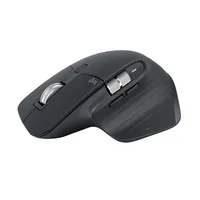
Why we recommend it
The MX Master 3S includes genuinely useful features. MagSpeed scrolling is particularly handy when you're regularly moving through long webpages, spreadsheets and documents, and thumb controls put additional functions within easy reach.
Logi Options+ lets you customize the buttons and create application-specific profiles, so the same controls can perform different jobs depending on what you're doing.
In his glowing 4.5-star review, our expert Ilyas said: "Logitech MX Master 3S can easily be considered the best wireless mouse geared specifically towards enhancing the average user’s workplace productivity."
He went on to say, "With seven silent tactile button inputs that can be customized through Logitech’s own software, the MX Master 3S can be a great tool for office workers who are looking to streamline their productivity. Its 70-day battery life is solid selling point too, as is the inclusion of a USB Type-C charging port located at the front of the device."
Price context & historical value
Amazon's $79.99 price knocks $20 off the usual $99.99 cost, bringing the MX Master 3S down by 20%.
That's actually a very good saving, because it's only $5-$6 dollars above the cheapest it's been on Amazon in a year. The picture is similar in the UK, where the cheapest I've seen it was £65, not much more than the current sale price.
If you're after a quality productivity mouse, this is a good chance to snap up one of the very best at an affordable price.
Should you buy it?
✅ Buy the Logitech MX Master 3S if...
You spend much of your day working at a computer and want more control than a basic mouse offers. The programmable buttons, horizontal thumb wheel and fast scrolling can be particularly useful for spreadsheets, creative applications and navigating large documents.
It's also a strong choice if you work across multiple computers. You can connect three devices over Bluetooth without repeatedly pairing the mouse each time you move between them.
❌ Skip the Logitech MX Master 3S if...
You want a mouse for a spot of gaming. The MX Master 3S is designed around productivity, comfort and control rather than the extremely low weight and high polling rates offered by gaming mice.
The Catch: What to know before you buy
The biggest catch is what's missing from the box. This particular MX Master 3S is sold without a Logi Bolt USB receiver or even a charging cable, so make sure Bluetooth-only connectivity suits your setup before buying.
It's also a substantial productivity mouse. Anyone who prefers a small, simple mouse may find it more hardware than they need. Also, this isn't a great mouse for left-handed users or people with smaller hands.
