


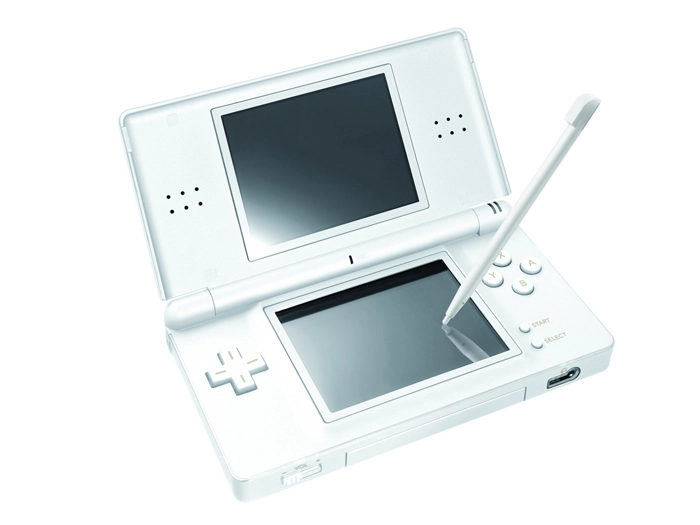
This Nintendo DS install requires some specific gear that lets you load software onto the DS.
Gareth Latty, based on the UK, is a key member of the DS Linux team that is working on a reliable Linux distro for the DS. You can find out more about the project at dslinux.org.
1. Configure hardware
Before you load the distro, you will need a few pieces of hardware. The first is the GBA Movie Player (GBAMP), a device that works like the old GameShark devices for video game consoles and lets you load and run software onto the DS. Then, you'll need a CompactFlash (CF) card, which pops into the GBA Movie Player slot.
You will also need a place to store files on the DS, since it has no internal memory that can hold Linux. For this storage, you will need a NoPass card such as the Datel MaxMediaLauncher, which allows you to store files on the DS. Some NoPass cards also add more RAM to the DS, which makes Linux run faster. (You can also find the GBAMP and NoPass cards on eBay or Amazon.co.uk, and at some used video game stores that sell hardware accessories.)
2. Mount the card and load Linux
Mount the CF card in Linux using a memory card reader (or insert it into the slot on your laptop, if you are lucky enough to have that feature). Download the Linux distro at http://kineox.free.fr/DS/ dslinux-gbamp.tgz and unarchive it onto the mounted CF card. Use the command: tar -C /media/cf -zxvf dslinux-gbamp.tgz
Now, put the CF card into the GBAMP card in the GBA slot (the bigger one). Insert the GBAMP and NoPass cards into your DS and boot the video game machine. You will see a command line where you can boot the dslinux.nds file to load and run Linux on the Nintendo DS.
3. DS On The Web
So, what can you do now? For starters, you can copy files from the GBAMP card to the NoPass card - just copy them to and from the /GBAMP directory. This turns your DS into a pocket storage device.
DS Linux also provides a browser called retawq, an instant messaging client called tinyirc, and a wide selection of games such as Sodoku, Boggle, and Battleship. Run any game from the shell by typing its name. You can also use telnet, read your email, connect to a remote computer (using SSH), and even listen to an Internet radio station.
We won't go into the details here, but to access any Internet content, you will need to configure the wireless networking feature on the DS from within DS Linux. There's a great video tutorial on YouTube that tells the complete story.
If you decide you want to start playing DS games again, it's going to be an uphill road. You can contact Nintendo for support and repair, but they will likely see that you installed Linux and may decide not to support the device, since the warranty has been voided.
Some users have reported being able to archive the DS source files and re-load them, but we have not seen any legitimate reports of this actually working. It may be a one-way trip: we were not able to re-install the DS operating system after installing Linux on both the original and slim DS Lite versions of the pocket gaming device.
Find out more at Linux Format magazine.