


I've tested all the best HP printers, but these 6 are the ones that impressed me most - from high-quality, economical printers for the home to high-speed, high-volume laser printing that modern businesses demand.
For most people, I rate the HP Smart Tank 7001, an ink tank printer that delivered exceptionally good print-outs for documents and images. It's ultra-simple to use, and cheap to run with the bottled ink refills. While not the fastest or most feature-rich, it offers everything most people will need from a HP printer in a home, home office, or small business set-up.
For professional focus, I recommend the HP Color LaserJet Pro 3201dw and the HP Color LaserJet Pro 4201dw, which are superb for color laser printing. You can read my full reviews below to see how they'll fit into your workflow. I've personally reviewed every printer featured in this guide, using a standardized test across all my best home printers testing to assess the user experience, design and build, and overall print quality. Based on this process, these are the six best HP printers I recommend.
Note: I've used US models here, with non-US model numbers in brackets.
What's new? I've streamlined my line-up to focus on both home and office printers across ink tank, inkjet, and laser categories. New additions based on my own testing are the HP OfficeJet Pro 9015e, HP Color LaserJet Pro 3201dw and 4201dw, and the HP LaserJet Pro 4001dn.
Best HP printer overall
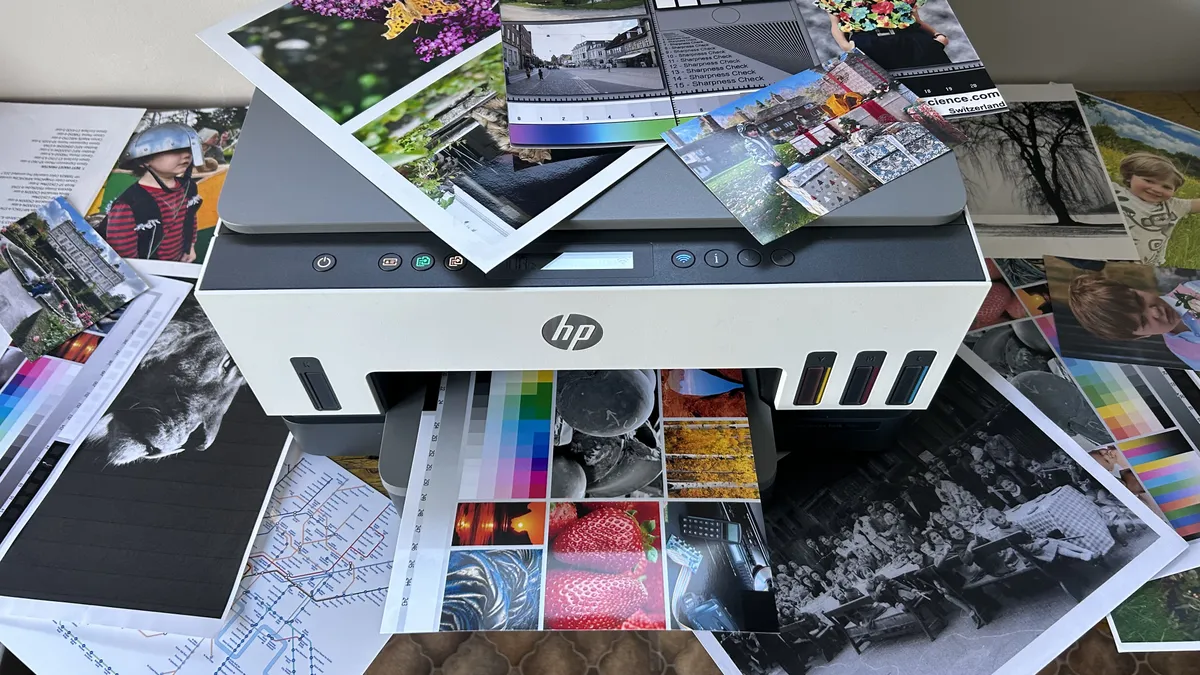
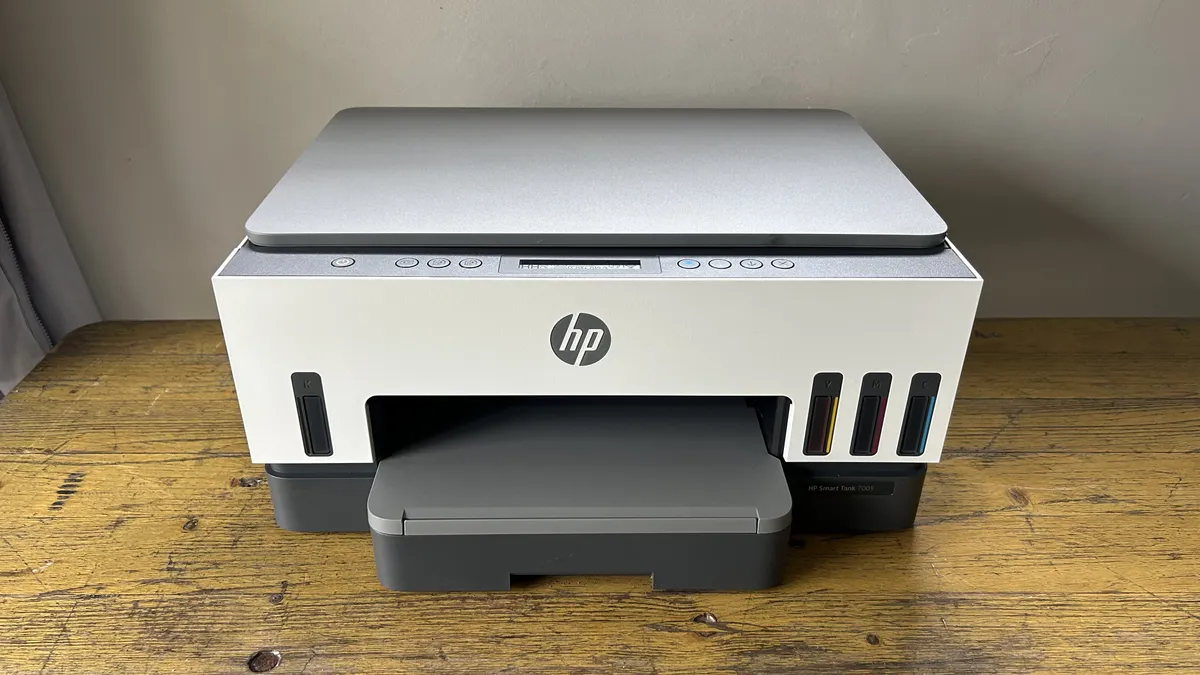


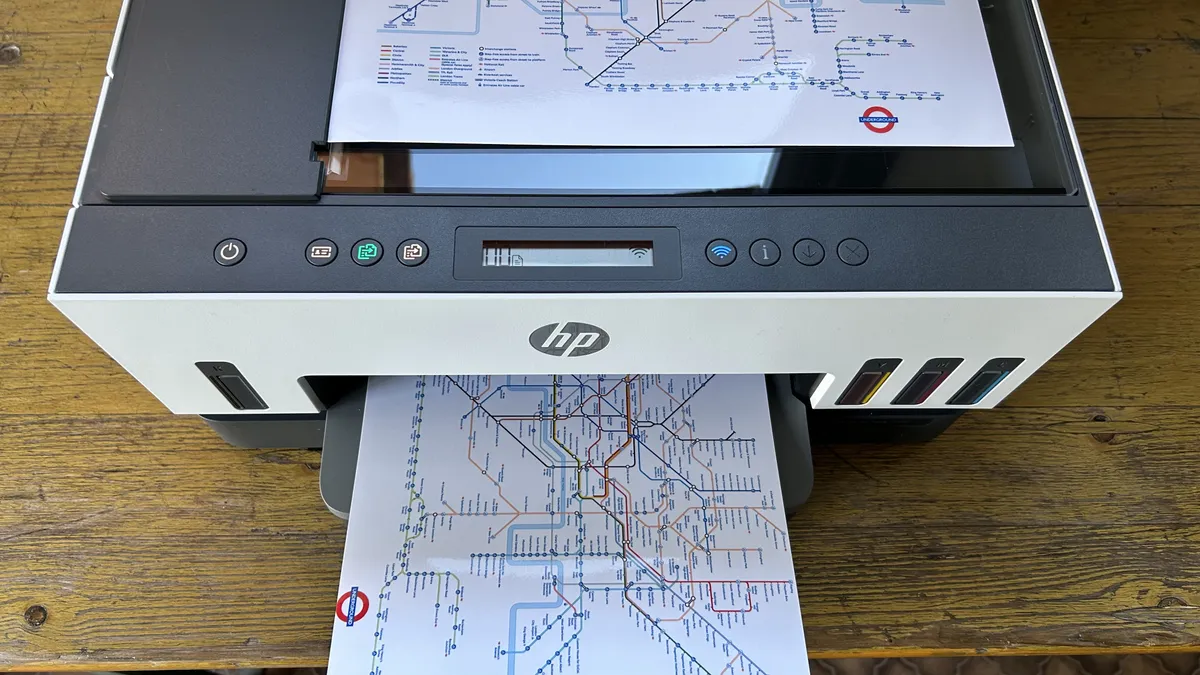


The HP Smart Tank 7001 (known as the 7005 outside the US) is a relatively affordable refillable inkjet all-in-one aimed at small business, or a home office. It’s quite basic, in that there’s no touchscreen, USB Host port, NFC or ADF.
However, it can scan Letter-sized documents, auto-duplex, and has a decent 250-sheet paper input tray. It also has dual-band Wi-Fi and Bluetooth which really sped up the setup procedure.
In my tests, it printed quite quickly at 15ppm (pages per minute) in simplex mode and worked smoothly in duplex mode. Pages of black text look sharp and bold, while photos looked especially bright, sometimes garishly so.
On the whole, my test pages printed well across the board. I experienced paper jams any time I asked the printer to duplex with imperfect paper, so it needs to be treated carefully. It’s not the strongest supertank in its class, but breaking away from cartridges makes it an economical and worthy choice for the home and small offices.
Read our full HP Smart Tank 7001 (7005) review
Find the best deals on HP printers with our HP discount codes.
Best HP printer for home


The HP Envy 6500 series is a slick all-in-one inkjet targeting the home office. With its 100-sheet paper capacity and small ink cartridges, it’s not geared up for a shared office, but it does have HP’s Wolf Pro security software, fax and ADF (automatic document feed) to suit business users. It also comes with self-healing wi-fi, auto duplex and the ability to print on any size and type of paper up to letter or A4.
The feature I appreciated most was its ability to automatically duplex print text on the reverse side of 4x6-inch matt photo paper. It’s a great way to produce your own postcards. It prints frustratingly slowly, but the quality is above average. Black text on white paper looks bold and sharp and because HP is using a pigment black, it’s smudge-resistant too.
The dye-based colors are bold and bright, so you get pleasingly vivid photographs on coated paper. I found that the unusual design, with the protruding paper tray, took up more desk space and tended to catch dust and funnel it into the printer. But a bigger problem is the cost of the consumables.
While the printer is undoubtedly cheap for what you get, replacement cartridges are small and expensive and there’s very little ink in the bundled setup cartridges.
Read our full HP Envy 6555e (6530e) review.
2. Best HP printer for the office
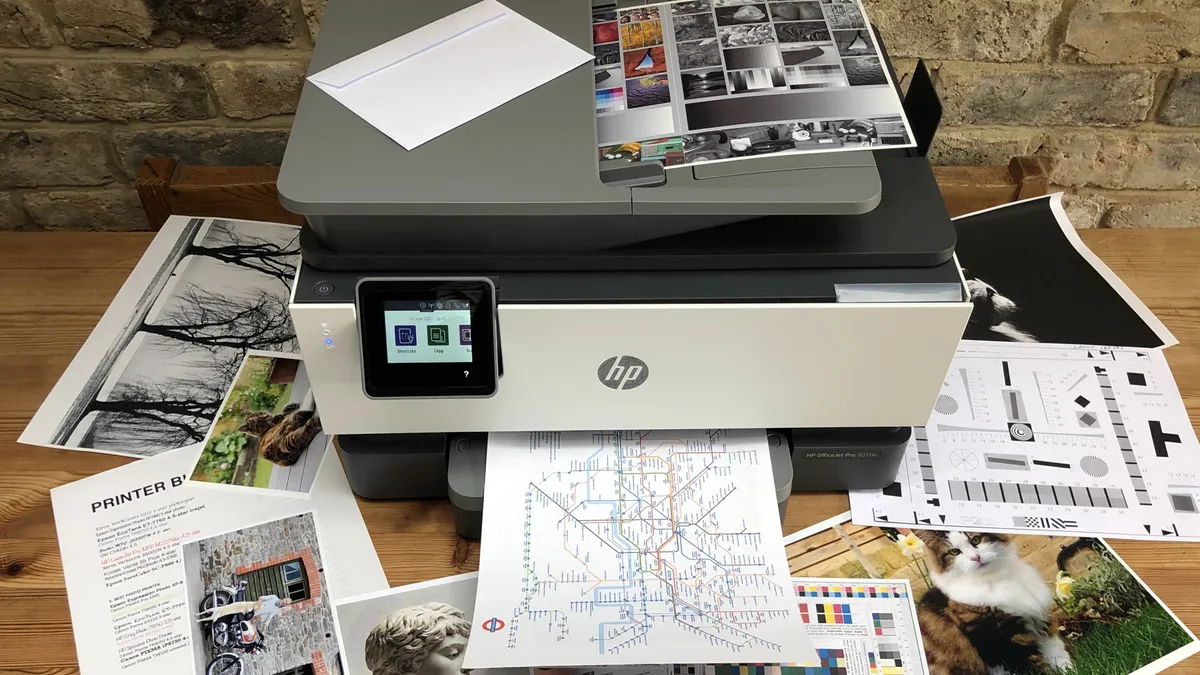


The HP OfficeJet Pro 9015e (9010e in the UK) is an exceptionally prompt all-in-one inkjet that I found perfectly suited to offices and even larger home offices. It's well-priced and economical to run. To my eye, this printer looks smart and professional.
In terms of specs, this OfficeJet Pro has print, scan, copy, and fax capabilities. It can print a speedy 22 pages per minute in mono, boasts a good-sized 250-sheet paper tray, and a 35-sheet automatic document feeder, as well as HP's Self-Heal Wi-Fi feature and Private Print. Everything, then, that the modern office demands.
In my own tests, it printing was smooth, quiet, and most important fast. Print quality is, on the whole, extremely high. I felt it extremely easy to operate using both the HP app and the built-in - but admittedly small - touchscreen. There is duplex printing, but this was slower during my own tests. However, the final output was good. Black text appears crisp and bold, even at smaller font sizes.
There are two main areas where printing didn't hold up: firstly, when printing large pools of black, I could see visible horizontal lines, and secondly, while color documents and images look good, they lack the depth found on true photo printers. I don't consider either to be deal-breakers when put to use as an office printer, though.
Overall, I found this HP printer holds all the key features needed for offices and small businesses thanks to the practical and prompt high-quality printing, scanning, and copying.
Read our full HP OfficeJet Pro 9015e review.
Best HP printer for the home office
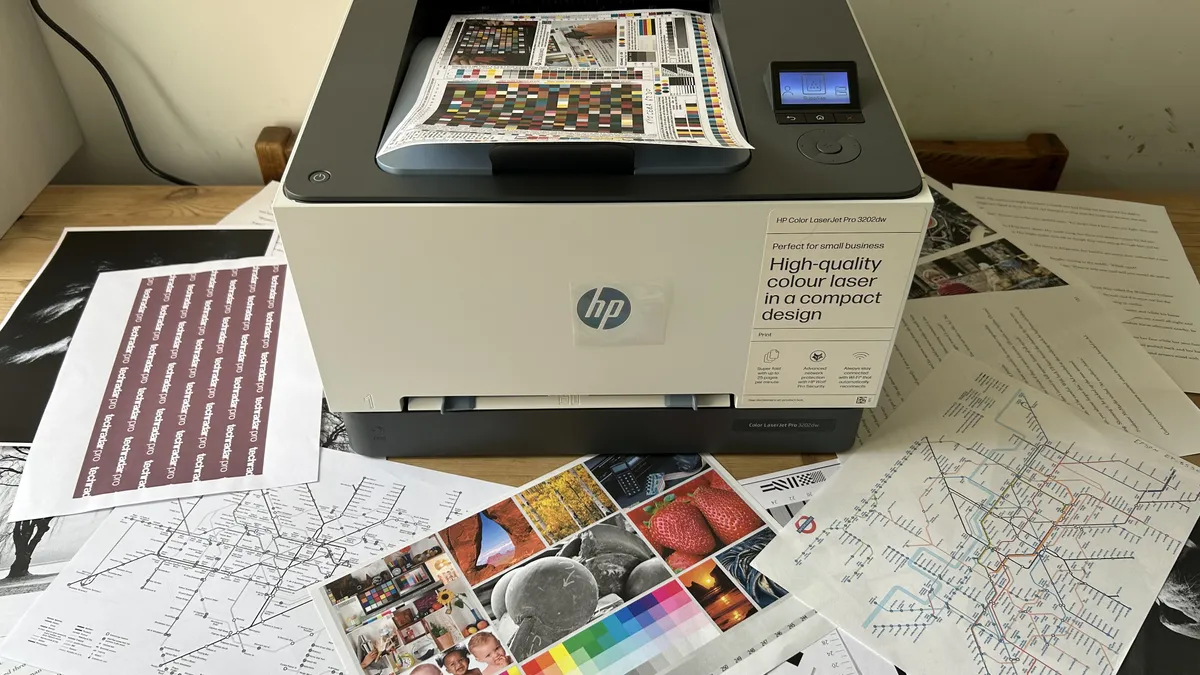


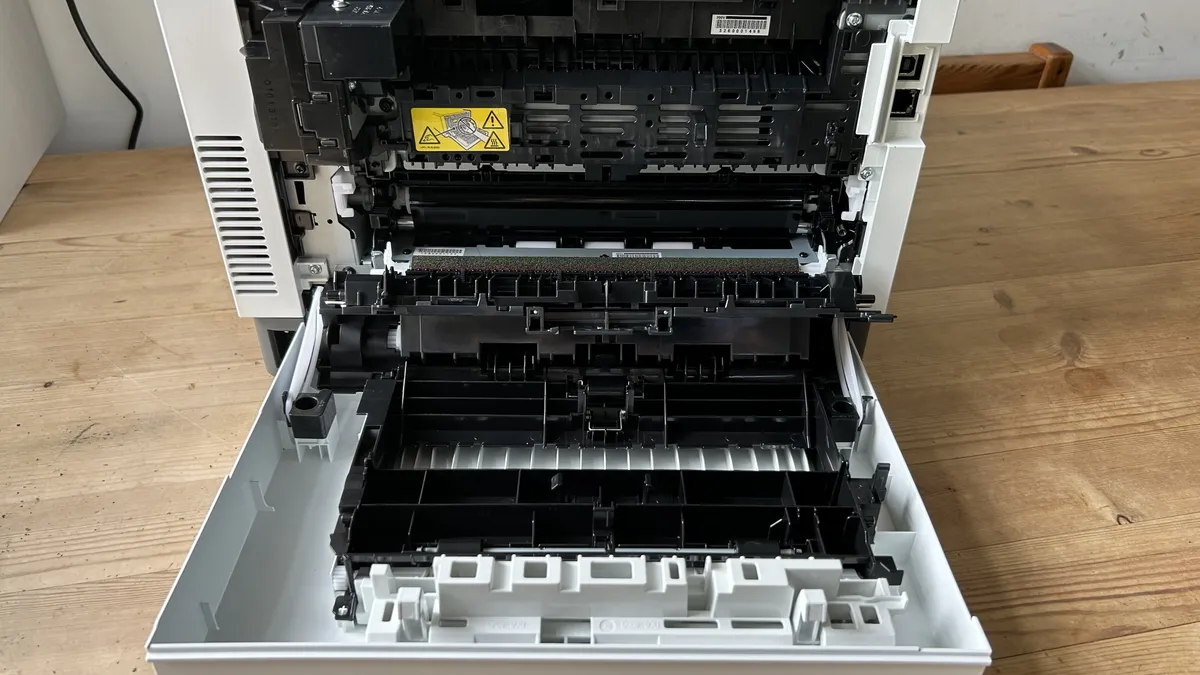


If you need a compact color laser printer, HP's Color LaserJet Pro 3201dw (3202dw in the UK), delivered rapid print speeds, vivid color prints, secure printing, and all the features remote and hybrid professionals might need when working from home.
Just a quick note before I explain my test results: if you want a highly compact mono laser printer, see my HP LaserJet M209dw review - it's a superb micro home office alternative for those don't need color printing.
Back to the 3201dw, though. This print-only laser unit from HP is specifically designed for home offices and small businesses, and in my experience, it has the speed and capacity to precisely satisfy both.
I especially like the additional features for those working both at home and in shared workspaces, such as the wireless printing, a front-facing multipurpose tray, HP's own Wolf Pro Security software, and a 250-sheet paper tray for higher-volume printing.
I checked and claims of 26 pages-per-minute print speeds in both color and mono are accurate, with automatic double-sided printing clocking in at a respectable 15ppm.
Text looked sharp and finely detailed throughout my text, even in smaller font sizes. And for consistency and legibility, I can't fault this printer at all. Color printing was equally impressive, with a punchy vibrancy and professional finish.
As a laser printer, it can't compete with an inkjet for photos - indeed, the 3201dw is particularly bad for it. However, for text and colored graphs and logos of the sort every business might print, I have no complaints.
Read our full HP Color LaserJet Pro 3201dw review.
Best high-volume color laser HP printer


Where the HP Color LaserJet Pro 3201dw is suited to home offices and smaller office settings, the HP Color LaserJet Pro 4201dw (also know as the 4202dw) is much more focused on high-volume color laser printing.
That's evidenced in both the total 300-sheet capacity, and a strong 150-sheet output tray that's higher than most. But more impressive is that you can expand that with additional 550-sheet trays. So, for modern businesses with multiple users, this HP printer gets it absolutely right.
During my time with the 4201dw, this printer performed very well with a strong showing in my print quality texts - especially for text documents. I found the black text to appear pleasingly dark, crisp, with sharp definition. Mixed color documents of text and images appeared vivid. Even photographs came out well when I used laser photo paper. Ideal, I felt, for businesses printing brochures and flyers.
In lieu of a touchscreen, the printer also has a rotary dial for navigating menus on the LCD screen. I admit, I wasn't a fan of this - if you like the retro-style, it hits the mark, but I found it annoying to use.
However, port selection is good here - tucked around to the rear you'll even find a USB Host - and it boasts wide media compatibility for printing on thicker card stock. The usual business-focused features HP adds to the LaserJet Pro range are also on offer, and it features a fast print speed of up to 35ppm, which I confirmed in my tests tests, as well as rapid double-sided printing.
Overall, I found the compactly designed LaserJet Pro 4201dw delivered exactly what professionals need from a color laser printer at this price-point.
Read our full HP Color LaserJet Pro 4201dw review.
Best high-volume mono laser HP printer


The HP LaserJet Pro 4001dn is an exceptionally good office laser printer if you need high-speed, high-volume mono prints.
It's not a hugely feature-rich unit. There's no touchscreen, for example. And if you need Wi-Fi printing, select the HP LaserJet Pro 4001dw model (the 'w' stands for wireless). Whichever model you choose, in terms of specs, this mono printer wipes the floor with many in the category.
Notably, it boasts a rapid 42 page-per-minute print speed, which was accurately timed in my tests, making it one of the fastest laser printers of its class.
Capacity is also high, despite how small this laser printer is - it supports a total of 350 sheets across the main drawer and the multipurpose tray, with the option to expand that to an additional 550 sheets. For high-volume mono laser printing, that's excellent.
During my tests, printing proved prompt and error-free. In terms of print quality, it's acceptable, but I recommend switching from 'draft' to 'best quality' mode for darker, more professional text documents. Photos are ok, but can come out grainy. But that's not really what you'd want to use a mono laser for anyway.
Overall, I find it difficult to fault the 4002dn on speed and consistency. It's lightning fast even for long two-sided documents, and every page I printed looked good enough for office and business use.
If your needs are simpler or your space is even smaller, read my HP LaserJet M209dw review - it's not as quick to print, but it's a micro mono laser printer that may tick every box for you.
Read our full HP LaserJet Pro 4001dn review.
Best HP printers: FAQs
What's the difference between HP printers?
The main difference between HP printers is their ink type. You can find inkjet, laser, and ink tank printers across the company’s home and office line-up.
In general, inkjet printers are cheap upfront, but they’re slow and the ink cartridges are expensive to buy. They excel at photo printing. Laser printers are expensive, but it’s a long-term investment, with reduced costs of toners and a faster print speed. They are ideal for text documents. Ink tank printers are refillable, so it’s cheaper and there’s less weight.
The other difference is the range, with HP printers for the home, office, and even design studios. You can tell the difference by their name.
DeskJet and Envy: Home printing
The Envy and DeskJet are HP’s home printing line-up, so they’re a good all-rounder for documents and photos. These printers have a small footprint, usually compact enough for most modern desks. A 100-sheet paper capacity is the absolute minimum we’d recommend for modest home printing. DeskJet’s are a better choice for larger families and small businesses. Print speeds vary, but the faster the better here without sacrificing print quality.
OfficeJet and LaserJet: Offices and home offices
Often set-up for small teams and multiple users, OfficeJet and LaserJet printers are more robust, with generally higher print quality. The best HP LaserJet printers excel at text documents. Paper capacity tends to be higher than home printers. In this range, we recommend a fast printer that holds at least 250 sheets, auto-duplex mode and an ADF. Look for the 'Pro' suffix for those printers HP has designed for business-use.
DesignJet: Designers
DesignJet is the company’s range of large-format plotters, reserved for engineers and architects.
What is the life expectancy of a HP home printer?
A good printer should last about 5 years.
As a rule, expect 3 to 5 years from any standard desktop printer - whether it’s from HP, Epson, or any other brand. Laser printers usually have a longer lifespan than inkjet models. And longevity can be increased depending how you use it, how often, and general maintenance,
How to choose the best HP printers for you
Why you can trust TechRadar We spend hours testing every product or service we review, so you can be sure you're buying the best. Find out more about how we test.
Before buying a new HP printer, consider these key questions…
Inkjet or laser?
HP sells both, but if you print photos, the answer is inkjet. With thousands of nozzles applying liquid ink dots onto plain or coated paper, inkjets achieve superior image quality, while being generally smaller and cheaper than lasers. However, the dry toner used by laser printers is more efficient and allows for faster, cleaner and more consistent printing at higher capacities. For some top recommendations, we reviewed the best inkjet printers, best ink tank printers, and the best laser printers.
Monochrome or color?
HP does not make monochrome inkjets, but its monochrome laser printers are significantly cheaper to buy and run than their color counterparts. They’re also simpler and have more space for larger cartridges with higher page yields and significantly lower running costs.
Print-only or multifunction?
The essential difference between a pure printer and an MFP (multifunction printer) also known as an AOI (all-in-one) is the integrated scanner. Naturally, this feature adds size and cost, but a flatbed scanner will capture documents more satisfyingly than an app on your smartphone and it effectively turns any printer into a photocopier. The more expensive MFPs will also offer an ADF (automatic document feeder) for passing a stack of pages over the scanner for you. We tested out the best all-in-one printers.
Home or office?
Printers HP has designed for domestic use tend to be compact and affordable inkjets which can print family photos as well as work documents. In the office, printing at faster speeds and higher volumes is more important than size and operating noise, so lasers are more common. Business printers usually have stronger security and can be accessed by whole networked workgroups.
What features do I need?
All of HP’s printers now have dual-band Wi-Fi built in, but not all have an Ethernet port. Also consider the type of media you will be using and the quantity. If you print a lot, it will be worth avoiding inkjet cartridges in favour of refillable Smart Tank models. If you want to print on card, check the specifications for the maximum compatible paper weight. A printer offering manual duplex is unable to print on both sides of the page automatically, so unless you don’t mind turning over every sheet by hand, make sure it can auto duplex.
What’s my budget?
The best cheap printers are usually inkjet models, but their expensive cartridges are the catch. Always check the price of your printer’s consumables before you buy. For the most economical to run, I recommend an ink tank printer - they cost more to buy, but the bottled ink refills for these 'no cartridge printers' are cheaper than inkjet cartridges.
How we test the best HP printers
I’ve been the senior printer editor at TechRadar Pro long enough to have tested hundreds of printers and plenty by HP. My methodology follows a series of repeatable tests and comparisons and the process starts right from the unboxing and initial set-up, which is timed. If there’s a problem with unsustainable packaging or a baffling user manual, I’ll call it. If it’s a pleasure to use, that’ll be reflected in the final score too. I always test both wired and wireless connections and explore the various remote printing companion apps as these often enhance the user experience.
For the performance tests, I have a folder of test cards, photos and text documents designed to assess detail resolution, contrast, color accuracy and gamut. Some test images are particularly good for spotting feathering and smearing among inkjets. A ten-page text document is useful for measuring print rates because I never take manufacturer's claims at face value. Having said that, the quoted print and scan speeds are usually accurate enough that I rarely contradict them.
I print each test page on a range of standard paper stock from cheap 75gsm sheets to 600gsm card, as every printer has its limits and preferences when it comes to paper quality. And if the manual claims you can print on envelopes, labels or t-shirts, I test that too.
Features such as auto-duplex scanning or copying multi-page documents via an automatic document feed (ADF) are evaluated, and an assessment of build quality and design contributes to the overall rating. I pay particular attention to the cost of ownership (COO) because cheap printers can often give lower value for money when you calculate the ongoing consumables cost.
You can find out more in the guide How we test printers at TechRadar Pro
Get in touch
- Find the best deals on HP printers with our HP discount codes.
- Want to find out about commercial or marketing opportunities? Click here
- Out of date info, errors, complaints or broken links? Give us a nudge
- Got a suggestion for a product or service provider? Message us directly
