


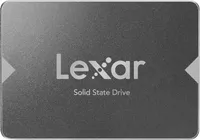
If an older laptop or desktop takes minutes to boot, swapping its hard drive for the SATA drive is one of the cheapest ways to make it feel quick again. Especially now the Lexar NS100 256GB SATA SSD is now £35 (was £72) at Amazon.
Lexar has made memory cards and storage for decades, and the NS100 is a no-fuss drive for a straightforward hard drive replacement: it fits in the same 2.5in bay, and owners report noticeably faster boot times on machines that had been struggling.
• Best for: Anyone reviving an aging laptop or PC, or adding a fast boot drive to a budget build.
• Why we like it: up to 520MB/s read speeds, a standard 2.5in SATA III fit for most older machines, and a three-year warranty from an established storage brand.
• What you need to know: This drive is designed for older machines that don't have an M.2 NVMe interface.
Price Context & Historical Value
This isn't a record low for either drive - although SSD prices have climbed considerably since the lowest prices of £14 for the 256GB model back in November 2023, and £23 in May of the same year. It’s a fair price for a branded drive today, but treat it as a solid buy rather than a once-a-year bargain.
Should you buy it?
✅ Buy the Lexar NS100 SSD if...
You want to replace a slow hard drive in an older laptop or desktop, need a simple 2.5in SATA drive for an operating system and core apps from a known storage brand.
❌ Skip the Lexar NS100 SSD if...
Your machine has an M.2 NVMe slot that would give you much faster speeds, or the sub-TB storage capacity won’t hold your games or media library.
