





Presented by

Inkjet vs laser vs ink tank: Which printer is right for your business?

When you’re choosing a new printer, one of the first decisions you need to make is whether to select an inkjet, laser, or ink tank model.
There's no right or wrong answer here. They all have different pros and cons, and it all depends on how often you print, what you print, and how much you print on any one print job.
My team has comprehensively tested over 200 of the best home printers and best small business printers, from budget inkjets to Enterprise-class laser printers, and these are the differences you need to know about.
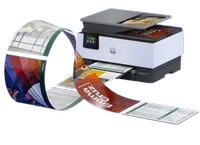
Inkjet vs laser vs ink tank: Key differences
In a nut-shell, these are the biggest differences between each printer type:
- Inkjet printers are cheap to buy but cartridges are more expensive long-term. They’re home and office all-rounders that are good for color printing, but can handle text.
- Laser printers are expensive to buy but toners are cheaper long-term. Suited to office and home office use, they’re business machines that excel at crisp document printing, but less so for photo printing.
- Ink tank printers are effectively inkjet printers that use cheap-to-buy bottled ink refills. These printers can be expensive to buy but offer cheap long-term value, costing less than ink cartridges. They excel at day-to-day and photo printing.
Printer type |
Location |
Output |
Volume |
Speed |
Inkjet |
Home and home office |
Images and text |
Low volume |
Slow |
Laser |
Office and home office |
Text |
High volume |
Fast |
Ink tank |
Home, office, and studio |
Images |
High volume |
Moderate |
Inkjet printers

Inkjet printers are the common choice for home printers because they're compact, cheap, and versatile - they can handle text and image printing without much fuss. Having said that, they're vastly superior at printing vibrant photos compared to laser printers; conversely, using an inkjet to print text often lacks sharpness.
These units work by drawing liquid ink from a cartridge, spraying it onto the paper - which is why the ink can sometimes smudge if you don't let it dry. They feature a good 'first-page-out' time, so if you're printing a single sheet at a time, they're faster than a laser printer, but for higher volume runs, they're much slower.
For businesses, even the best inkjet printers can be high maintenance, high per-page cost units that lack the high-volume output due to slow print speeds and smaller capacity cartridges and paper trays. However, if you plan of printing on different types of paper, they're an excellent choice.
Pros
Unit price
Inkjet printers have a lower-cost initial outlay. You can pick up these units for as little as $40, making them not just affordable but accessible.
Size & design
Inkjet printers tend to be compactly designed, suitable for homes and home offices where space is at a premium.
Media versatility
These types of printers deliver superior image quality, excelling at color printing, and high-resolution models are a popular choice for printing photographs, flyers, and brochures. Unlike laser and ink tank printers, they support a very wide variety of paper types, from paper and heavy card stock to iron-on transfer paper and textured fine-art paper.
Cons
Running costs
Printer ink cartridges are expensive and can be used up quickly, so when buying individual refills, they’re not the best pick for regular high-volume printing. While they're cheap to buy, over the lifespan of the printer, the total cost of ownership is higher than either laser or ink tank printers.
Speed
Inkjets are notoriously slow to print - in our own testing, it averages at around ten to fifteen pages per minute for a standard printer (some are even slower). Again, this means they’re not suitable for high-volume print-runs.
Printing text
While inkjet printers can handle document printing, text is not as crisp as a laser printer. If that’s your main type of printing, a mono or color laser printer delivers superior results.
Laser printers

Laser printers are the popular pick for offices due to fast print speeds and cheap laser toners, which operate with a powder that's heated on the page. Because the toner needs to heat up before printing, they have a slower first-page-out time compared to inkjets, but are quicker overall for higher volume print-runs.
Where laser printers really shine is in the crisp, detailed documents they deliver - while images can look flat and, at times washed out, text printing is sharp in ways an inkjet printer just can't deliver. And since they're not using liquid ink, the toner won't dry out, so even if you haven't used it for days, weeks, or even months, it'll print perfectly the next time you start a print-job.
For businesses, I'd characterize the best laser printers as a reliable workhorse for the high-volume printing of office documentation, from official letters to invoices.
Pros
Price
Generally, laser toners are cheap to buy, meaning you’ll save money over time. While the unit cost is high, the total cost of ownership over the lifespan of the printer is low.
Speed and volume
Given how laser printers operate, they deliver much faster print speeds - expect upwards of twenty pages per minute, depending on the job. This makes them ideal for high-volume printing in busy office environments. That's aided by higher-capacity paper trays, usually upward of 200 sheets, compared to the 50 to 100 sheet-trays you get with inkjets.
Document printing
Since laser printers are generally designed for business use, their main advantage is printing text that’s accurate and looks sharp on the page to an archival quality. Run a highlighter over a laser-printed document and the ink isn't going to smudge like it would with an inkjet.
Cons
Price
Laser printers require a larger initial outlay, but this initial cost is offset by the significantly lower cost-per-page over the life of the machine.
Color printing
While you can get color laser printers, they’re often more expensive, and they quite literally pale in comparison to inkjet and ink tank units if you’re printing, say, full-bleed promotional materials like brochures and posters.
Paper type
Unlike inkjet printers, laser printers don't handle a range of paper types like glossy photo paper, as the heated powder can't properly fuse to the coating (and risks damaging the machine). For best results, stick with a good-quality Letter / A4 paper type.
Ink tank printers

Ink tank printers effectively offer the same pros and cons of an inkjet printer - they work in the same way, with the main difference being how you reload the printer. With an ink tank, you'll add bottled liquid ink to multiple different tanks. That makes them much more cost-effective in the long-term.
I tend to think of them as a solid middle-ground between the print quality of an inkjet with the high-volume output of a laser printer. These units are much faster at color printing compared to inkjets thanks to larger permanent print heads, but lose out to laser print speeds when producing text documents.
For businesses, the best ink tank printers deliver a high return-on-investment for those printing in color at high volumes, such as real estate agents or creative professionals.
Pros
Price
One of the big advantages of ink tank printers is the cost of refills - it’s literally bottled ink. you manually refill the tanks. Unlike an inkjet cartridge, since you can top-up individual tanks, it means you only need to buy the ink color you need, without wasting the rest of the ink.
Photo printing
In our experience, ink tank printers have proved exceptional at printing vivid images and full-color pages. This makes them the best choice for professional photographers, designers, architects, and the like.
Waste reduction
High-capacity ink bottles are more sustainable. They replace the use of single-use ink cartridges throughout a printer's lifetime, reducing office waste and your business's non-recyclable footprint.
Cons
Cost
They may not be as expensive as an office laser printer, but they’re usually priced like an upper mid-range or high-end inkjet printer.
Maintenance
Beware getting an ink tank model if you won’t use it regularly. Without regular use or maintenance, after a time the nozzles can get gummed up with ink, affecting the print-run.
Refill times (and mess)
It takes seconds to replace a cartridge or toner, but refilling an ink tank can take a few minutes, so you lose the plug-and-play ease of an inkjet or laser printer. You'll also need to be really careful that the ink bottle is properly seated, or else it can leak and leaving permanent stains.
