





Presented by

5 essential features every business printer needs for a professional workflow

When choosing the right printer for your business, there are some essential features you need for greater efficiency, productivity, and ROI - and less time spent pressing buttons or refilling the unit with paper.
Here, I've selected the baseline printer requirements for a professional workflow, whether it's destined for the corner of a busy office or sitting under the desk as part of a home office set-up.
I've chosen these based on over 200 of the best home printers and best small business printers tests conducted by me and my team - and these are the ones that provide consistent value for businesses.
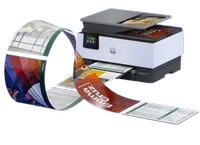
Speed
Print speed is an important factor for any business printer, particularly if you're undertaking high-volume runs.
When selecting a printer, you'll see print speeds rendered as Pages Per Minute (PPM) for both color and monochrome printing, with color printing typically taking twice as long as a simple black-and-white text document.
Inkjets are slower to print than laser or ink tank models, and based on our own tests, they'll typically average around 10-15 PPM in monochrome. Cheaper inkjets are the slowest.
Laser printers are incredibly quick to print, with speeds running anywhere from 20 to 40 PPM. Ink tank printers generally hover somewhere between faster inkjets and the slowest laser printers.
Just to make it a little more confusing, there are two main speed counters. Alongside PPM, there's also First Page Out Time (FPOT).
Here, inkjets will prove quickest to print a single page. That's because laser printers take time to heat up. However, once they're ready to go, they'll print more pages per minute. It's effectively the difference between a sprint and a marathon.
Sheet capacity
Before buying or subscribing to printer, check the paper tray capacity for how many sheets of paper it can hold.
This is essential for anyone printing regularly - not only does it limit the chances of having to top-up the paper halfway through a print run, it also means less time refilling the tray.
For business use, I'd recommend a 250-sheet minimum (and double that for Enterprise use). Many laser, ink tank, and higher-end inkjet printers all offer this.
Budget home printers tend to have vastly smaller sheet capacities - expect these to hold around 100 sheets. That's fine for casual printing, but not ideal for small businesses.
Also look out for a multipurpose or bypass tray. Separate to the main paper tray, this is where you can print on envelopes, labels, and heavy cardstock without emptying the main drawer of paper.
Some printers can also accept paper tray add-ons, doubling or tripling the amount of paper the unit can hold.
ADF
An automatic document feeder (ADF) is a separate tray atop the scanner of your printer, which feeds the paper to the scanner, so you don't need to manually lift the lid, swap the paper, and process each scan individually.
For me, this is a non-negotiable feature for business printing, as it's the difference between a 30-second job and a 30-minute chore.
It's worth noting that the ADF is separate to the printer's main paper tray, with most ADFs that we test having a 30 to 50-sheet capacity. If your operation requires a lot of scanning, opt for the largest available to you.
There are three main ADF types available to you:
- Standard ADF scans a single page, which must be manually turned over
- Reversing ADF (RADF) scans one side, then automatically turns the page to scan the other
- Duplex ADF (DADF) scans both sides at the same time
Auto-duplex
Auto-duplex is another time-saving feature that's a requirement for business printing. Simply put, 'duplex' is industry-speak for 'double-sided'.
I remember the old days, when doing it manually was the standard - and worse, trying to figure out which way up the paper has to go around for it to print correctly. Auto-duplex takes the guesswork out of it.
So, rather than printing a single page, turning it over, and feeding it back into the printer, the printer does the job for you.
The feature also swerves paper waste or having to print a wad of single-sided pages stapled together.
Printers can come with auto-duplex printing, as well as auto-duplex scanning (or DADF). If possible, select a printer that can do both.
Connectivity
A good business printer lets you print in a variety of ways - it's not about connecting your computer to the unit with a single lead.
This means you're not tied to a single method, device, or even location in the office. As a baseline, I'd always advise getting a business printer that supports both Wi-Fi printing and cabling via Ethernet (LAN).
I'd also recommend checking that your preferred printer offers mobile printing via Apple AirPrint or Mopria on Android.
For even greater efficiency, nice-to-have extras include a USB Host port, letting you plug in a USB flash drive to print and scan directly from the storage device, and NFC (or Near-Field Communication), so you can tap the printer with an NFC-enabled smartphone to begin printing.
On top of that, check if your printer features Cloud integration. This will mean you can scan a physical document and send it directly to a cloud service such as Google Drive, OneDrive, or Dropbox.
A fully-featured printer will offer the following connectivity:
- Wireless
- Ethernet
- Cloud
- Bluetooth
- NFC
- USB
- Mobile
