





TechRadar Verdict
Keyboards are incredibly subjective, but I didn’t care for this for several good reasons. Passing over the gaslighting color scheme, the biggest issue with this keyboard is the lack of cursor keys, which will be a deal-breaker for some users.
Reasons to buy
- +
Small form factor
- +
Type-S Topre key mechanics
- +
Compact and portable
Reasons to avoid
- -
No exclusive cursor keys
- -
USB but no through port for the mouse
- -
Dipswitches
Why you can trust TechRadar We spend hours testing every product or service we review, so you can be sure you're buying the best. Find out more about how we test.
HHKB Professional Classic Type-S keyboard: 30-second review
When people first get into computing, the first peripherals they develop an opinion on are the mouse and the keyboard. As these are the biggest challenges to overcome for successfully communicating with a computer, for most people.
HHKB, or Happy Hacking Keyboards, is a business started 30 years ago by a Professor Emeritus of the University of Tokyo, Eiiti Wada. He theorised that his "Aleph keyboard" featuring only the keys needed by professionals, was the way forward, and in 1996, the HHKB model KB01 was given a limited release.
The keyboard reviewed here is the latest Professional Classic Type-S design from HHKB, designated as the KB401BSC. It combines a compact 60-key layout with precision S-Type Topre key mechanisms to deliver a distinctively minimalist experience.
This keyboard isn’t for everyone, since it lacks a numeric pad, a caps lock key, and a cursor cluster. Most of these functions and others can be achieved with its function key, but honing down the keyboard to this limited key number has some significant collateral damage.
However, the steep learning curve and curious aesthetics aren’t the only potential hurdles for a potential customer. With a basic price of $269, this is also one of the more expensive keyboards available.
That leaves a bit of a chicken-and-egg scenario: the maker and fans of this design say it's great, but the cost of finding out isn’t insignificant. Be sure you wish to relearn your keyboard skills before splashing cash on this.

HHKB Professional Classic Type-S: price and availability
- How much does it cost? $269/£235.78/€259.99
- When is it out? It is available now
- Where can you get it? You can get it in most regions from HHKB
For US customers, this keyboard can be purchased directly from the HHKB website at a current price of $269.
It can also be purchased via Amazon.com, with the cheapest option being the White model for $279, with both the Charcoal and Snow White versions being $281.77.
It's available on Amazon.co.uk, too, in Charcoal, Snow, and White with prices around £260 depending on your color choice.
PFU, the trading company behind HHKB, sells via an EU website, and the HHKB Classic Type-S Keyboard (Charcoal/Printed Keycaps) PD-KB401BSC reviewed here is only £235.78 from them. For EU customers from the same site, you can get one for € 259.99.
For a keyboard, this might seem plenty, but for some of its hybrid designs, HHKB is charging $300 or more.

- Value score: ★★★★☆
HHKB Professional Classic Type-S: Specs
Specification
|
Value
|
|---|---|
Model
|
HHKB Professional Classic Type-S (Charcoal/Printed Keycaps)
|
Model Number
|
PD-KB401BSC
|
Layout
|
Near-Symmetrical 60-Key Modified US ANSI Layout
|
Chassis Format
|
Ultra-Compact Tenkeyless Keyboard
|
Chassis Colour
|
Charcoal
|
Keycap Colour
|
Charcoal
|
Keycap Legends
|
Long-Life Dye-Sublimation Printed
|
Keycap Legend Colour
|
Black
|
Keycap & Spacebar Material
|
Textured Polybutylene Terephthalate (PBT)
|
Key Weight
|
45 g
|
Key Travel
|
3.8 mm
|
Key Pitch
|
19.05 mm
|
Key Switches
|
Topre Electrostatic Capacitive Silent Key Switches
|
Key Switch Lifetime
|
30 million keystrokes
|
Key Switch Structure
|
Rubber Dome, Conical Spring, Silent Membrane
|
Chassis & Key Ergonomics
|
Cylindrical Step Sculpted design
|
Dipswitch Customisation
|
Keyboard Mode Selection [HHKB Mode, Lite Ext Mode, Mac Mode] / Key Assignment & Wake Up Host [Delete Key, Meta Key, Alt Key, Wake up host PC]*1
|
Keymapping Software
|
Settings written to the HHKB *2
|
USB Interface
|
USB Type-C
|
Height/Tilt Adjustment
|
3 Positions
|
Keyboard Dimensions (W x D x H)
|
294 mm x 110 mm x 40 mm
|
Keyboard Weight
|
530 g (not including batteries)
|
Operating Temperature Range
|
5°C – 35°C (41°F – 95°F)
|
Operating Humidity Range
|
20% – 80% (non-condensing)
|
Supported Operating Systems
|
Windows® 10 (32-bit / 64-bit) or later, macOS® Catalina 10.15 or later
|
Manufacturer Warranty
|
2 Year PFU Warranty *4, Advance Exchange Next Business Day *5; Includes replacement product and two-way shipping costs
|
Country of Origin
|
Made and designed in Japan
|
HHKB Professional Classic Type-S: Design
- ABS and PBT plastic
- USB-C connection
- Challenging colour scheme
Considering the cost, and having owned some equally expensive gaming keyboards, picking up the HHKB is something of an anti-climax. The keyboard base is ABS plastic, with the keys being constructed from PBT (polybutylene terephthalate), a thermoplastic polyester known for excellent mechanical, electrical, and chemical resistance properties.
That should make the keys resistant to being bashed by humans for a good number of years without showing significant wear.
The one upside of not using metal is that the keyboard is exceptionally lightweight, and at about 60% the size of a typical QWERTY keyboard with a numeric pad, it's ideal for those who want to carry a keyboard with them.
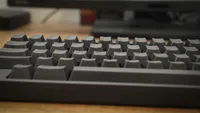
Looking at the keyboard side-on, there is a distinctive curve to the five key rows, and a rake that can be increased using deployable feet on the rear of the base.
The feet are two-stage, enabling ergonomic typing at three possible angles.
Connection to the computer is via a provided USB-C cable, assuming the computer has a USB-C port; no USB-A cable or adapter is provided.
What seemed slightly odd about this choice was that, having used USB-C, there is no USB hub in the keyboard, so you cannot chain the mouse via one cable.
When researching HHKB keyboards, I noticed they make hybrid designs that are both wired and Bluetooth wireless, but the Professional Classic Type-S is not one of them.
Having plugged it into an Android phone, I can also tell you that it is USB 2.0 via a USB-C connector, so it doesn’t use any of USB-C's special features.
Something I’ve not seen on a keyboard since the 1990s are dip switches, hidden here under a removable panel on the base. There is a large label on the base that explains what the six DIPs alter modes, with support for HHK, Windows and Mac platforms.
For keyboard fans, numerous research projects have examined whether alternative layouts can improve the productivity of keyboard users. Infamously, I recall that the US Navy had the Dvorak layout that they developed in the 1940s, which wasn’t QWERTY.
This keyboard is QWERTY, but it removes many of the commonly added keys and functions to reduce both its physical size and the number of keys.
With only 60 keys, of which 26 are taken up by the alphabet and 10 by numerals, that only leaves enough keys for a limited collection of punctuation, even with shifted keys. But what blew my mind somewhat was that, to achieve this layout, not only are there no numeric pad, function keys, caps lock, or backspace, but also no cursor keys or page keys.
There is an Fn key and a diamond symbol key that seem to be equivalent to the Windows logo key, and it is possible to set the delete key to backspace if used in conjunction with Fn using one of the DIP settings.

Probably the biggest stumbling blocks for most accomplished typists are that the Control key is now where the Caps Lock is normally, and getting key cursor functions requires the Fn key to be pressed in conjunction with other keys.
But imagine for a moment that the idea of this highly compact design was something you think you might adapt to, even if it takes weeks of perseverance. And then, as this reviewer was, confronted with keys that you can’t read what they are.
No, I’m serious. The review keyboard provided by HHK had the Charcoal/Anthracite colour scheme, in essence, black-on-black. HHK does make two other colour schemes for this model: White and Snow White, where the key tops are easily readable. But on this one, unless you are shining a torch on the keyboard, the key functions are literally invisible.
As an aside, if you want to embrace this thinking truly, HHK does make models which are entirely blank with no printing on the keys at all, but I thought my black-on-black ensemble in a USA layout was perverse enough.
There is clearly a determined philosophy in making something a greater challenge than it needs to be, but given that my productivity is not entirely tied to the efficiency of my typing, failing to achieve harmony with this concept is probably not a priority.

Design score: ★★★★☆
HHKB Professional Classic Type-S: User experience
- Topre keys
- Software mapping tool
Topre keys are a unique type of electrostatic capacitive keyboard switch, blending elements of mechanical and rubber dome designs. They offer a distinct tactile feel, described by some as crisp, and the key mechanism is remarkably quiet.
Unlike traditional mechanical switches, Topre switches use a rubber dome and spring over a printed circuit board, registering keystrokes via changes in capacitance. This results in minimal key bounce, consistent actuation, and impressive durability.
The problem with this description of the Topre is that it doesn’t tell anyone reading this review if they will like it, because those things are subjective at best.
I found the action to end somewhat abruptly for my liking, but the travel is succinct and lends itself to those who can think faster than they can type.
Probably the biggest challenge to anyone using this keyboard for the first time is that there is no cursor cluster without using the Fn key, and depending on the mode, HKK, Windows or Mac, some keys do different things.

Excluding the twelve function keys, there are twenty different Fn key shortcuts to memorise to get all the key functions most people need for everyday typing. If you are blessed with the common sense to have a White or Snow White model then help is at hand because these extended modes are printed on the keys. But for those with blank keys or the black-on-black experience I got, then you need to keep referring to the documentation initially.
HHK do provide a Keymap editing tool for those wishing to take customisation to the next level. Except you can only swap keys around using this software, not switch keys for entirely different functions. One plus is that you can save the remapping in a file and then apply it elsewhere.
It does show the current DIP switch settings, but that only made me wonder why there were physical switches at all, and not software-settable ones.
With the current state of technology, having a small amount of flash memory to right a configuration so that you can move the keyboard around without having to repeatedly reconfigure it would make the most sense. But alas, that wasn’t a consideration.
The mapping tool also provides a means to update the firmware. It will check for an update, and you can install any it finds. So, it is worth downloading if only for that.
What’s missing here is an on-screen indicator for caps lock status, which would help, since there are no LEDs on the keyboard to show it.

- User experience score: ★★★☆☆
HHKB Professional Classic Type-S: Final verdict
Let’s cut to the chase, because I can’t think of anything more polarising than transitioning to a new keyboard with a special layout for anyone who, like me, earns a living, allegedly, by using a keyboard.
In the past, I used a curved keyboard in the 1990s, and I found it most useful for helping me focus on which keys each hand should be operating. However, those keyboards took up too much space on my desktop, and eventually I moved away to more conventional designs, like the SteelSeries I’ve used since the early 2000s. I’m on my second SteelSeries Apex M500, and it uses Cherry MX Red key mechanisms,
So how does the HHKB Professional Classic Type-S compare? It doesn’t, for the entirely practical reason that I don’t want to learn a new layout at this stage in my career.
And, that’s the biggest snag here, because while Professor Wada might have hit on the best compact keyboard design from an efficiency perspective, that doesn’t help someone who has been typing on keyboards mostly with the same full-scale layout for more than forty years. In fact, if I switched tomorrow, it would slow me down considerably until my muscle memory was reprogrammed, making the high purchase price of this device only part of the cost of ownership.
How long would it take me to convert? Probably weeks, and that assumes that I don’t temporarily revert to get work done in frustration. And should I succeed, I’ve moved from keyboards that cost around $120 when SteelSeries still made them, to one that is more than twice that price.
Glossing over the whole black keys with black lettering silliness, this keyboard seems stuck in some ancient technological thinking. It’s USB-C, but has no integrated hub for plugging a mouse into it. And it uses dip switches for configuration, which I’ve not seen on a device in literally decades. And, it doesn’t have any backlighting or even an LED to indicate what mode it is in.
When you combine those aspects with the mostly ABS plastic construction, it's hard to justify the high cost.
I’ve seen people talking about HHKB designs like this one, where they extolled its virtues, but you can only get to that place if you are willing to embrace this design and forget what skills you might have with your existing keyboard.
I’m happy to admit that many developers who have transitioned to this layout and hardware say highly positive things, but this doesn’t make me inclined to follow them, even if I could justify the high cost of this device.
One might conclude that these keyboards are for those less set in their ways and with more disposable income.
Should I buy a HHKB Professional Classic Type-S?
Attributes |
Notes |
Rating |
|---|---|---|
Value |
For an expensive keyboard its entirely plastic |
3/5 |
Design |
Compact but incredibly basic and unsophisticated |
4/5 |
User experience |
Trial by change |
3.5/5 |
Overall |
Its a love or hate device |
4/5 |
Buy it if...
Don't buy it if...
Also Consider
For more options, we've reviewed the best keyboards around.
