





TechRadar Verdict
A very good netbook in comparison to the general market with a great screen and fairly good usability but it does lose some points due to some weak features
Reasons to buy
- +
Solid build
- +
Decent performance
- +
Nice screen
- +
Great keyboard
Reasons to avoid
- -
Panel is a bit reflective
- -
Touchpad is poor
Why you can trust TechRadar We spend hours testing every product or service we review, so you can be sure you're buying the best. Find out more about how we test.
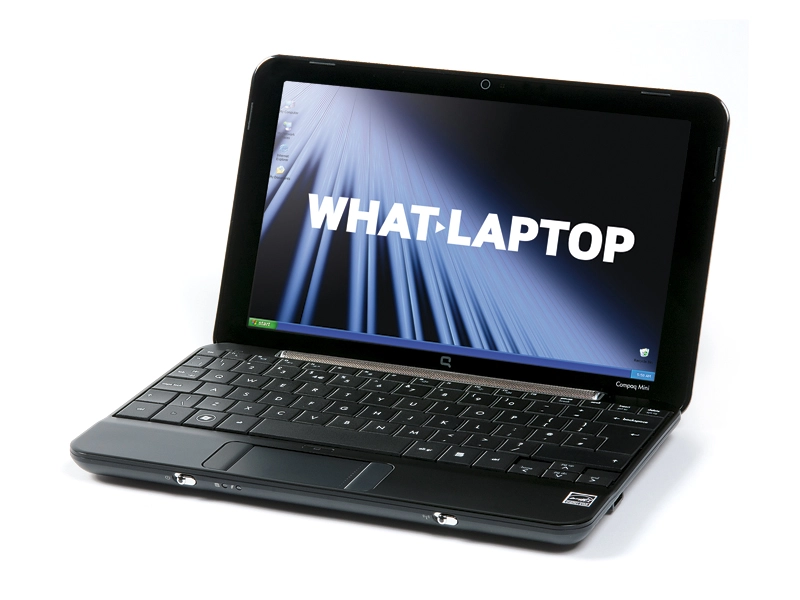
HP's Compaq Mini 702EA is the company's latest netbook and follows in the footsteps of the impressive Mini-Note 2133, offering the same excellent keyboard and rounded design, but this time with Intel components.
The design has changed slightly, with black and glossy patterned plastics that replace the brushed aluminium finish of its predecessor. The shiny lid attracts fingerprints, but it's still sturdier and more attractive than most netbooks.
Lightweight mobility
Along with the excellent quality, it also boasts a light weight of 1.2kg, so you'll be able to take it with you wherever you go.
The 10.2-inch screen features the same 1024 x 600-pixel resolution as most of its rivals. The bezel around the screen is slightly smaller, however, which gives this machine a more compact appearance.
The display has a glossy coating, and colours are brilliantly vivid. Unfortunately, the effect is less impressive when on the move, as it's one of the most reflective panels we've seen. This can be countered by turning the brightness up, although battery life is affected as a result.
The keyboard is one of the best we've seen on any netbook, with keys that are larger than many full-sized laptops and all of which are responsive and firmly attached, which makes typing a pleasure.
Unfortunately, the touchpad lets the design down, proving shallow and featuring buttons on either side rather than below. It's usable, but is awkward and takes some getting used to.
Where HP's first netbook featured a low-powered Via processor, this machine features an Intel Atom chip. Rather than Windows Vista, it also uses the less resource-heavy Windows XP. This allows the 702EA to boot and shut down rapidly, and it only suffers from lag when running several applications simultaneously.
We also managed to get just over three hours of use from a single charge – a reasonable result for the slimline 3-cell battery.

BENCHMARK MACHINE: Samsung Q45
Ports are kept to a minimum. The two USB ports are just about acceptable, but the lack of a VGA port for connecting to an external display is a strange omission for a business tool.
Wireless connectivity is reasonable and once you get into the office, you'll be able to take advantage of the 802.11g Wi-Fi. You'll also find 10/100 Ethernet built in for fixed connections in the home or office, but it's a shame there's no 3G/HSDPA for broadband on the go.
Overall, the Compaq Mini 702EA is a very impressive netbook with a fantastic keyboard, tiny dimensions and great portability. It is slightly flawed, however, and with a redesigned touchpad and a few more ports, it would have been one of the best netbooks available.
Buy from our affiliates: Amazon | Pixmania | John Lewis