





Using the best Minecraft server hosting gives you ultimate control over your Minecraft experience. Whether you plan on playing games with a few friends, or you're looking to cultivate an online community, dedicated server hosting helps you achieve that goal significantly.
I've rounded up all the best game server hosts for your Minecraft needs, based on my extensive time checking them out. I've ranked them according to their respective strengths.
You can quickly glance through the list and find exactly what you want. That could be the best cheap Minecraft host but you might also need more premium offerings so I've included an option for that too. In all cases, every host happily runs both Minecraft Bedrock and Java, plus you can use the host for other games too.
If you'd rather just dive into the game, we've also got a great guide on the best Minecraft seeds so you can quickly gather some essential resources and start building.

Top 2 Best Minecraft server hosting deals in 2026


Best Minecraft server hosting services 2026 in full
Why you can trust TechRadar We spend hours testing every product or service we review, so you can be sure you're buying the best. Find out more about how we test.
Best Minecraft host for beginners
What I like
Shockbyte is super simple to use and its genuinely welcoming interface is one of the main reasons why I recommend it to pretty much everyone. It has a lot of similar features to the competition but it introduces them in a way that is far from off-putting so pretty much everyone can get to grips with it. There’s no gatekeeping here. Want to set up a Minecraft server and never tried doing so before? Shockbyte is the solution while it also offers powerful features that will suit more advanced users too. In no time, you can add the best Minecraft mods or the best Minecraft texture packs with minimal hassle for you.
What I don’t like
Shockbyte is the go-to place for most people, but its 24/7 support could be a little speedier. When I’ve used it, its ticket system always comes back with a useful and helpful answer, but it could be faster. There’s no telephone support either. While I generally prefer online support, in a jam, it’s useful to have a phone number to check in with.
What you need to know
Shockbyte specializes in many games with its core focus being on Minecraft. It's very simple to figure out with a wide range of plans for every budget and requirement. Filters help you narrow things down with suggestions for novices. The most basic plan starts at just 3 players and 1GB RAM with the most advanced plans providing over 60 player slots and 16GB RAM.
Every plan comes with DDoS protection, unlimited bandwidth and NVMe storage, automated instant setup, a free subdomain, a 100% network uptime guarantee and 24/7 support. Also included is the company's attractive looking and easy-to-use control panel. Its server instance feature makes it easy to have multiple server setups, while there's up-to-date support for Java and Bedrock editions of Minecraft, and extensive server versions and types. At all times, there's good guidance on what will work best for you.
Read our Shockbyte review
Best value Minecraft server
What I like
Hostinger is for those users who want a web server to experiment with. It’s so much more than just a Minecraft host so if you want to explore some extra fun projects alongside that, this is the solution for you. You name it and you can probably do it through Hostinger. For those who love to tinker, it's a useful setup to have available. I also like the AI assistant, Kodee. It’s not always perfect but it has saved me from contacting support on a few occasions.
What I don't like
Hostinger is overwhelming at first. It’s not as user-friendly as dedicated methods on how to set up a Minecraft server as you’re using VPS hosting instead. Knowing how to create a Minecraft server on a VPS isn’t much trickier but that does depend on your technical skills and confidence levels. For some people, Hostinger is overkill.
What you need to know
Hostinger is well known as one of the best web hosting services out there. Besides the usual shared hosting and VPS offerings, it also hides away some highly capable Minecraft server hosting. Its well-designed Game Panel means you can have your server set up and ready-to-go within minutes of your purchase, with AI assistant -- Kodee - offering advice to many common queries. Automated backups are standard along with a dedicated IP and DDoS protection while you can create manual snapshots too.
There are one-click installers for many mods and plugins, but the File Manager makes it simple to do things manually too, with a malware scanner keeping an eye on things. You can even install a new operating system on your VPS with one click which is unnecessary for many but demonstrates the power involved here. It's sometimes intimidating for novices but worth figuring out. Perhaps surprisingly given the amount of features it offers, it can be a very good price depending on your needs.
Read our Hostinger review
Best Minecraft server hosting on a budget
What I like
The price of ScalaCube servers is a huge advantage. Being able to spend just $2 a month is a steal of a deal. It's what I recommend when someone just wants a server for a month such as when coming up with the best Minecraft Christmas ideas. For long term use, you’ll almost certainly need to spend more for something that’s truly effective for your server needs, but for newcomers, it’s a great starting point. It ties in well with any plans to learn how to play Minecraft for free. There are lots of server locations to choose from, even when aiming for budget range options. You don't miss out on options either with this being a simple way to install the best Minecraft shaders and Minecraft mod packs.
What I don't like
While cheap at the budget end of things, ScalaCube can get very expensive if you aim for a high-end server, especially for a Minecraft server host which lacks more than online support. That makes it a better choice for someone seeking budget or mid range servers rather than anything too high-end (Hostinger is the better option there), so it’s important to get that trade-off just right for your budget.
What you need to know
ScalaCube offers ultra-affordable and reliable server hosting for Minecraft with cheap options as well as more premium plans available. As standard, there's one-click installation for modpacks while you can also use custom forge servers to create your own Minecraft launcher. It's intuitive to use and very user-friendly, with full file access, a free MySQL database, backup system, and even a website/forum if you want something different from Discord.
There’s a good selection of server locations across the US and UK, Europe, Asia and Australia for you to choose from, and ScalaCube offers a 99.9% uptime guarantee. When it comes to choosing your Minecraft game server, ScalaCube offers a wide variety of options including Forge, Snapshot, ATLauncher, FTB, Void’s Wrath, Cauldron, Bukkit, PaperMC, Spigot and many more. If you can't decide between ScalaCube or Shockbyte, we have a dedicated guide to that.
Read our ScalaCube review
Best premium Minecraft game server host
What I like
I was most impressed by Apex Minecraft Hosting's reliability. It offers lag-free servers that actually live up to the name. Like with any service, that’s dependent on your own internet connection and location, but pick a server on the same continent as yours, and you should be in luck. We know that different Minecraft servers can optimize gameplay so this is a good choice for those with a community across one continent. It’s worth the extra investment if you already have an established community and need reliability and a silky smooth gaming experience.
What I didn't like
If you want inexpensive, you need to steer clear of Apex Minecraft Hosting. High reliability isn't cheap which makes sense. This is the better option if you're looking for a long-term investment and great reliability, such as if you're hosting a large community which is already established. If you’re serious about becoming one of the best Minecraft servers, this could be the solution for you. At a price.
What you need to know
Apex Hosting does everything you expect, very well. That includes easy-to-use one-click modpack installation which opens up the world of plugins, mini-games, and maps. It also has a huge amount of servers spread around the world, plus there's the typical essentials like full server control, fast connections, and exceptional support. Apex Hosting’s automated backups are another attractive feature in terms of safety for your files too. It's the ideal home if you're keen to install some of the best Minecraft texture packs.
Besides regular 24/7 customer support, Apex Hosting is another host that provides video tutorials for novices, so you're never going to get lost with your plans. If you were a fan of MC Pro hosting and looking for a review, it has now merged with Apex Hosting.
Read our Apex Hosting review
Best for hardcore Minecraft server hosts
What I like
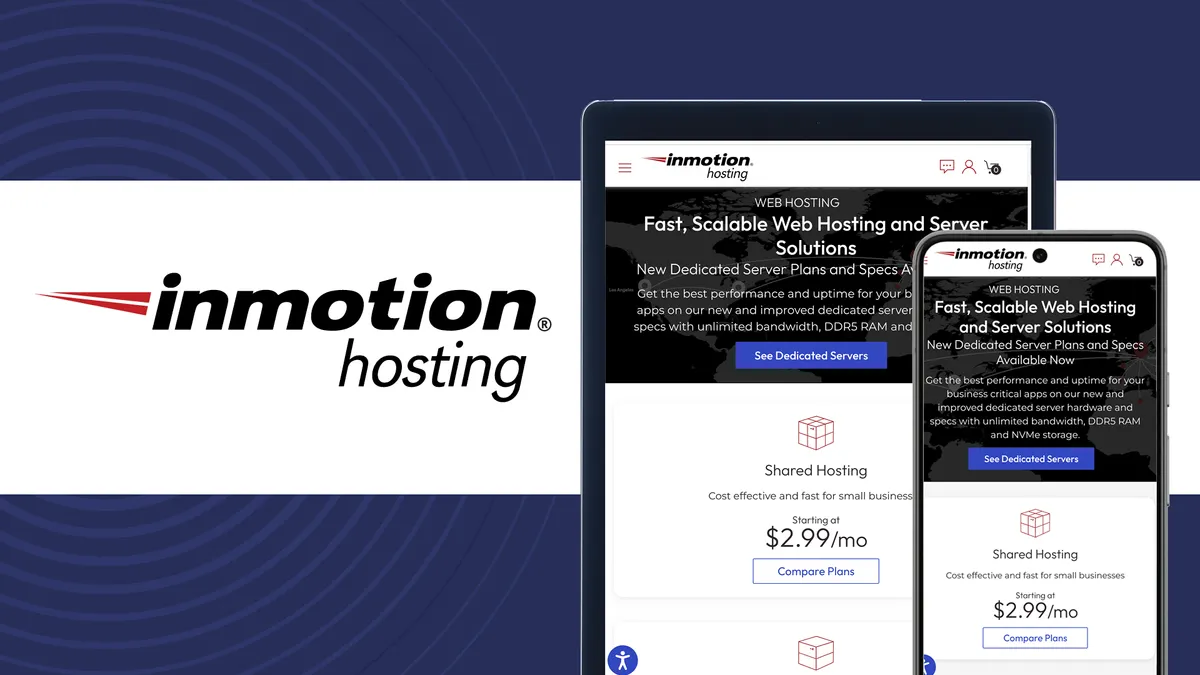
Like Hostinger, InMotion Hosting focuses on its hosting and provides Minecraft servers via a VPS plan. That means a ton of power and functionality which is great to see. It’s also reasonably affordable and it clearly lays out what to expect from each plan. InMotion has been around for over 20 years so it's a reliable pair of hands. There's 24/7 support and you're not just limited with online tickets as there's telephone support too if you prefer that option.
What I don't like
InMotion Hosting only has relatively minimal server options. Your choices lie in either the US west coast or east coast, with a central EU option. If you want to have the control of choosing a particular country, this isn’t a good package for you. For those located in other continents, the ping is going to be higher than ideal as well.
What you need to know
InMotion Hosting is a well-established name with 20+ years of hosting experience. Its Minecraft hosting allows you to run any server version, and whatever plugins you like, so it's perfect for those seeking more control than simply using Minecraft modpacks. With each plan, there are baseline recommendations to guide you through what plan to sign up for while premium hardware is used across all its servers.
The hardware includes NVMe SSD storage and Intel Xeon CPUs, while the servers are deployed in data centers positioned at internet exchange points (IXPs) and are supported by Tier 1 internet service providers. To round things off well, support is available via ticket, chat, and phone -- something that not every host provides.
Best for game variety

What I like
Nodecraft’s biggest strength is how flexible it is. You can easily switch between different game setups via the save&swap feature. If you’re growing an online community and they don’t always want to play Minecraft, this is a simple way to move between games at the touch of a button. There are other more complicated methods with other server hosts, but you can’t beat the simplicity of Nodecraft’s methods. It particularly stands out for variety streamers or content creators who want to switch between games quickly and with minimal hassle.
What I don't like
The downside to Nodecraft is that it isn’t really aimed at high-end server needs. There’s better hardware available elsewhere. This is a server host best designed for smaller or medium-sized Minecraft servers.That has its own pros and cons, of course, but it’s worth bearing in mind if you’re planning on expanding your server quickly.
What you need to know
Nodecraft provides server hosting for a lot of different games with a gamer-centric aesthetic. From the beginner plan to more premium options, there are unlimited player slots and setup is very simple so you don't need to be a server admin expert. Standing out is Nodecraft's save&swap feature which lets you switch to a different game server while simultaneously saving your progress on the current one you’re playing.
There are a handful of useful plan options with all offering at least two save&swap servers, as well as DDoS protection, and a free subdomain. Service is divided between Nodecraft Lite servers which are only online when in use and are much cheaper than the Nodecraft Premium servers which are online 24/7. If you just want to play with some friends once in a while, Lite will prove the better option here as it's very affordable.
Read our full Nodecraft review
Best Minecraft server hosting: FAQs
What is a Minecraft server?
Playing Minecraft solo is fun but most players can confidently say that playing multiplayer with friends is even better. After all, one of the many skills that Minecraft can help you develop is teamwork.
A Minecraft server is basically a private network that anyone can create, making it possible for other people to join if they wish to play in multiplayer. Owners can control who can join the server via IP or username whitelisting and password protection. You can also configure additional settings and run commands that adjust the rules, PVP mode, player limits, and many more.
While you can run a Minecraft server on your own hardware, purchasing Minecraft server hosting is an excellent alternative that can provide a hassle-free way to set up a server exactly as you’d like. Once you've learned how to download Minecraft and how to get started in Minecraft, it could be a lot of fun to set up your own server with friends. Some options are so cheap that you might as well try some dedicated solutions.
What should I think about when researching Minecraft hosts?
I've covered the essentials but it's important to understand why a dedicated host makes such a difference. These kind of hosts are configured to provide the best experience with Minecraft so you'll get low latency, zero packet loss, and all the other must haves from game server hosting with a good eye on what makes Minecraft at its best.
That's the heart of the best Minecraft server hosting but when it comes to understanding the details behind your choice of Minecraft host, things can vary. Some hosts list how much RAM is offered along with how many vCPU cores, while others just tell you how many player slots are supported. Besides those core specs, it's useful to check what bandwidth and storage requirements are included too. In all cases, you may find some of your community members need to research separately how to unblock Minecraft in their region.
Once you have a Minecraft host, you can often switch it to other games if you and your friends want to play something different. If you're considering signing up for the best Project Zomboid server hosting, for instance, check your server plan works with both games.
What's the minimum requirement for a Minecraft server?
Microsoft recommends running the Bedrock Minecraft server on 64-bit Intel or AMD processor machines with at least 2 CPU cores and 1 GB RAM.
For larger servers with many players and a large world, the recommended RAM can exceed 8 GB, depending on the size and complexity of the server. Beyond this, modded Minecraft servers typically require even more RAM than vanilla servers.
As mods can entirely redesign the game or introduce massive features, which can significantly increase the memory usage of the server, you may need to keep this in mind when selecting a solution for your Minecraft server hosting needs. Modded Minecraft servers often require at least 8 GB or more of RAM, with some reaching 16 GB and beyond. It's likely you'll want to add some of the best Minecraft mods to your server.
This ever increasing memory requirement is made more complicated by Minecraft’s optimization issues related to multi-threaded performance, though this has improved over time by mod and plugin developers.
Like with any PC related conundrum, it's good to have a system more powerful than the bare minimum. That way, there's room to grow but also things tend to operate more effectively.
When playing Minecraft, learning what systems Minecraft is for will help ensure no one is left behind. Even your console playing friends can join in, along with Android and iOS users. There's no need for using different servers for different systems!
What if I want more control over my Minecraft server?
The best Minecraft server hosting is great for many people, but there are better options if you need more control. I recommend checking out the best dedicated servers and the best VPS hosting if you want to add web hosting to your plans or simply have the ultimate level of control over your Minecraft server. Not everyone needs that but it's worth taking a look if you have ambitious plans, especially if you want something to use alongside more than just Minecraft.
Why is running my own Minecraft server risky?
If your server is not set up correctly, you could have malicious actors imitate other people you game with causing you to possibly share information with hackers that could lead to bigger problems.
If you're really going independent and running a server from your home then that brings a whole new level of risk because opening up your home network to dangers of the web obviously poses serious risks. That's why using one of the dedicated game server hosts listed here is a much safer option, unless you feel truly experienced in server hosting.
Before diving into server hosting, read up on how to keep your Minecraft safe and secure. There are a few tips here that may not have occurred to you before.
What else do I need to know about Minecraft?
If you're brand new to Minecraft, let alone server hosting, it can feel overwhelming. We've broken down the difference between Minecraft Bedrock and Java, which is useful when first setting up a server. Taking it right back to the basics, we also have insight into the difference between Minecraft Creative and Survival, as well as a breakdown of what Minecraft games there are. In no time, you'll know all the basics of Minecraft. Of course, diving into the game for a time before going straight into server admin will help you out too.
One of the best things about Minecraft is how varied it can be. I looked at how you can turn Minecraft into Animal Crossing, Pokemon, and many more of your favorite games, all via different mods and maps.
Minecraft server hosting pros and cons
You can think of a Minecraft server as your personal space in the game where you control things such as who gets to play with you. While you can set one up using your PC, it requires quite a bit of knowledge around technology and networking.
Lacking those skills, setting up a server would be a nightmare, in more ways than one, starting from the fact that you’ll leave yourself very vulnerable and susceptible to breaches and hacker attacks.
Security isn’t the only issue, your bandwidth would suffer too, to what extent would depend on your internet connection you have where you live.
Those are the reasons why many people don’t want to bother with installing and maintaining a Minecraft server. Instead, they pick a hosting company to do the work.
This kind of game server hosting is much like hosting a website. In web hosting, a third-party manages the website’s file storage including images, videos and the like. The web host rents out the server hardware on which the website is run – and without that hardware, the site obviously wouldn’t exist.
Game server hosting is pretty much identical, and as with web hosting, renting out a server will require a monthly payment. At this point, you’re probably wondering, does the cost justify this kind of service?
Let’s look at some pros and cons of running your own Minecraft server via a hosting company, starting with the advantages:
Tighter security and privacy. As you may have heard a couple of hundred times, joining public IPs (third-party Minecraft servers) may increase the risk of your data being pilfered somehow. Running the server yourself can have obvious benefits in terms of keeping security in check.
Install one modpack after another, because why not? Switching is made easier, and with tons of modpacks made available in your private Minecraft server, who’s to stop you from making your experience as optimized as you want?
The potential to generate income. Okay, so this might be a long shot, but if you can set the slim odds aside and believe that it is a possibility after all, this might be a good reason to start investing in a Minecraft server. As a rule of thumb, keeping the server afloat with merely the (expected) donations is not advisable – aim higher, if you can. Successful Minecraft servers are able to start generating profit, but always remember that’s usually after tedious – not to mention nerve-racking – efforts to gain visibility.
Having full control. Not that you have to be a control freak to enjoy this advantage, but running a Minecraft server allows you to stay in control – configuring restrictions, permissions, giving commands, setting up rules and so forth. You become the master of your own Minecraft destiny, as it were.
With that said, there are also some disadvantages as follows:
The inevitable hosting issues. Managing a Minecraft server isn’t all keeping order and making rules. Hosting problems are one of the main reasons Minecraft servers do not last – it might seem a relatively straightforward route on the face of it, but it can certainly have challenging aspects. Think having to switch hosting provider multiple times until you find the one you’re most comfortable with, all whilst dealing with a range of specific issues for each individual hosting company just to keep your server afloat.
Shelling out more cash. As we’ve already touched on, hosting itself obviously comes with a cost, and attempting to gain exposure to make your Minecraft server more popular will do, as well. The possibility must definitely be considered that you may be left considerably out-of-pocket by just maintaining the server in the longer run.
Say goodbye to playing? Dealing with hosting a Minecraft server (or indeed running one yourself at home) and the technical issues which might pop up, as well as potentially promoting the server, will all take time. Perhaps to the extent that you struggle to find the time to actually play Minecraft.
How to choose the best Minecraft server hosting service for you
After you have decided to run your own Minecraft server via a host, the next move is to find the right hosting provider for you. Naturally, we’ve covered you on that part as we already picked the best hosting options right now (you've just looked through it above!).
Before you pick a Minecraft server hosting provider, make sure you learn all the essentials. Here's what to think about.
Hardware: This is of utmost importance and the primary thing to look out for when running online multiplayer games. While Minecraft isn’t a demanding game on its own, that can change when you add several players and various mods to it. Look at the CPU and RAM as those play a vital role in making sure the multiplayer experience remains optimized. It’s safe to say that the right hardware will either make a Minecraft server or break one.
Pricing: Since you’re relying on third-party services to take care of hosting your Minecraft server, costs will also be a factor. Aside from the hardware, your hosting service will also be providing security, maintenance, plugins, features, the list goes on. The good news is that hosting companies offer several kinds of plans that cater to whatever your needs may be. That's why we've made sure to break things down according to price range. Only you know how much you want to spend.
Easy configuration: Let’s face it, you don’t want to waste time and get frustrated by a convoluted setup process, so providers that offer an easy and swift setup are obviously attractive. That said, it’s one thing to be novice-friendly, but also make sure that the hosting company gives you full control over your server so you can make any necessary changes in terms of settings and so forth. Odds are you'll learn more as you go along so you want a hosting provider that can grow with your skillset.
Support: There’s always a chance that things will go awry, even with the best hosting companies, and so it’s safe to assume that you will need customer support at some point. Whether you find yourself unable to change an important setting, or you need help to defend against or respond to something truly nasty like a DDoS attack, it can be crucial to have customer support which responds quickly. Any downtime could put off your precious players, after all.
Maintenance: Furthermore, in general terms it’s absolutely vital for the server to always be up, otherwise players will leave, take their game elsewhere, and you’ll lose money. This is a scenario you obviously want to avoid at all costs. Some of the things you might want to look for include FTP access for when you’re switching between mods and a web-based control panel.
How we test the best Minecraft server hosting
Our tests and evaluation take into account various aspects such as server locations, ease of installation, server performance and speeds, before exploring the robustness of each offering in terms of their security and stability.
I spent time with all these hosts for varying lengths of time so that I could rely on my personal experience as well as researching the best Minecraft server hosting.
While testing the best Minecraft server hosting, I specifically looked at speed, DDoS protection, mod support, security, reliability, and the host's uptime guarantee. I also looked at value, whether that means something is cheap or merely offering a lot for the money.
I also reviewed customer support availability and response times, and listed any discounts or money-back periods offered. In each case, I set up an account, installed a Minecraft server, and did various other things just like if I was a regular consumer.
I also look at the competition regularly to see if there should be new additions or not. There are dozens of options around but I've focused on the very best.
