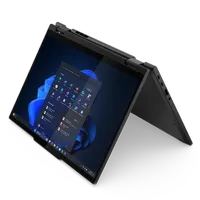
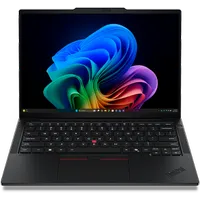
I've uncovered a pretty cool way to save almost $400 off a ThinkPad by combining two separate promo codes.
Right now, you can get the Lenovo ThinkPad T14 Gen 7 AMD for $1,324.39 (was $1719) at Lenovo. The laptop is already discounted down to $1,471.55. But then, enter coupon code THINKWEEKEND, which saves you $77.45, and code LENOVO10DEAL to save an extra $147.16. That's almost $400 off one of our top-rated business laptops.
I don't know how long this loophole will last though, so use them while you can. Better still, you can run this coupon combo across a range of other laptops and desktops, too.
Today's top Lenovo ThinkPad deal
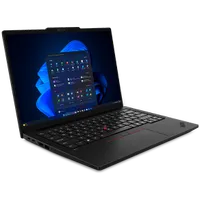
Business laptops can sometimes blur together, but Lenovo's ThinkPad range has always stood out for me, earning its reputation by focusing on reliability, security, and practical features that make everyday work easier.
Powered by AMD's Ryzen 5 PRO 230 processor, the ThinkPad T14 has more than enough performance for office work, web browsing, video meetings, spreadsheets, and multitasking.
You get 16GB of DDR5 memory and a 512GB PCIe Gen4 SSD, as well as a fingerprint reader for fast sign-ins, a 5MP RGB and IR webcam, a physical privacy shutter, and Windows 11 Pro, making it well suited to business tasks.
The 14-inch WUXGA IPS display has a 1920 x 1200 resolution with an anti-glare finish and 400 nits of brightness, making it easier to work in bright offices or while traveling on a train or plane.
A backlit keyboard, integrated Radeon 760M graphics, Wi-Fi 7, and Bluetooth 5.4 round out modern specifications that mean the laptop should continue to be perfectly fine for many years.
Although Lenovo markets the ThinkPad T14 primarily toward professionals and small businesses, it also makes plenty of sense for students and anyone wanting a durable, lightweight laptop that puts productivity ahead of flashy, but entirely unnecessary, extras.
If you need a dependable laptop that can handle almost anything you throw at it, these combined discounts make the ThinkPad T14 Gen 7 AMD an easy recommendation.
For more top-performers, see our guide to the best business laptop. And for more savings, see our round-up of the best business laptop deals around right now.
Also consider: More ThinkPad deals