





The internet offers many good uses for kids, but it also has its downsides. As kids surf the web for information or communicate with friends online, they could encounter cyberbullying from peers, causing mental stress.
Parents must pay attention to this risk and monitor their child’s activities to see if they’ve encountered cyberbullying. If so, this issue should be addressed, and steps should be taken to prevent future incidents. This guide explains how to detect if your child has encountered cyberbullying and how to mitigate against this risk.
What is cyberbullying?
Cyberbullying entails using digital means to harass, embarrass, threaten, or target another person. It takes many forms, like spreading false rumors about a person, sending hurtful messages, impersonation, or posting embarrassing pictures.
Kids can face cyberbullying when surfing the web, particularly social media sites and online forums. From Instagram to Facebook or gaming forums, it can come from any site. Parental monitoring is required to both prevent and counter this issue where it exists.
Impact of cyberbullying
Cyberbullying can cause emotional distress, anxiety, and depression. A child being cyberbullied can develop feelings of low self-esteem, social isolation, and even academic decline. Because online use occurs around the clock, the feelings can become severe, illustrating the importance of detecting cyberbullying early to prevent serious harm.
How to detect cyberbullying
Let’s explore key warning signs that may indicate a kid being cyberbullied:
1. Device behavior
When a child suddenly stops using their device, avoids discussing their online activities with you as they used to, or seems nervous when receiving notifications, it could be a sign of cyberbullying.
Monitor your kids’ normal online behavior and compare it over time. If a kid who was always enthusiastic about discussing what they learned online suddenly becomes uninterested, something may be wrong. If a kid who enjoys a particular game or website suddenly loses interest, it could be another sign.
2. Emotional changes
Unusual frustration, anger, or sadness are typical signs of cyberbullying. A kid who was always lively and jovial suddenly keeps an angry face all the time, or seems not to want to talk to anyone. A calm kid starts getting frustrated by the tiniest problems. These are emotional changes that warrant a one-on-one discussion, and cyberbullying could be pinpointed as the cause.
3. Social withdrawal
Cyberbullying has social dynamics, often instigated to exclude people from their social groups. Social withdrawal is a major effect of cyberbullying, with affected kids displaying reluctance to interact with their peers, go to school, or play outside.
Oftentimes, the cyberbullying comes directly from a child’s social peer group, making them lose interest in their social activities. If your kid withdraws from their online or in-person social groups, it could be a sign of cyberbullying.
4. Content indicators
You can monitor your child’s online content for cyberbullying cues. Hurtful messages, threats, and embarrassing content are clear signs of cyberbullying. Monitor social media accounts, chat messages, emails, forum messages, and other forms of online communication your kids use. This monitoring helps detect the problem before it causes serious effects.
Technical detection of cyberbullying
You can detect cyberbullying by using parental control apps. These tools monitor your child’s online activity and automatically alert you to cyberbullying signs. Normally, you wouldn’t be able to monitor all your child’s online activity, but a parental control app acts as a companion that keeps tabs on your behalf.
Parental control apps use these techniques to detect cyberbullying:
1. Keyword filtering
As your kids surf the web, parental control apps monitor their activity and flag abusive content. If kids face harassing messages on a social media app or forum, you’ll be quickly alerted to take action. Parental control apps have databases of abusive message patterns that they run checks against, and these databases keep getting updated to be able to flag new patterns.
2. Artificial intelligence and machine learning
The rise of AI and ML has impacted all software niches, with parental control being a major beneficiary. Parental control apps now incorporate AI and ML to analyze online activity and alert you to cyberbullying patterns. AI is good at detecting subtle patterns that keyword filtering can overlook. It can analyze the “intent” behind messages and flag abusive messages early.
Social media apps and online forums have also incorporated AI to flag cyberbullying, helping solve the issue at the source. Although not perfect, AI and ML systems keep getting better at detecting this issue as time goes on.
Which parental control app should I choose?
You have many options when seeking parental control apps, including free options like Google Family Link and Microsoft Family Safety. There are also freemium options, offering free versions with limited features and paid plans to unlock more features.
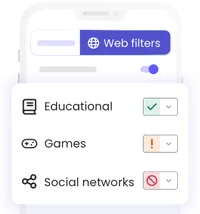
Free platforms can suffice for basic parental monitoring, but they don’t provide the most sophisticated monitoring features. They often allow setting screen time limits, locking devices remotely, and approving app downloads, but not real-time web filtering. With a premium app like Qustodio, you can keep your child safe with real-time monitoring and filtering of abusive content.
Qustodio uses AI to analyze chats, social media posts, and search queries to detect cyberbullying. Any flagged websites are blocked in real-time, and parents are alerted to review the issue. You’ll get a real-time view of your child’s screen time, browsing history, social media use, calls, messages, and texts.
Monitoring tools like Qustodio help detect and block cyberbullies immediately. However, you should also discuss with your kids about cyberbullying risks and the need to alert you about incidents they encounter online. Early prevention is the ultimate goal when it comes to cyberbullying, as incidents can have adverse emotional effects on kids.

➡️ Read our full guide to the best parental controls
1. Best overall:
Aura
2. Best package:
Qustodio
3. Best for filtering:
Net Nanny
