


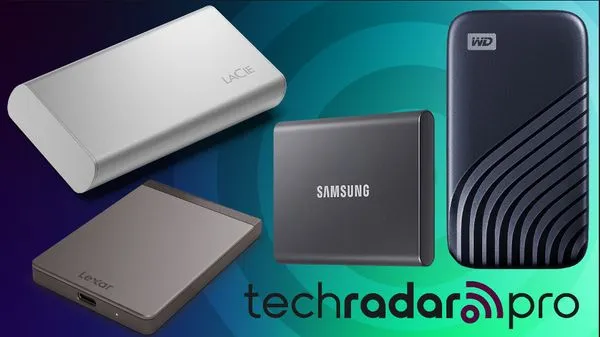
Getting yourself one of the best portable SSDs can be a boon, with the ongoing RAM crisis driving up the cost of not just PC components but also whole systems in general. If you're an on-the-go professional, getting a laptop with lots of storage is more costly than it once was – so these portable drives can be a sleek and effective solution.
Samsung's T9 external SSD remains our top choice, testing great for file transfer speeds during our review and offering a range of capacities up to 4TB, meaning you'll have plenty of space to store all your files. The textured design is certainly more eye-catching than most, too, but more importantly offers good grip if you're using it outside the home or office.
As with our tests of the best external hard drives, best external hard drives for Mac, and the best USB flash drives, our testing process compares size, design, and build quality, measures file transfer speeds, and assesses available storage capacities – and of course, we consider value for money to ensure you're getting the best bang for your buck!

I've been building, testing, and reviewing PCs – as well as all manner of other computing hardware – for nearly a decade, and tinkering with tech for even longer. I started my tenure as a tech journalist as a writer for the PC-building hobbyist magazine Maximum PC before making the leap to digital media and joining the TechRadar team as an editor in 2020. I put every bit of knowledge and experience I've gained over the years into my reviews and buying recommendations, so you can trust that the information I give you is up-to-date and bias-free.
Best portable SSD overall

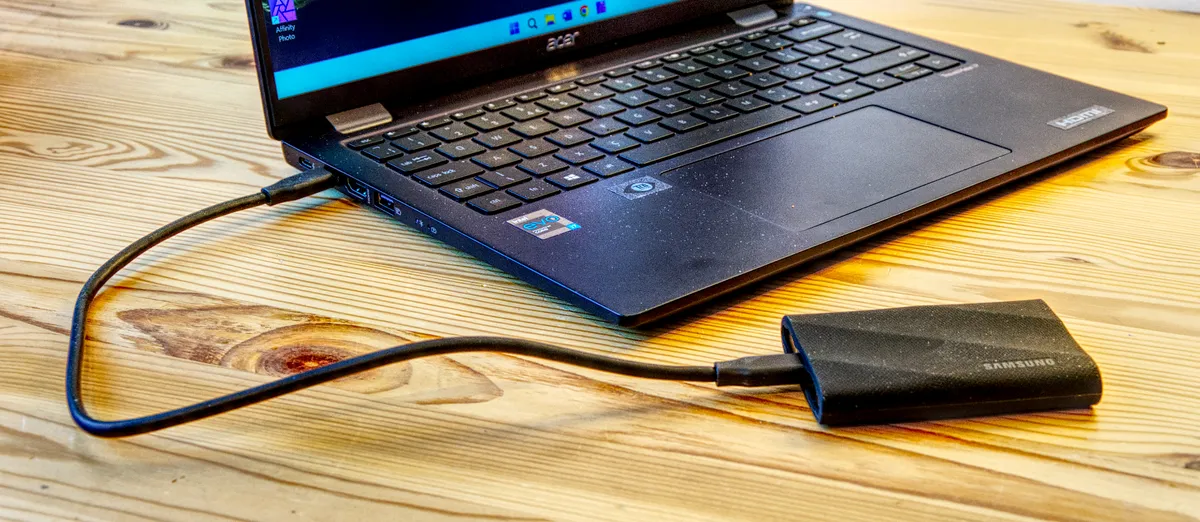


The T9 is a resilient portable SSD that combines great speeds with a sturdy build – borrowing elements from the older T7 Shield – and is a great proposition for most people looking for an external SSD that's highly portable and quick.
With the latest Gen 2x2 specs, this SSD is capable of maximum read and write speeds of 2,000MB/s – and it also takes advantage of a caching system to maintain writing performance. In practice, our testing registered reads of between 1,700MB/s and 2,000 MB/s as well as writes between 1,300MB/s and 1,900MB/s depending on the workload. It's considerably higher than the previous generation of SSDs and it's a great performer that reaches the limits of the USB 3.2 Gen 2x2 standard.
Samsung's latest SSD is a welcome addition to an already crowded market – with the likes of Crucial, Corsair, SanDisk and Kingston all providing viable alternatives. But the successor to the classic T7 is a real winner for most uses, with a great design, build quality as well as high performance (especially in larger capacities). It's especially worth investing in if you can find a great deal.
Read our full Samsung T9 review
Best portable SSD on a budget


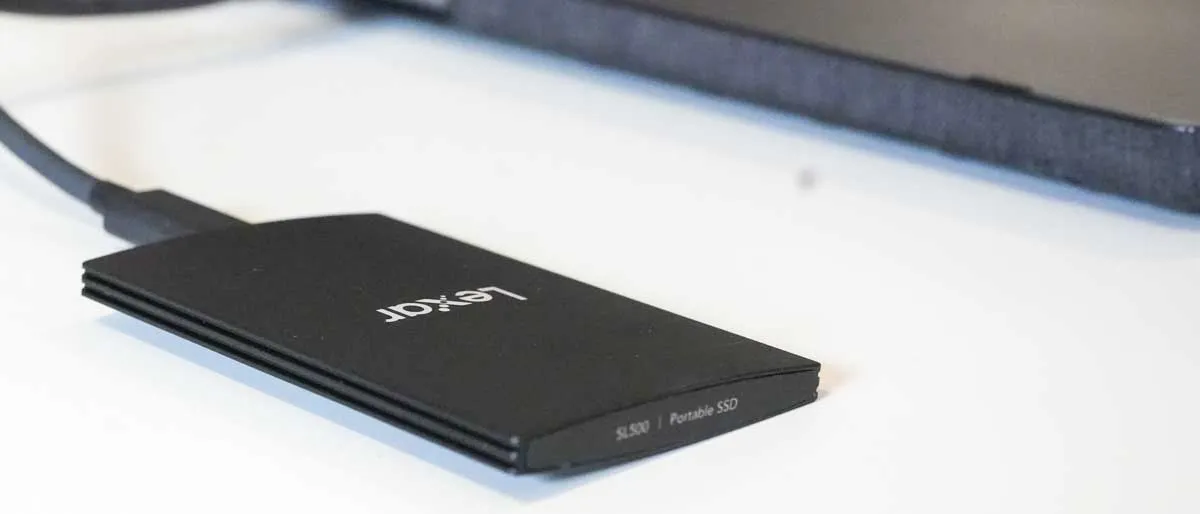
If you're looking for an affordable SSD for under $100 / £100, the 1TB SL500 is a fantastic option that also benefits from an exceptional design. It's part of a new generation of slimline portable SSDs designed to appeal to videographers, photographers and others who work with visuals very often and need to travel around quite often. This happens to be one of the slimmest and most lightweight options out there – and it's also exceptional value for money.
Its lightweight design makes it ideal for hooking it up to cameras that need extra storage, like the Blackmagic 6K, and it can even be linked with an iPhone 15 Pro and Max and used to store Apple Pro Res recording at up to 4K 60FPS. This completely elevates iPhone filming. We recorded read speeds of 1,034MB/s and writes of 942MB/s in testing, so it's plenty quick, although you may not hit the up-to 2,000MB/s that you get theoretically get with USB 3.2 Gen 2x2.
We wrote in our review that this is a sleek and all-around portable SSD that makes it an easy choice. Its minimalist size and weight is extremely appealing, making it an ideal partner for imaging professionals or anyone who works with large media files. That's because it benefits from being very zippy – especially under heavy workloads.
Read our full Lexar SL5000 review
Best portable SSD for business
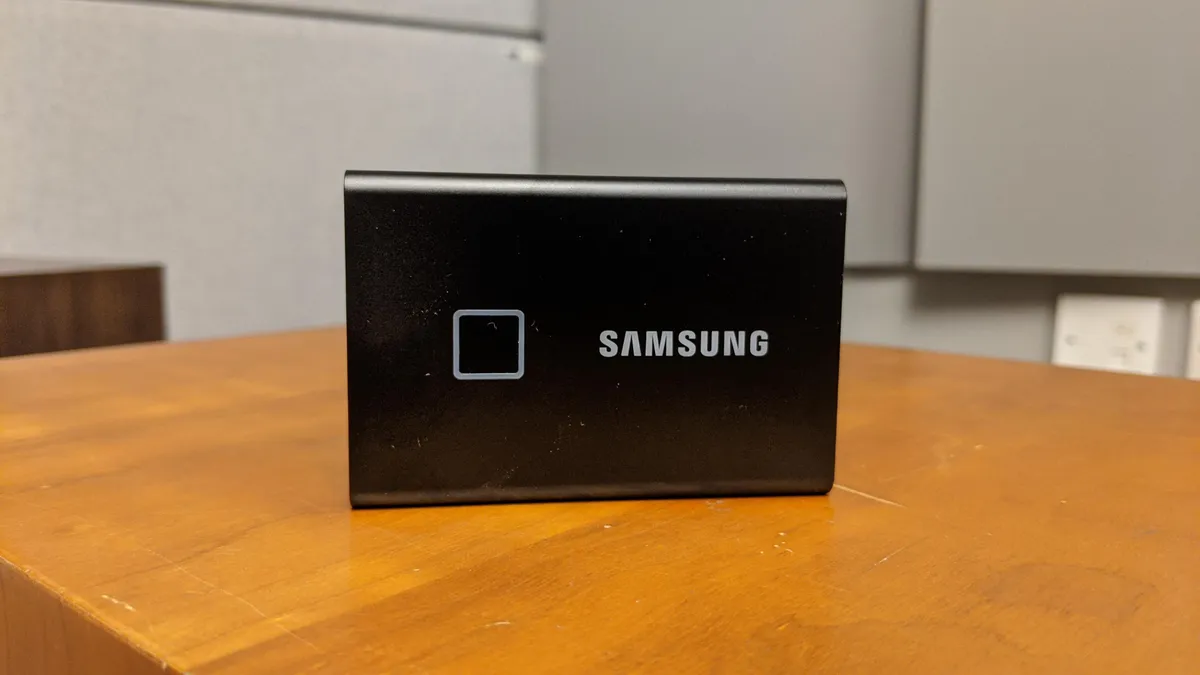


Professionals will love the Samsung T7 Touch – it's a fantastic all-rounder with plenty of features, including great security addons, and blazing fast read and write speeds of up to 1,050MB/s and 1,000MB/s. All of this comes in a palm-sized package. We previously highlighted the T7 Touch as the best portable SSD overall. While this has been eclipsed by the new T9, the T7 Touch still has plenty to offer professionals, as we wrote in our Samsung T7 Touch review.
The built-in security features are, by far, the biggest draw for most professionals. This SSD uses AES 256-bit encryption and gives you the option to use fingerprint sign-in, which you can set up through the device’s own management software. There are very few SSDs out there that can offer the same levels of security, speed and portability in a single package. By adding biometrics to password protection, it really raises the bar.
While it lacks IP68 and the security certifications of more expensive rivals, the price point makes it an attractive choice. The Samsung T7 SSD could do with a rugged case, but it remains our pick for best portable SSD for professionals and freelancers who demand extra security.
Read our full Samsung T7 Touch SSD review
Best portable SSD for gamers


For a slim, lightweight drive, the SanDisk Extreme Portable one of the best portable SSDs – the clue is in the name. Weighing just 50g and at 8.85mm thick, it's one of the most compact and lightweight SSDs we've tested.
The SanDisk Extreme Portable is a real classic of the genre (we first reviewed this almost 10 years ago, and the model is still available today). And there's a lot to like here. It's got a rugged design with a rubberized chassis, and weighing just 50g and at 8.85mm thick, it's one of the most compact and lightweight SSDs we've tested.
But more usefully for gamers, it pairs very well with PlayStation 5 consoles, with an officially licensed version complete with the iconic PS logo. So, for storing games and saves, it's going to work without any issue.
It's not the fastest solid-state drive in the world, maxing out at reads and write speeds of approximately 550MB/s. Even though it has a maximum theoretical data transfer rate of 10Gbps, in reality, it never reaches that due to the inherent limitations of the physical port.
Overall, though, it's a brilliantly lightweight, durable, and portable SSD that's proved itself a reliable storage solution.
Read our full SanDisk Extreme Portable SSD review
Best portable SSD for speed


For sheer speed, the Adata SE920 is unrivalled. In our Adata SE920 SSD review, we registered read speeds of between 3,100MB/s and 3,200MB/s and writes of up to 3,330MB/s – which is absolutely staggering compared to your everyday portable SSDs.
We described these speeds as exceptional, and it utterly delivers on the promise of fast speeds, closely matching advertised rates. This is largely thanks to the use of the USB4 standard, which offers theoretical maximum speeds of 40Gbps. We must also note that its price is pretty reasonable for the punch that you get.
The device impresses with its full metal exterior, which underlines its premium build, but the unique expanding mechanism for activating the internal cooling fan highlights the lack of thought that went into some elements. It does have a slightly cheaper feel, which is a shame and detracts from otherwise great build quality. But we'd still advise taking care when handling this device.
We'd recommend this device if you're looking for the best possible speeds at a reasonable price, but there are still a few drawbacks to consider. It's perfect, however, if you need high-performance data transfers in a sleek package for use primarily on the go.
Read our full Adata SE920 SSD review
Best portable SSD for students
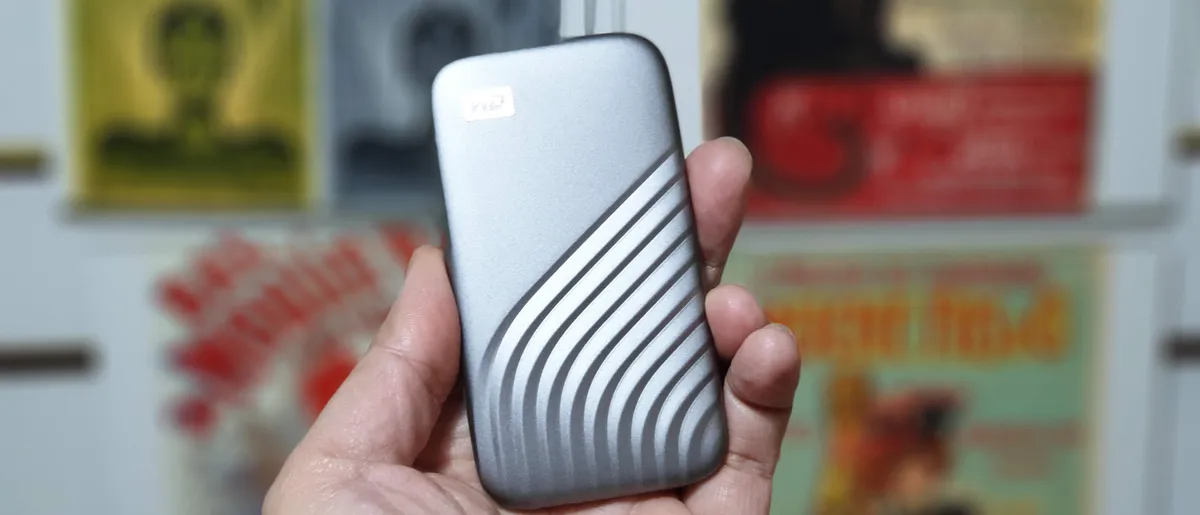


With its thin, lightweight design, four different colors, good speeds, and a reasonable price, the WD My Passport SSD is our top pick for students. The device comes in a range of storage capacities up to 4TB, which makes it perfect for storing lots of documents, reports, essays, and media files.
The compact size of this portable SSD is what first caught our eye during our review. At 46g, measuring 10 x 5.5 x 0.9cm, this is an impressively slim-line footprint. We were just as impressed with its sleek, ridged metal design, which improves grip while reducing the chance of causing damage to anything else thanks to its curvy, pebblesque shape.
Inside, you’ll find a SN550E, a PCIe Gen3 x4 NVMe drive that pairs an ASMedia ASM2362 bridge with a SanDisk 20-82-10023 controller and SanDisk BiCS 4 96L 3D TLC flash memory. During our benchmarking with CrystalDiskMark, the drive reached 1046MBps (read) and 1013MBps (write). Other benchmarks delivered the same range of results but transferring a single 10GB file proved to be slower than expected.
Overall, expect a fast, compact portable SSD with an excellent five-year warranty that will last throughout your course. Expect to pay for it for the higher-capacity 4TB model - it’s the drive’s biggest black mark, especially as smaller, nimble rivals are taking the lead when it comes to value for money. Otherwise, there's something for everyone here.
Read our full WD My Passport portable SSD review
Visit our Western Digital coupon page for the latest deals and discounts.
Smallest portable SSD


Small, light, solidly built, the Kingston XS2000 USB 3.2 Gen 2 x 2 external SSD is an impressive portable SSD. And we mean portable. This one’s a pocket-sized drive that can be carried anywhere. measuring 13 x 31 x 67mm without the sleeve, weighing just 29g. Popping the sleeve on might add a little extra, but it adds protection against shocks, water, and dust.
Testing the drive, we found speeds were good. Our benchmarking with CrystalDiskMark: showed read speeds of 1062MBps and write speeds of 999MBps. In fact, the drive is touted as the world's fastest native USB SSD. The key word here is ‘native’, since it uses the USB 3.2 Gen 2 x 2 interface.
Performance, then, is hamstrung in part by Kingston’s baffling decision to release it right before the launch of the speedier USB 4.0. During our review, we noted “it really, really needs a compatible system to hit its headline speed of 2GBps, allowing it to rival Thunderbolt 3.” A misstep for an otherwise excellent portable SSD with 500GB, 1TB, 2TB, and 4TB models available.
Read our full Kingston XS2000 external SSD review
Best portable SSD: FAQs
What is the best portable SSD for laptops?
All of the portable drives we’ve tested pair well with laptops – especially when you’re looking for portability. The most important distinction between laptops is its connectivity, with USB-A and USB-C the main options, but even within those the speeds you can unlock depend on the specific standard. For the best speed, you're looking for Thunderbolt 4 support. The SSD itself also has a standard that you need to keep an eye on, with USB 3.2 Gen 2x2 and USB4 the two to look out for for the best speeds. But, ultimately, all SSDs are compatible with laptops.
Are portable SSDs good for gaming?
Yes, many of the top portable drives are great for gaming. For example, the Adata SE770G connects to games consoles if you need extra storage while heavily leaning into the gamer aesthetic with its mesmerizing RGB design. We have also highlighted the Lexar SL660 Blaze in our guide thanks to its gaming-friendly design and stand. However, make sure your SSD has a fast connection speed – preferably Type-C or Thunderbolt. You also want to choose a device with plenty of storage capacity – 1TB and above is a good benchmark, especially when you have a large library packed with newer games, as they take up a lot of space
What is NAND flash?
Anthony Spence, from SSD and memory specialist Silicon Power , answers this question.
"NAND Flash is a type of non-volatile storage technology. Non-volatile simply means that NAND, unlike DRAM (or system memory), does not require power to retain data. The ability to retain data after turning off the power makes NAND a great option for external on-the-go storage devices.
In contrast to hard disk drives (HDD), NAND Flash isn’t a magnetic technology, instead it makes use of electric circuits and a number of memory cells to store data.
NAND holds several advantages over HDD, for instance it has no moving parts, thus in theory data won’t be affected by accidental drops or falls. NAND Flash devices tend to be smaller and lighter in comparison to HDD, but most importantly, the performance of NAND Flash devices is considerably larger than the one from HDD ones.
The major drawback from NAND comes from the fact that they tend to be expensive on a dollar per gigabyte basis, especially when compared to more traditional hard drives. The two most common ways to offset this problem are by either adding bits per cell or by moving away from 2D planar technology to 3D NAND technology and beyond."
What is 3D NAND flash?
3D NAND also known as V-NAND technology enables NAND cells to be layered up. Layering NAND contributes to overcoming planar NAND capacity limitations. As NAND cells are stacked vertically instead of horizontally higher density can be achieved without sacrificing data integrity.
3D NAND not only offers higher memory density when compared to 2D NAND, but also is able to achieve lower power consumption, better endurance, higher read and write speeds and an overall lower cost per gigabyte.
Can an internal SSD be used as a portable SSD drive?
The answer is - unsurprisingly - yes. See an internal SSD is just a bunch of components inside a casing (either plastic or metal), an enclosure that actually protects the electronics inside. Protecting it with an outer case is therefore superfluous unless you want to physically hide the drive for whatever reason or want to make it look more aesthetic.
Just remember that they are no match for the best secure drives or the best rugged drives because they lack extra protection that will either prevent third parties from accessing the actual NAND chips or improve their imperviousness to harsh environments.
SATA SSD drives are the cheapest solid state drives so if you want the cheapest external SSD, you just need to take an internal SATA SSD and connect it to an external connector.
Note that you cannot do it with a PCIe NVMe internal SSD as its components are actually exposed. You will need to put the module into an external enclosure before being able to use it. They are not that expensive (about twice the price of the EC-SSHD) and have the benefit of using USB 3.2 Gen 2, which delivers speeds of up to 10Gbps, enough for the PCIe SSD which are usually faster than SATA SSDs.
Is a portable HDD slower than an external SSD?
Yes. I cannot think of any scenario where it wouldn't be the case and just to confirm, we're talking of portable hard drives (the ones that can be carried around, smaller cousins of desktop or external hard drives). Hard drives are slower because they are mechanical; the data is stored on physical platters and accessed via a head located on an arm; similar to a turntable reading vinyls.
Your average external HDD such as the Seagate Backup Plus has a throughput of 140MBps, that is, it can transfer data up to that speed. The slowest external SSDs we've tested would hit about 450MBps (and that's the SL200), which is about 3X the speed.
So a folder that take about three minutes to be transferred on a portable hard drive will take less than one minute on all but the slowest portable SSD.
How to choose the best portable SSD for you
When choosing which portable SSD is best, the main focus is usually on storage capacity, transfer speeds, size and weight, and durability.
Capacity
The best portable SSDs offer a range of capacities - with our top choice Samsung T9 ranging between 1TB to 4TB models. If you're storing word processor documents and a few images, you won't need an ultra-high-capacity drive. But if you're loading up the SSD with images, videos, and games, then you'll want to increase that storage space. Remember, the more storage space, the higher the price.
Transfer speeds
Some SSDs can reach seriously fast speeds, even when transferring or sharing big files. But not all of them have the ability - and a frustratingly slow drive has a big impact on workflows. We’ve benchmarked all the best portable SSD options during our reviews, letting you compare simulated and real-life transfer speeds to the manufacturer's claims. A Thunderbolt PCIe interface offers the fastest connectivity over USB, but the connection isn’t supported by every PC and laptop, so check before committing especially if you’ll be hooking it up to lots of different devices.
Design
Portable drives come in all shapes and sizes - all of them compact. Slimline and lightweight designs are key for anyone tired of lugging around standard external drives. Some are so small, you can slip them in your pocket like a mobile phone.
Ruggedness
If you’re worried about damaging your drive while on the move, many of the best portable SSDs we've tested offer shock-resistance (and unlike HDDs, there are no moving parts to break). But for truly durable portable SSDs, make sure it’s IP68-rated. This means it’s dust- and water-proof.
How we test the best portable SSDs
Me and my team of testers have reviewed a wide range of HDDs and solid-state drives, including the fastest SSDs and the fastest external SSDs. Here's the process we take when testing portable SSDs.
First impressions
Our first step after unboxing is to assess what's included in the box, from the SSD itself to essentials such as cables, carry case, additional software, and so on. The very best portable SSDs are ready to go right out of the box - or at least ready to go after formatting. As part of this part of the review process, we also looked at connectivity and interface. This helps us understand what speeds the drive is likely to reach.
Design
Once we know what we're dealing with, we assess the overall design, size, and weight. We ask ourselves: How does it look? How does it feel in the hand? Just how portable is it? It's absolutely critical that the drive will slip neatly in a bag (or even a pocket) without weighing you down.
At minimum, they should exhibit shock-resistance, but those marketed as rugged or robust devices should also be dust- and water-proof. That's an element we'll also test through a series of submersion, shock, and drop tests (for more options here, we've rounded up the best rugged hard drives and SSDs).
Capacity
Storage capacity is a key area when comparing the best portable SSD. Ideally, we want to see a broad range for a broad user-base - from 512GB to 4TB and beyond. And yes, we'll always connect the SSD to a PC to check the actual available space.
Benchmark tests
We benchmark performance in a simulated environment using industry-standard software. We also always record real-world results transferring files between devices and drives. to see how closely they match to manufacturer claims.
Get in touch
- Want to find out about commercial or marketing opportunities? Click here
- Out of date info, errors, complaints or broken links? Give us a nudge
- Got a suggestion for a product or service provider? Message us directly
Today's best portable SSD deals
