





Presented by

5 things you didn't know AI could do to help boost your productivity

AI at work is often framed in fairly predictable ways: It can write a draft, summarise a document, help clear a few emails from your inbox, and so on.
Microsoft’s Copilot tools can do all of that, but the more interesting story is how they are starting to help with the smaller, more repetitive jobs that slow a working day down.
For most people, lost productivity does not come from one huge obstacle, but instead from the build-up of minor tasks. These are the jobs that keep work moving, but they are rarely the ones anyone wants to spend their time on.
In 2026, that is where Microsoft’s AI products have become more useful.
Built into apps that many people already rely on and know, they can help turn rough notes into something usable, take some of the friction out of analysis, and make it easier to keep projects moving without as much manual effort.
To help you get started, here are five ways Microsoft’s AI can do more for your productivity than you might expect.
Please note: All of the information is correct as of April 2026. Microsoft regularly updates its products, so some steps or features may change.

Meeting summaries
Microsoft Teams has made AI meeting recaps one of the clearest examples of practical workplace productivity.
Plenty of people now expect AI to transcribe a call or produce a basic summary, but Copilot can also pull out action points, unanswered questions, and the parts of a discussion that still need follow-up.
In many cases, a lot of the time cost sits outside the meeting itself: Notes need checking, decisions need confirming, anyone who missed the call needs bringing up to speed, and so on.
Copilot makes that easier by giving people a quicker route back to the important parts, rather than leaving them to dig through a full transcript or recording.
For teams with packed calendars, that can take some of the faff out of the week. It's a small convenience on paper, but one that can make work feel noticeably less cluttered.

Smarter document editing
Writing at work is often less about starting from scratch and more about fixing what is already there.
A draft exists, but it is too long, or too flat, or badly structured, or full of points that need tightening up before anyone else sees it.
Microsoft Copilot can help with that kind of cleanup inside Word and other Office apps, which makes it more useful than the usual “write me something” AI chatbot features.
One of the handiest parts is how it can reshape existing text. You can ask it to rewrite a section, shorten it, change the tone, and any other tweaks.
For a lot of people, that is where AI earns its keep. The blank page is not always the problem; more often, it is the clunky second draft, the awkward wording, or the wall of text you know nobody will read properly.
Copilot helps smooth those bits out and gets documents closer to finished without making the whole process feel like a chore.
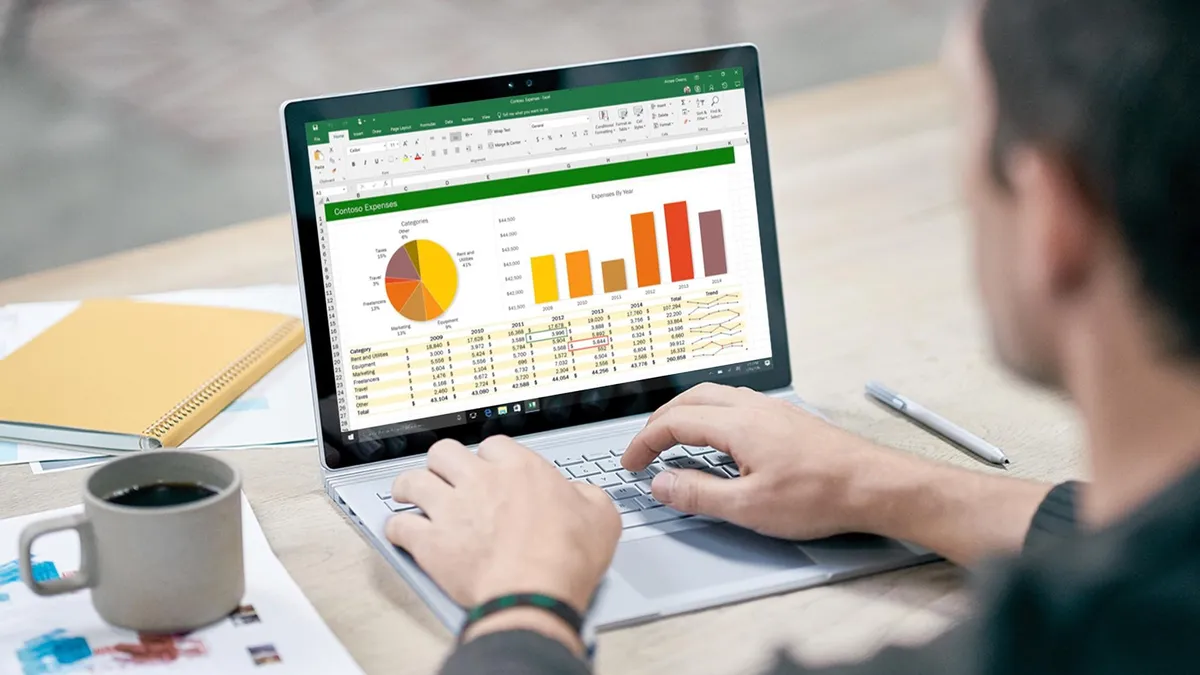
Plain-English spreadsheets
Excel is useful right up until it starts asking for things you do not quite remember how to do.
A formula is wrong, a chart will not behave, or a table full of numbers needs turning into something you can actually understand. We've all been there.
Copilot helps by letting you ask for the answer in plain English, which is a lot more appealing than hunting through menus or trying to remember the exact formula syntax from memory, not to mention scouring YouTube tutorials.
Microsoft has pushed this further in 2026, updating Copilot in Excel to now edit a workbook through chat, so you can describe the change you want and let it handle more of the mechanics inside the sheet.
Budgets, sales trackers, forecasts, reporting tables, and project sheets all have a habit of eating time in small, annoying chunks, taking you away from other parts of your job.
Copilot does not remove the need to think, but it can cut down the friction between a question and an answer, which is often the part people find most draining day-to-day.

Shared project workspaces
One of the more useful things Microsoft has done with Copilot is stop treating every AI response as a disposable chat.
Copilot Pages lets you turn an answer into a shared, editable page, while Copilot Notebooks gives you a workspace where chats, files, notes, links, and other project material can sit together in one place.
A project rarely lives in one document from start to finish: It's usually scattered across meeting notes, half-written drafts, spreadsheets, links, and stray thoughts in various chats.
Pages and Notebooks give Copilot more context to work with, and give teams a cleaner place to shape ideas into something more solid.
Microsoft also says Notebooks can be shared for real-time collaboration, which makes it easier to keep everyone working from the same material instead of passing versions around.
Task automation
A lot of office work is repetitive in a very unglamorous way.
Microsoft’s newer Workflows tool inside Microsoft 365 Copilot is built for these kinds of boring jobs, letting people describe a process in natural language and turn it into an automated flow across 365 apps such as Outlook and Teams.
The appeal is obvious enough: You are not sitting there building every step by hand or wiring together connectors from scratch.
Microsoft says Workflows can trigger actions on a schedule or in response to events, pull in Microsoft 365 data including tasks, calendars, or lists, and even collect input through adaptive cards in Teams.
Essentially, this opens the door to small but useful automations plenty of people would actually want, from a daily unread-email digest to routine status checks and simple approval flows, the very essence of work smart, not hard.