





Sponsored by

5 essential features of bookkeeping software
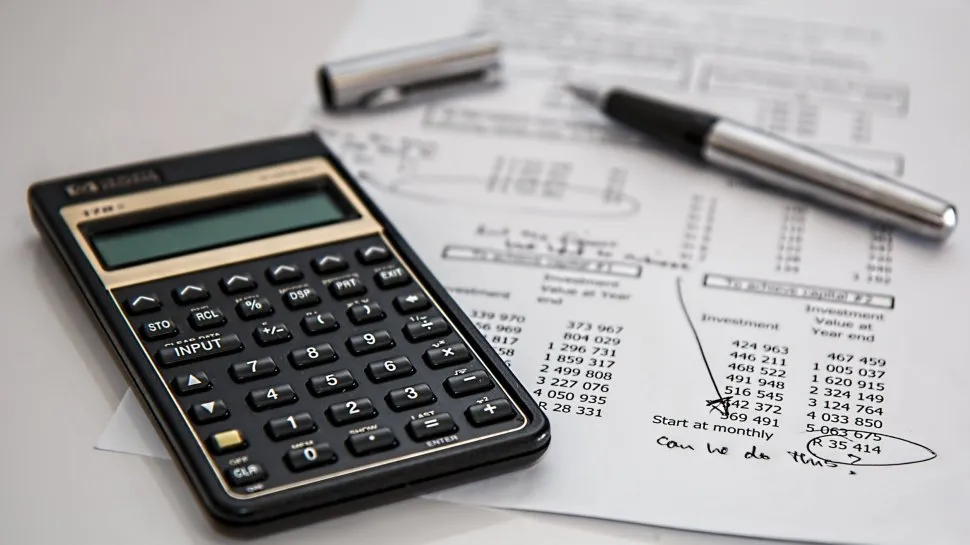
Bookkeeping software is a business staple, used for recording and organising financial activity without relying on manual entry into basic spreadsheet software. It’s perfect for helping businesses understand their finances by including plenty of context, such as income streams, expense types, and seasonal trends.
Used by freelancers, sole traders, SMBs, and larger companies alike, bookkeeping software aims to ease some of the most common pain points, such as time-consuming data entry, missed data, unclear cash flow, and last-minute stress during tax season, including the January 31 self-assessment deadline.
The right bookkeeping software improves accuracy and efficiency, and it also gives you confidence in your numbers to inform other areas of your business.
What is bookkeeping software?
Bookkeeping software is all about record-keeping — save your figures in one place to track transactions like sales, expenses, payments, and taxes to stay organised. Whether you need to search through data in the future or report your figures to HMRC, it should be simple and straightforward.
Most modern bookkeeping solutions, whether installed software or entirely web-based, use the cloud for syncing and backups, but they trace their roots back to simple spreadsheet software.
This is why bookkeeping software is often overlooked — while keeping records in Excel, Google Sheets, or your favorite alternative might be fine for personal expenses, Making Tax Digital (MTD) rules mean more businesses and sole traders have to report in greater detail.
Automated bank feeds
With open banking standards and third-party integrations finding their way into bookkeeping software, it’s common to see support for automatic bank feeds, which import transactions without you having to look for them. You can even set up rules to categorise transactions automatically by merchant, for example.
Having this feature makes data entry faster, and it also helps ensure you have accurate records because there’s no manual data entry involved, which removes one opportunity to introduce a mistake. It’s also useful for real-time visibility of your finances in the same place that you manage invoices and taxes, if you choose a more comprehensive option.
What’s not to love about a cleaner set of books with minimal effort?
Expense tracking tools with receipt capture
We’ve all been there — a work trip, a company meal, or a long journey to another office, site, or location. It’s all fun and games until you have to track your expenses afterward. If you know you’ll record expenses frequently, look for bookkeeping software that keeps up with your pace.
Receipt capture allows users to photograph and upload receipts and attach them as proof next to transactions, and the software can extract key information like costs, dates, and suppliers. Similarly, an app on your phone that tracks your mileage can save hours of retrospective mapping to claim back that 45p/mile.
Better still, you won’t need to keep a file of receipts or risk losing them, because if you save them in a fully compliant platform, you’ll have your evidence in one place — online.
VAT/tax compliance
Bookkeeping isn’t just about keeping a record of your figures — it lays the foundation for what you’ll do next with them. Pay your taxes. For VAT-registered businesses, this might mean generating compliant VAT reports. Smaller businesses and sole traders still need to pay HMRC, and knowing how much to set aside throughout the year can prevent unwanted surprises at the end.
Automated tax tracking helps reduce the risk of miscalculations and makes it easier to collaborate with accountants, because they can already see how much your tax liability is. After all, if you fail to pay enough to the government, you could face fines and penalties — if you hand that responsibility over to software trained on the latest information, you reduce the risk of getting it wrong.
Real-time financial reporting with dashboards
Access to real-time reports turns the data in your bookkeeping software into clear insights through visual dashboards and precise reports. This feature can give you a boost, because many small businesses operate blindly, only reviewing finances after they make decisions.
Without lifting a finger, automated dashboards can help you understand performance, spot trends, and address issues early. And it’s all based on your current data, not guesswork.
Invoicing and payment tracking
As is often the case, bookkeeping might be just one part of a larger software portfolio, so consider what other actions you need to take and check whether the software includes them. For example, invoicing features let you create, send, and track invoices directly, which reduces the need to pay for separate invoice software.
Some benefits include quicker client payments, clearer records, and less chasing. A quick glance at the system might show you’re overdue on a payment for an invoice you forgot about, which you can handle directly within the ecosystem without navigating to another piece of software or website. Then, once you’re paid, the system marks it accordingly in your bookkeeping data, feeds it into those dashboards, and updates your tax liability instantly.
How to choose the right bookkeeping software
Bookkeeping software is simple at its core — think of it as an evolution of tracking your finances with a spreadsheet. What you need will differ by business type and size, but remember to consider industry- and business-specific features like VAT handling, invoicing, and expense tracking to make sure you’re not missing out.
It should also be easy to use, with automations handling some of the workload for you. Pulling in live data from your bank account, using AI to analyse receipts and expense your mileage, and creating insightful dashboards are some of the highlights that can help you do more with your data.
And remember to be smart with your bookkeeping software — combine it with other financial systems like invoicing, payroll, and accounting to get the most value from your subscriptions.
Follow TechRadar on Google News and add us as a preferred source to get our expert news, reviews, and opinion in your feeds. Make sure to click the Follow button!
And of course you can also follow TechRadar on TikTok for news, reviews, unboxings in video form, and get regular updates from us on WhatsApp too.
