
 Become a TechRadar Insider





✅ More than 1,800 laptops, Chromebooks and MacBooks reviewed
✅ 18 years of product testing
✅ Over 16,000 products reviewed in total
✅ 200,000+ hours spent testing tech
We're not even halfway through 2026, and our ranking of the best laptops has already seen a massive upset: Apple has finally done the unthinkable and released a budget MacBook.
Yes, the new Apple MacBook Neo is here, and (unsurprisingly) has blasted straight into pole position as our new best budget option. It's a seriously impressive device. Meanwhile, our number one pick has been updated to the new M5 MacBook Air, replacing the M4 model that had been holding the top spot since its release.
With the computer component market experiencing record instability due to shortages of chips, SSDs, and RAM, the cost of complete devices like laptops is threatening to spike as well. So if you've been contemplating a laptop purchase, don't sit around; get ahead of any potential price hikes with TechRadar's buying advice.
I've been testing and reviewing laptops (and all manner of computer hardware) for close to a decade, so in this article, I'm putting that expertise to work in order to help you get the right device for your needs and budget. Each laptop listed below has been hand-picked by me and reviewed by one of our expert team members, with the goal of providing a good range of options to suit different users. Our built-in price checker tool will help you find the lowest prices for each model in your region, too.
Recent years have seen some truly excellent laptop releases, from powerhouse Ultrabooks and MacBooks to great-value Chromebooks. Every laptop on this list has been thoroughly tested by TechRadar's expert computing team (if you're interested, you can read more about how we test laptops), so you can be confident that only the very best laptops have made their way onto this list.
And of course, this page will be regularly updated to ensure it contains the latest and greatest laptops on the market, along with helpful tips and buying advice to guide you towards getting the ideal laptop for your specific needs. Buy with confidence, safe in the knowledge that any laptop we recommend on this page is worth every penny.
This page was updated on 07/05/2026, adding the Samsung Galaxy Book6 Ultra and HP Omnibook 7 Aero. Stay tuned for further updates in the near future – with more and more laptops offering OLED or AMOLED displays as standard, we're investigating the possibility of removing the 'best OLED category' in favor of something more distinctive!

I've been a vital cog in the machine of TechRadar's computing coverage for more than eight years, and in that time, I've reviewed literally dozens of laptops of all shapes, sizes, and budgets. I look after all of TechRadar's computer hardware buying guides, and I carefully curate the products in each to bring you the very best buying guide and recommendations, no matter what your needs and budget are.
The best laptop overall


Once again, Apple is back at the top of our best laptops list with the new MacBook Air 13-inch (M5), replacing the previous M4-powered model. This refresh brings a healthy dose of extra performance from the M5 chip, but also delivers double the base storage, Wi-Fi 7 support, and even a modest bump to the battery life, all in the same iconic and high-quality chassis.
The M5 MacBook Air can handle day-to-day tasks with ease, and is also capable of tackling more intensive workloads, such as music and video editing or digital art. It's a little more expensive than last year's model, but given the larger SSD in the base configuration and general generational improvements, it's a reasonable tradeoff. There simply isn't any other laptop at this price point that offers the same mix of performance, design, and build quality. With full Apple Intelligence support and a range of configurations and colorways, it's easy to pick a MacBook that suits your taste – and if you want a bigger screen, there's a 15-inch model too.
Reasons to buy
,✅ You want the best laptop for your money: The M5 MacBook Air 13-inch is now the MacBook (and laptop) we'd recommend to pretty much anyone thanks to its great design, excellent performance, and competitive pricing.
✅ You want a laptop for traveling with: The stylish and lightweight design, plus the long battery life, make this an excellent laptop for going out and about with.
✅ You want power - but not too much: The M5 chip powering the MacBook Air is great at day-to-day tasks, as well as video editing and local AI workloads.
Show expert analysis ▼
Reasons to avoid
❌ You want a touchscreen: While there are plenty of touchscreen laptops in our best laptops guide, Apple is still holding out on giving its MacBooks touchscreens.
❌ You want plenty of ports: The MacBook Air (M5) once again features a somewhat meagre two Thunderbolt ports. If you have a lot of peripherals to plug in, you'll need to use a hub or adaptor.
❌ You want a bigger screen: The 13-inch screen of the MacBook Air makes it nice and portable, but some people may find it a bit too small to work on - in that case, you should consider the 15-inch model instead.
In-depth analysis

The latest MacBook Air sticks pretty closely to the design of the previous M4 model, featuring an improved webcam and Sky Blue color choice, which we didn't get to enjoy with the M3 iteration. It has a stylish and modern look that's easy to carry around and comfortable to work on. This does mean that port selection remains limited, which won't be a deal breaker for many people, but if you have lots of peripherals you need to plug in, you'll want to invest in a USB-C hub or look into getting a MacBook Pro.

The new MacBook Air 13-inch features the M5 chip, currently Apple's latest generation (first available in the more powerful MacBook Pro), and it's an excellent performer, especially for day-to-day tasks like browsing the web and creating documents – but it's also very capable of handling more demanding creative workloads. It also supports Apple Intelligence, which is gradually expanding its feature set since its introduction in the previous MacBook generation. This isn't the most powerful MacBook, but for the price you are getting a dependable workhorse that Windows 11 rivals will struggle to match.

Apple claims the MacBook Air 13-inch (M5) can last up to 18 hours watching Apple TV shows and 15 hours browsing the internet, and we found in our own tests that you can expect at least 15 hours on a single charge when using the new MacBook Air for straightforward everyday tasks. This means you can expect to go more than a full workday without needing to plug it in, which is seriously impressive.

Despite the M4 model seeing a small price cut, we're now back to the M3 generation's pricing for the new MacBook Air 13-inch, with prices starting at $1,099 / £1,099 / AU$1,799. The good news is that this hike isn't unjustified; with 512GB of storage in the base configuration (as well as a minimum of 16GB of system memory, established in the M4 model) you're still getting plenty of bang for your buck – to the point where you'd seriouisly struggle to find a Windows 11 laptop that offers the same level of finesse for this price.
Attributes | Notes | Rating |
|---|---|---|
Price | While the price has risen from the M4 model, better base specs mean this is still great value for money | ★★★★☆ |
Design | If it ain't broke, don't fix it. The new MacBook Air remains one of the best-looking laptops on the market | ★★★★☆ |
Performance | With a respectable performance bump over the M4 model, the M5 chip is a power-efficient powerhouse | ★★★★★ |
Battery life | You can work on this laptop for a whole work day and then some on a single charge | ★★★★★ |

💻 Apple's 13-inch MacBook Air remains my favorite laptop. The MacBook Air 13-inch (M5) has an excellent build and design, working on it is a pleasure, and the M4 provides all the power I need for the widest range of tasks. I appreciate the long battery life, bright, colorful screen, and clear audio. Read the full review: Apple MacBook Air 13-inch (M5)
The best budget laptop


After finally caving and replacing our best budget laptop with a Windows 11 laptop – the respectable Acer Aspire Go 15 – after years of wallet-friendly Chromebooks, we're doing the unimaginable and putting a MacBook in this spot.
That's right, Apple has finally released a budget laptop, the shiny new MacBook Neo, which comes in a range of colorways and keeps the price low by trimming unnecessary extras (like a backlit keyboard) and using the A18 Pro chip, which was originally designed for use in the iPhone Pro. You might think that a mobile chip would make this laptop underpowered, but that's certainly not the case; for the asking price, it simply offers the best possible price-to-performance ratio money can buy right now.
Now, at $599 / £599 / AU$899, it's certainly more expensive than many cheap laptops and may be stretching the budgets of some potential buyers, but I'm confident in arguing the Neo's case here. With the fantastic build quality and crystal-clear display I've come to expect from MacBooks and a full-fat macOS experience with Apple Intelligence support, this doesn't feel like a watered-down version of Apple's iconic laptop line. Instead, as the name suggests, it's something entirely new; and let's be honest, with everything getting more expensive, you're going to struggle to find something actually good for south of $500 these days.
Reasons to buy
✅ You only want to perform basic tasks: For everyday work like web browsing, emailing, and word processing, the MacBook Neo won't keep you waiting for anything to load.
✅ You want a cheap MacBook: For years, the only option for Mac lovers on a budget was refurbished older models – but with the Neo, that's all changed.
Show expert analysis ▼
Reasons to avoid
❌ You prefer Windows: Well, obviously. If you don't get along with macOS (many of us don't!), then this won't be the right choice for you, even considering its phenomenal value for money.
❌ You want to do intensive workloads: While the specs are decent for a budget laptop, 8GB of unified memory is likely to become a performance bottleneck for users running more resource-heavy software.
In-depth analysis
The MacBook Neo barely looks like a budget laptop; its all-metal casing and sleek design put it leagues ahead of the competition at this price point, and also mean that it's highly robust and durable. The screen is also fantastic, another one of Apple's trademark Liquid Retina displays. It only loses a point here due to the lackluster USB-C 2.0 port (really, no Thunderbolt port on a MacBook in 2026?) and the lack of a keyboard backlight.
You'll want to keep your expectations in check if you've used a MacBook with an M-series chip and 16GB of memory, but the Neo still delivers a fully-fledged macOS experience with no strings attached, capable of blasting through everyday workloads with ease. It's worth noting, though, that if you want a laptop for power-user multitasking or handling more demanding tasks like video editing or music production, the 8GB of memory here (with no upgrade options) might make things a little sluggish.
Apple promises 16 hours of battery life on the MacBook Neo, while our active use test saw the laptop run dry at 13 and a half hours. That's still pretty impressive, enough for a full workday and then some, and the bundled adapter charges the laptop fast – though annoyingly, buyers in the UK and EU don't get one included as standard.
Clocking in at a little over half the price of the current base-model MacBook Air, the pricing of the MacBook Neo is so aggressive that I'm starting to worry a little about the mental health of Apple's competitors. In an era of rising costs and a volatile computer hardware market, the Neo is a godsend. Our Core Tech Managing Editor Matt Hanson described it in his review as "the best budget laptop you can buy", and I'd be hard-pressed to dispute that claim. It's also worth noting that students can get one directly from Apple with an extra discount.
Attributes | Notes | Rating |
|---|---|---|
Price | The MacBook Neo offers exceptional value for money, especially if you're able to take advantage of the $100 / £100 student discount. | ★★★★★ |
Design | It looks and feels a lot more premium than most laptops at this price, and its display is similarly impressive. The lack of a keyboard backlight and slow USB ports are a shame, however. | ★★★★☆ |
Performance | You get the full-fat macOS experience here, and day-to-day tasks pose no trouble at all — but the 8GB of memory means multitasking is less smooth. | ★★★★☆ |
Battery life | 16 hours promised, and 13 and a half in our tests is more than enough for going a whole work or school day without needing a charge. | ★★★★☆ |

💻 The Apple MacBook Neo is fast at executing everyday tasks, from light productivity to entertainment. It's also a fantastically well-constructed laptop, with a sleek metal chassis and a range of fun color options. However, the slow USB 2.0 port and 8GB of unified memory might prove too limiting for some power-users. Read the full review: Apple MacBook Neo
The best for Windows 11


Replacing the (admittedly still pretty great) Microsoft Surface Laptop comes Samsung's answer to the MacBook Pro: the Galaxy Book6 Ultra.
This Windows ultrabook is as premium as it gets, boasting stellar performance, a robust and stylish design, and battery life that'll see you through a full workday and then some. Samsung really knocked it out of the park here; having used the Book6 Ultra myself, I can attest that everything about it screams 'high-end product'.
From the absolutely gorgeous 16-inch AMOLED display with gloriously rich color reproduction, to the next-gen Intel Core Ultra Series 3 processor and Nvidia RTX 5000-series GPU offering graphical performance that could put some of the gaming laptops of yesteryear to shame, there's very little not to like here... except the price tag, of course.
Yes, as the flagship of Samsung's Book6 lineup, the Ultra model will cost you a pretty penny; quite a few pennies, in fact, as it retails for a whopping $2,449.99 / £2,999 (around AU$6,000). Now, you get a tremendous amount of bang for your buck here, but there's no denying that this is a laptop that will be out of reach for some buyers.
Still, it's hard to argue that this isn't the best Windows 11 laptop money can buy right now, especially for anyone who already owns other Samsung devices - the Galaxy ecosystem might not be quite on par with Apple's tightly-controlled hardware and software connectivity, but it's still a great boon for anyone with multiple Samsung products.
Reasons to buy
✅ You want the best Windows 11 laptop in the world: The latest Galaxy Book Ultra is a winner in every department, to the point where its only immediate competition is the MacBook Pro - which obviously isn't an option for Windows fans.
✅ You want great performance: The latest Intel Core Ultra chip and Nvidia RTX GPU deliver impressive performance across virtually every possible workflow, from 3D rendering to statistical modeling and gigantic spreadsheets.
✅ You want a laptop that will last all day: In our tests, the Samsung Galaxy Book6 Ultra lasted an impressive 13 and a half hours of video playback, and more than 15 hours of web browsing.
Show expert analysis ▼
Reasons to avoid
❌ You want something super compact: With a 16-inch display and no smaller models available for the Ultra configuration, this won't be the right pick for someone who prefers a small laptop for use on the go.
❌ You're on a budget: As a worthy MacBook Pro rival, the Book6 Ultra packs a MacBook Pro-level price tag as well. Shoppers with tight budgets should still consider the regular Galaxy Book6, however.
❌ You're looking for a gaming laptop: Although the Galaxy Book6 Ultra does pack an Nvidia graphics card, it's not really designed as an everyday gaming device, and the quiet fans mean it will get very hot during extended gaming sessions.
In-depth analysis
Samsung's Galaxy Book laptops have always been rather aesthetically pleasing, and the Book6 Ultra is no exception to that rule, delivering a clean and sleek design that blends seamlessly into any environment. The 16-inch AMOLED display is also absolutely stunning.
For day-to-day tasks and more intensive creative or academic workloads, this is a great performer, easily beating out the M5 MacBook Air that sits at the top of this guide. It'll even handle the latest PC gamers, though it's worth bearing in mind that this isn't a true gaming laptop and will get pretty warm if used for lengthy gaming sessions.
The battery life on this laptop is undeniably solid, with at least 13 hours of video playback and 15 hours of web browsing possible at 50% brightness. There are laptops out there that can go for longer, but the Book6 Ultra can comfortably get through a full day's work without needing a charge.
You do get a lot of laptop for your money here, but there's no way around it: the Samsung Galaxy Book6 Ultra is a premium device, and comes with an equally premium asking price, which will likely be too high for some potential buyers - though the regular Galaxy Book6 and Book6 Pro are more affordable.
Attributes | Notes | Rating |
|---|---|---|
Price | A steep price of admission will scare off some shoppers, though the price-to-performance ratio here is still decent | ★★★☆☆ |
Design | It looks great and feels fantastic to type on, with a fantastic AMOLED screen to boot | ★★★★★ |
Performance | The latest internal components give the Galaxy Book6 Ultra a tremendous amount of pep across a range of workloads | ★★★★★ |
Battery life | With battery life averaging between 13 and 15 hours in our tests and real-world usage, the Book6 Ultra has enough juice to last | ★★★★☆ |
💻 The Samsung Galaxy Book6 Ultra is (finally!) a serious competitor to Apple's ever-dominant MacBook Pro, delivering best-in-class performance for a Windows 11 laptop in a sleek and very pleasing-to-use chassis. If you want a premium productivity laptop but don't want to make the leap to macOS, this is indisputibly the one to pick. Read the full review: Samsung Galaxy Book6 Ultra
The best thin and light laptop


A shockingly competent little laptop, the newest Omnibook 7 Aero from HP brings a next-gen AMD Ryzen AI processor to deliver effective productivity performance in a compact package. The Ceramic White colorway in our review unit looks great, and the screen is pretty good too - though professional photo editors specifically looking for a rich HDR experience might be better served elsewhere.
There's a pretty robust feature set on offer here, too, with a better selection of physical ports than most 13-inch Ultrabooks, a high-quality webcam with a privacy shutter (great for security-conscious digital nomads), and enough processing power to blast through everyday workloads and even run games - though as a very thin and light device, expect it to get a bit warm if running demanding software for extended periods.
It's also reasonably priced for the performance and feature set, with a $949.99 (about £710 / AU$1,420) starting price - but it's easy to find discounted at third-party retailers, too. The only significant downside is the battery life, which did meet the crucial 8-hour breakpoint in our tests but doesn't stand out much compared to other laptops in its price bracket.
Reasons to buy
✅ You want a thin and light laptop: Weighing in at less than one kilogram and measuring less than 2cm thick with the lid closed, this is a seriously compact piece of hardware.
✅ You want plenty of ports: Too many ultra-compact laptops suffer from a dearth of physical connectivity options, often relegated to a measly two USB-C ports. Not so with the Omnibook 7 Aero, which even features HDMI video output.
✅ You want good Windows 11 performance: With the latest AMD Ryzen AI processors, the Omnibook 7 Aero's diminutive size doesn't stop it from being a highly effective productivity machine.
Show expert analysis ▼
Reasons to avoid
❌ You want a pro-grade display: While the screen on the HP Omnibook 7 Aero is certainly decent, the HDR color reproduction probably won't be quite up to spec for creative professionals.
❌ You want multi-day battery life: You'll just about make it through a full workday with this laptop, but it doesn't boast the same battery longevity as some laptops in this list.
In-depth analysis
Seriously petite and with a pleasingly minimalist look in its Ceramic White colorway, the HP Omnibook 7 Aero looks great - almost like a MacBook wearing a good Windows laptop disguise. The port selection is also a fantastic plus for such a small laptop.
With an AMD Ryzen CPU, the Omnibook 7 Aero can easily handle a range of productivity tasks and even some gaming. The built-in NPU with 50 TOPS means that it can also handle some light local AI workloads. The fans can get a little loud (and the chassis a little hot) if you run resource-intensive software for long periods, however.
Although it excels in almost every other area, the HP Omnibook 7 Aero fell just short of 9 hours in our web surfing battery test. That's not terrible by any means, but there are certainly many laptops in the same price range that can last longer.
At $949.99 (about £710 / AU$1,420) for the solidly-specced base model, the HP Omnibook 7 Aero falls towards the higher end of the mid-range laptop space. It's quite competitively priced when looking at other laptops in its weight class, and can often be found below MSRP too - if you see this laptop going for south of $600, snap it up.
Attributes | Notes | Rating |
|---|---|---|
Price | A very reasonably priced laptop for the power and design quality on offer, though still not exactly cheap | ★★★★☆ |
Design | It’s not only extremely thin and light, but it also looks great and packs a good range of ports | ★★★★★ |
Performance | Performance in productivity workloads arguably overdelivers considering this laptop's petite form factor | ★★★★☆ |
Battery life | The battery life is decent, but compared to the competition is a little lower than we'd like to see | ★★★☆☆ |

💻 A small laptop with big capabilities, the HP Omnibook 7 Aero was a genuine treat to review. Although the battery life could be a bit better and the keyboard travel is a little shallow for my liking, this is a top-tier laptop squeezed into a tiny (and very aesthetically pleasing) chassis. Read the full review: HP Omnibook 7 Aero
The best Ultrabook


If you're looking for a premium thin and light laptop with cutting-edge features and best-in-class design, then the Asus Zenbook S 16 could be the perfect laptop for you. It's our new pick for the best Ultrabook of 2025, thanks to an incredible design with parts of the body made from ceraluminum - a composite of aluminum and ceramic, making it easily one of the best-looking laptops we've ever tested here at TechRadar. It looks great on the inside as well with a 3K OLED screen that offers exceptional image quality, and it performs amazingly well thanks to powerful components like the AMD Ryzen AI 9 HX 370 processor, and 32GB of RAM, which means Windows 11, and pretty much any application you need to run, will feel fast and snappy. However, all these premium bells and whistles comes with a premium price, which means this won't be a laptop we'd recommend to people on a budget.
Reasons to buy
✅ You want one of the best-looking laptops ever: Thanks to its sleek design and unique ceraluminum shell, the Asus Zenbook S 16 is one of the most stylish laptops we've ever seen.
✅ You want a laptop that's not just thin, but also powerful: The Asus Zenbook S 16 is a great example of what makes Ultrabooks such good laptops - not only is it impressively thin and light, it's also very powerful.
✅ Windows 11's AI features intrigue you: The Asus Zenbook S 16 is a 'Copilot+ PC', which means it comes with a built-in NPU for on-device AI. Its dedicated Copilot button on the keyboard also gives you quick access to Microsoft's AI features.
Show expert analysis ▼
Reasons to avoid
❌ You're looking for a budget laptop: This is not a cheap laptop, though it does offer good value for money. Still, there are much more affordable devices out there.
❌ You want best-in-class battery life: While the Asus Zenbook S 16 excels in many areas, when it comes to battery life, there are rivals on the market that can last a lot longer.
In-depth analysis
As we said in our review, "Aesthetically speaking, this is undeniably one gorgeous laptop," and we stand by that - the Asus Zenbook S 16 is easily one of the best-looking laptops we've tested in years, and a lot of it is thanks to its 'Scandinavian White' colorway and fancy ceraluminum material which really sets it apart from its competitors. It keeps the laptop feeling nice and light as well, despite having a relatively large 16-inch display. If you're after a laptop that will really turn heads when you whip it out, then this is the machine for you.
The Asus Zenbook S 16 model we had in for review came with the powerful AMD Ryzen AI 9 HX 370 processor, along with a hefty 32GB of RAM, which means day-to-day tasks absolutely fly on this thing - and even more demanding tasks like music production and 4K video editing. The latter is possible thanks to the beefy AMD Radeon 890M integrated graphics that even allow you to play some games on it (though we don't recommend it, this is definitely not a gaming laptop - check out the Razer Blade 16 in this guide instead).
Managing just under 15 hours during our battery life test, which involves running a looped video file at 50% brightness, the Asus Zenbook S 16 offers plenty of juice for long periods of time away from a power socket, and combined with its thin and light design, this makes it a fantastic laptop for people who like to travel. In real-world use, our reviewer got between 10 and 12 hours on the battery, which means you should get through an entire workday on a single charge. However, there are rival laptops at this price that can last a lot longer.
Make no mistake, the Asus Zenbook S 16 is not a cheap laptop, but it still offers excellent value for money due to the stunning design, brilliant screen, and overall top-notch performance that it offers, and while it has a far from budget price tag, it's not extortionately expensive. For your money, you're getting one heck of a laptop.
Attributes | Notes | Rating |
|---|---|---|
Price | This is a premium laptop with a premium price, but you get a lot of bang for your buck | ★★★★☆ |
Design | This is easily one of the best looking laptops we've ever tested, with a sleek thin and light design that makes it easy to carry around | ★★★★★ |
Performance | Performance is excellent across all kinds of workloads, and the fans only kick in when you're really pushing it | ★★★★★ |
Battery life | While the battery life, which can easily go beyond 10 hours, is in no way bad, there are rival laptops that can go even longer | ★★★★☆ |
💻 The Zenbook line has frequently offered some high-quality laptops, and the new Asus Zenbook S 16 is no exception - great all-rounder performance, reasonable pricing, and a fantastic physical design meld together to form a laptop that almost reaches perfection. It only falls short of a five-star rating due to its middling battery life. Read the full review: Asus Zenbook S 16
The best value laptop


The best value laptop you can buy in 2025 doesn't necessarily mean it's going to be the very cheapest laptop out there (check out our pick for the best budget laptop higher up in this guide if you want a laptop with a rock-bottom price), but what it does mean is that the laptop provides excellent value for money, offering features, performance and build quality that matches or even surpasses much more expensive laptops.
That's exactly what the Dell Inspiron 14 Plus does. Dell's Inspiron line has always featured solid mid-range laptops, and the latest Dell Inspiron 14 Plus (7441) model continues that trend. In our Dell Inspiron 14 Plus review, we were very impressed with the performance and design of the laptop, and its extremely long battery life was particularly noteworthy. While this laptop is still on the pricey side, it offers unbeatable value for money that shames rivals such as HP and Apple.
Reasons to buy
✅ You want an affordable laptop that doesn't compromise: The Dell Inspiron 14 Plus offers plenty of bang for your buck, all for a more palatable price than flagship laptops.
✅ You fancy a MacBook Air, but prefer Windows 11: Slim, good performance, and excellent battery life make this an excellent alternative if you like the idea of the MacBook Air but don't want to use macOS.
✅ You want a future-proof laptop without spending a fortune: The Dell Inspiron 14 Plus comes with cutting-edge technology, especially with its ARM-based Qualcomm processor and support for on-device AI tools.
Show expert analysis ▼
Reasons to avoid
❌ You want the best of the best: The Dell Inspiron 14 Plus offers excellent value for money, but it's not a premium flagship laptop, so there are some (thankfully small) compromises. Go for the Dell XPS 13 (also in this guide) for a fully premium laptop instead.
❌ You want the cheapest laptop: The Dell Inspiron 14 Plus offers great value for money, but it's not the cheapest laptop on sale in 2025. If you are on a tight budget, you are probably better off looking at a Chromebook instead.
In-depth analysis
While the design of the Dell Inspiron 14 Plus is a bit on the safe side, there's no denying that this is a stylish and modern thin and light laptop that looks more expensive than it actually is. While a few things, like the keyboard and touchpad, prevent the Dell Inspiron 14 Plus from being a truly premium-feeling device, you're not going to find a better-looking laptop at this price.
As long as you keep your expectations in check, the capabilities of the Dell Inspiron 14 Plus will impress you, with solid and dependable performance in Windows 11 with most apps. For day-to-day use, this is a fantastic value laptop - but if you want something to edit videos, play games or run complex tasks, you're better off looking elsewhere.
In our review we found the Dell Inspiron 14 Plus had a phenomenal battery life, lasting almost 18 and a half hours on a single charge - and we could work on the laptop for three work days - and there was still 50% battery left! This is seriously impressive, especially considering the affordable price of this laptop.
While there are cheaper laptops out there, the Dell Inspiron 14 Plus is our pick as the best value laptop in 2025 because it punches above its weight when it comes to performance and battery life in particular. Rather than splashing out on a premium flagship model, the Dell Inspiron 14 Plus offers a more affordable alternative with few compromises.
Attributes | Notes | Rating |
|---|---|---|
Price | This is an excellent value Windows 11 laptop, and Dell often has very tempting sales | ★★★★☆ |
Design | While the keyboard and touchpad are passable, this laptop is thin and light. It is a bit cookie-cutter in its aesthetics | ★★★★☆ |
Performance | The performance is more than enough for most people’s day-to-day needs. | ★★★★☆ |
Battery life | Though not quite as long as advertised, the battery life here is ridiculously long | ★★★★★ |
💻 The Dell Inspiron 14 Plus 7441 is, in my mind, a solid alternative to the MacBook Air. While that’s not exactly unique, this laptop does a good job at it as it’s very portable, has snappy day-to-day performance, and comes with a very long battery life. Read the full review: Dell Inspiron 14 Plus
The best student laptop


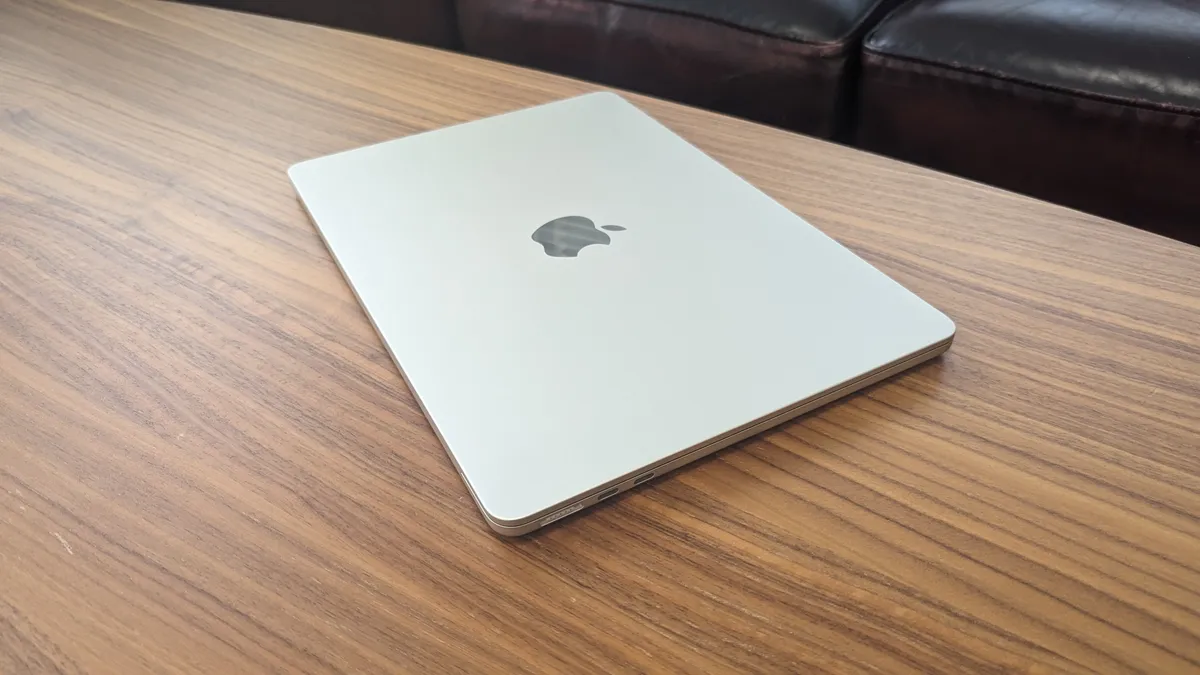


Despite no longer being the most recent model, the Apple MacBook Air 13-inch (M3) remains one of the best MacBooks you can buy in 2025 - especially if you're a student. This is because with the launch of MacBook Air 13-inch (M4), which sits at the top of this page, many retailers are cutting the price of the M3 model, making it an excellent choice for students who want a premium laptop to work and study on, but without spending a fortune. One thing to note, however, is that Apple itself is no longer making or selling the M3 MacBook Air, and that means stock at other retailers will begin to reduce, so if you've been meaning to pick one up, now is the best time.
Reasons to buy
✅ You want the best student laptop for your money: The MacBook Air 13-inch (M3) is now the MacBook we'd recommend to students thanks to its new, lower price.
✅ You want a portable laptop: The thin and light design, plus the long battery life, makes this a laptop you can easily travel with.
✅ You want dependable performance: The M3 chip powering the MacBook Air is still great for day-to-day tasks, and can even cope with video editing and AI.
Show expert analysis ▼
Reasons to avoid
❌ You want the latest MacBook Air: This is the previous generation of MacBook Air, so if you want the very latest model, go for the MacBook Air 13-inch (M4).
❌ You want lots of ports: The MacBook Air (M3) features two Thunderbolt ports, which means you might struggle if you have lots of peripherals that need plugging in.
❌ You want a bigger screen: The 13-inch screen of the MacBook Air makes it portable, but the 15-inch model might be a better choice for people who like working on a larger screen.
In-depth analysis
The MacBook Air M3 comes with the same design as the previous M2 model - but that's fine with us. It remains a stylish and modern-looking thin and light laptop, with Apple's renowned design and build quality. Only two USB-C ports does mean plugging in lots of accessories will need a USB hub, however.
The MacBook Air comes with the M3 chip - and there are actually two versions you can buy: a base model with an 8-core CPU and 8-core GPU, and a more powerful version with an 8-core CPU and 10-core GPU. The some base models also come with 8GB of memory, which is quite low by today's standards, but Apple has also released a base model with 16GB, which is much better for modern workloads.
According to Apple, the MacBook Air 13-inch (M3) can last up to 18 hours watching Apple TV shows and 15 hours browsing the internet, though in our battery life benchmark tests (which involve playing a looped 1080p video) the 13-inch MacBook Air lasted a bit less than that, at 14 hours and 19 minutes. That's an excellent time for a laptop of this power, however it is slightly less than the previous model lasted in the same tests, which could suggest the bump in performance has come at the cost of efficiency.
The MacBook Air 13-inch (M3) launched at $1,099 / £1,099 / AU$1,799, which was slightly higher than the older M1 MacBook Air’s launch price of $999 / £999 / AU$1,599. Now that the M4 model has launched (with a cheaper starting price of $999 / £999 / AU$1,699), the M3 model has recieved some big price cuts to help retailers clear stock.
Attributes | Notes | Rating |
|---|---|---|
Price | The M3 MacBook Air was already excellent value for money (launching with a lower price than the M2 model), and with new price cuts it's even better | ★★★★★ |
Design | This remains one of the most stylish laptops you can buy | ★★★★★ |
Performance | Performance remains excellent, and isn't too far behind the newer M4 model | ★★★★☆ |
Battery life | The epic battery life means you can work on the MacBook Air for multiple work and school days on a single charge | ★★★★★ |

💻 The MacBook Air 13-inch (M3) is easily the best laptop that money can buy for students, especially thanks to new price cuts since the M4 model came out, though we recommend boosting the memory and storage space when ordering. That makes it more expensive, but far more future-proof. Read the full review: Apple MacBook Air 13-inch (M3)
The best Chromebook
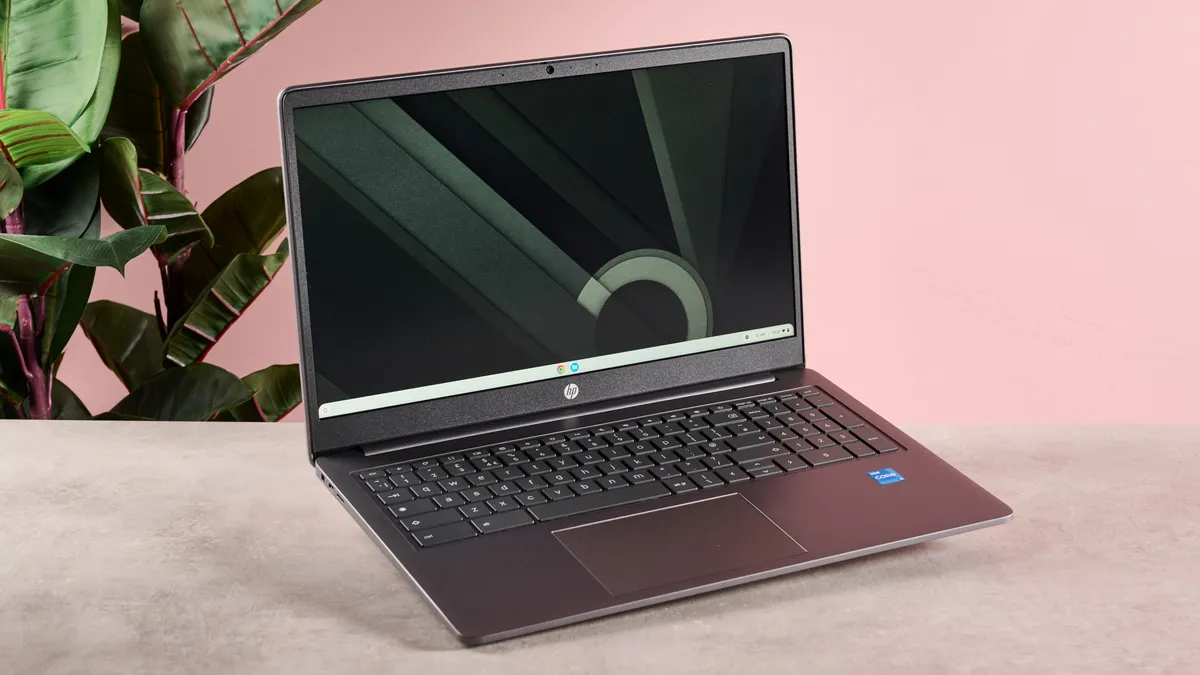
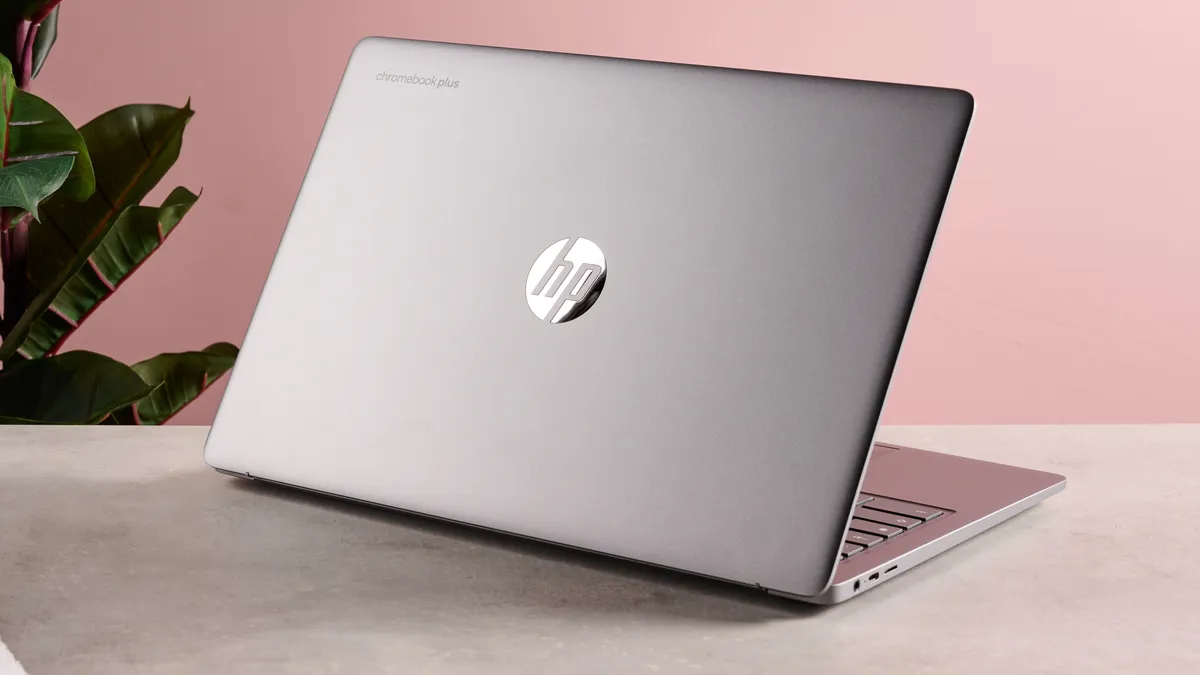


The HP Chromebook Plus 15.6-inch is our latest pick for the best Chromebook you can buy in 2025 thanks to its premium design and build quality, while still keeping prices ($549.99 / £449.99 / AU$749) impressively low. Sure, this isn't the cheapest Chromebook out there (check out the Asus Chromebook CM14 higher up in this list for our budget pick), but it's still a lot cheaper than most Windows 11 laptops, and certainly any MacBook, yet it offers dependable performance that will be fine for pretty much any day-to-day task you require from it. As a Chromebook Plus device, the HP Chromebook Plus 15.6-inch offers relatively powerful components for a Chromebook, and that means that ChromeOS and its apps feel fast and responsive, while the 1080p screen with 144Hz refresh rates is easily one of the best displays you'll find on a Chromebook, and will beat most displays you'll find on other budget laptops at this price. During our review of the HP Chromebook Plus 15.6-inch, we really liked how it performed with productivity apps like Google Docs, and we also hooked up a Bluetooth gamepad and played mobile games including Asphalt Legends Unite, again with impressive results. If you're looking for a new Chromebook, this is easily the best you can buy right now, and it's a worthy entry in our best laptops list in its own right.
Reasons to buy
✅ You want high performance with a Chromebook: This is a great Chromebook for productivity with a large screen and excellent performance thanks to the Intel processor and 8GB of RAM, which is a lot more than you'd usually get with a Chromebook.
✅ You want a well-made laptop: Just because Chromebooks like the HP Chromebook Plus 15.6-inch are cheap it doesn't mean they have to look or feel cheap, and HP has done an excellent job of proving that with this laptop.
✅ You want a portable 15-inch laptop: It's impressively thin for a laptop, and its battery life means you won't need to worry about plugging it in too often.
Show expert analysis ▼
Reasons to avoid
❌ You need specific Windows or macOS apps: As a Chromebook, this uses Chrome OS which doesn't have all the apps a Windows laptop or MacBook have access to.
❌ You want a 2-in-1 laptop: There are plenty of Chromebooks (and other laptops) that are convertible, allowing you to use it as both a laptop and a tablet, but the HP Chromebook Plus 15.6-inch isn't one of them.
❌ You want the very cheapest laptop: The HP Chromebook Plus 15.6-inch offers superb value for money, but there are cheaper Chromebooks out there.
In-depth analysis
Like other Chromebook Plus laptops, the HP Chromebook Plus 15.6-inch features a much more premium design (and build quality) than standard, less expensive Chromebooks, and it feels solidly built as well. Its compact size makes it an easy laptop to carry around for hours, though this does mean that the keyboard layout feels a bit cramped.
As far as Chromebooks go, the HP Chromebook Plus 15.6-inch is an excellent performer, with the Chrome OS operating system booting quickly, while apps run impressively smoothly. Again, being a Chromebook Plus device means it's kitted out with relatively powerful components for a Chromebook and this results in day-to-day tasks running smoothly, and you can even play games on it (from Google's Play Store). Sure, it can't compete with more expensive Windows 11 laptops or MacBooks, but for the price, you'll struggle to find a better performing laptop.
Even with its large 15.6-inch 1080p screen, the HP Chromebook Plus 15.6-inch's battery lasts impressively long, with the laptop lasting 10 hours and 41 minutes during our battery life test, which involves running a looped 1080p video with the screen at 50%. It also charges quickly, with it going from 30% to full in just 90 minutes.
Chromebook Plus devices are usually a bit more expensive than standard Chromebooks, and the HP Chromebook Plus 15.6-inch is no different. However, compared to other laptops, the HP Chromebook Plus 15.6-inch offers excellent value for money with a fantastic display, premium design and solid performance that other laptops at this price point struggle to match. It often goes on sale as well, making it even better value when sales events like Black Friday roll around.
Attributes | Notes | Rating |
|---|---|---|
Price | Like a lot of Chromebooks, this offers brilliant value for money | ★★★★☆ |
Design | This is a well built and attractive-looking laptop that looks more expensive than it actually is | ★★★★☆ |
Performance | The HP Chromebook Plus can handle most everyday tasks with ease, it boots up quickly and the screen looks fantastic | ★★★★☆ |
Battery life | The battery life is among the best we've tested, and it charges quickly as well | ★★★★☆ |

💻 The HP Chromebook Plus is a smooth and fast performer with a great build quality and premium feel. It handles light productivity, streaming and gaming with aplomb, barely putting a foot wrong during my time with it. The display is equally impressive, and battery life is good to boot. Read the full review: HP Chromebook Plus 15.6-inch
The best laptop for creatives
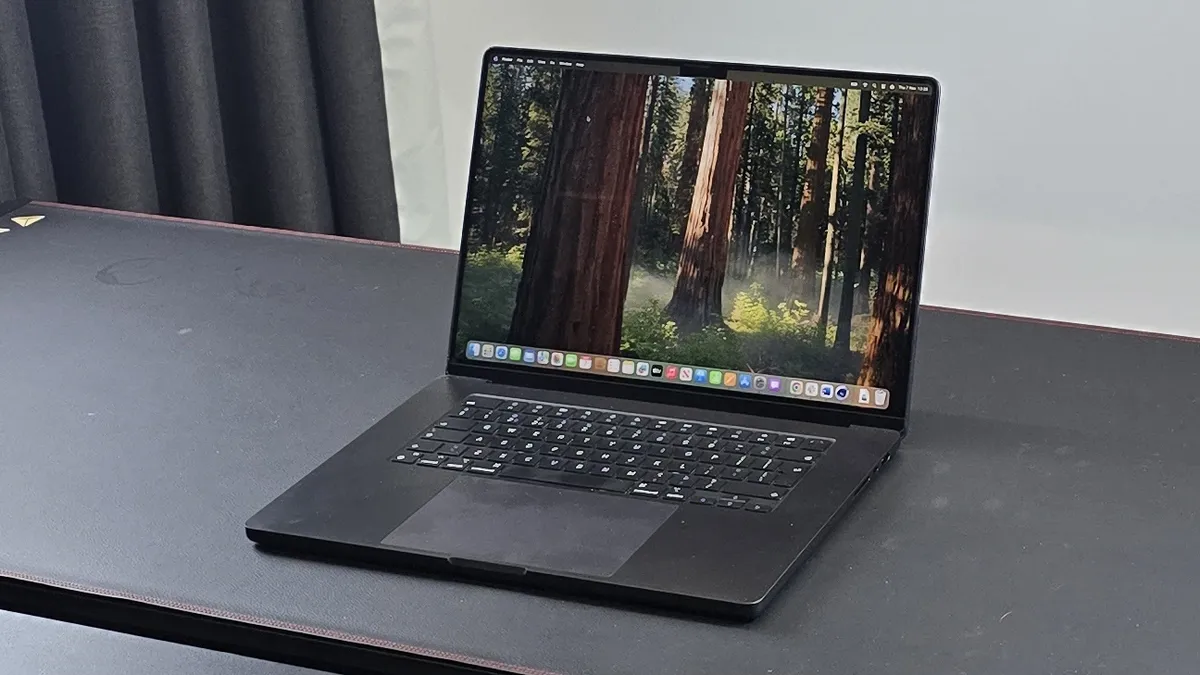
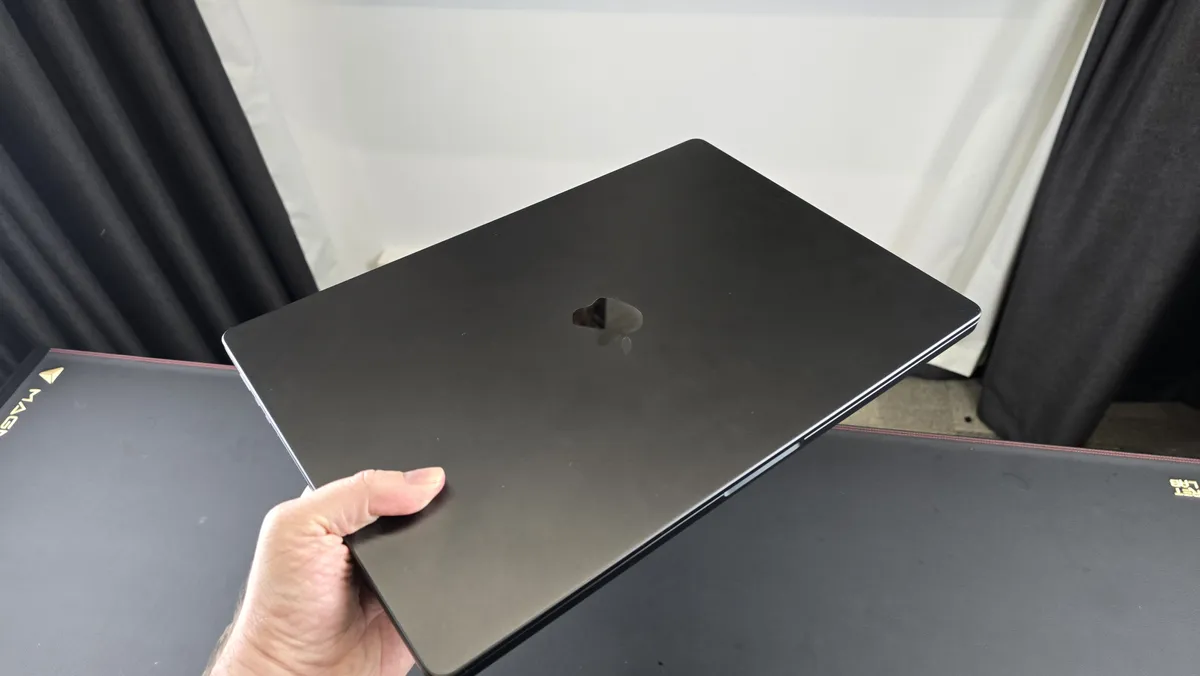
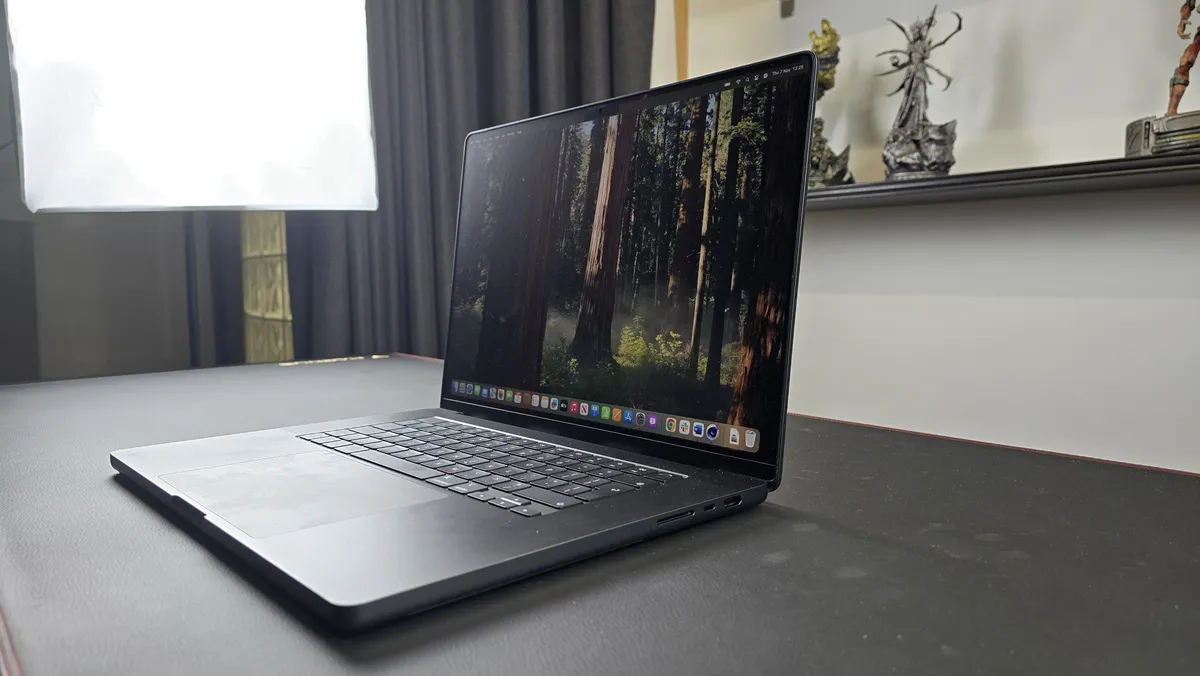


This MacBook Pro 16-inch comes with the excellent M4 Pro and M4 Max chips, which, despite the launch of the M5 chip, are still Apple's most powerful pieces of silicon, offering incredible performance, especially when it comes to creative tasks such as video editing. Throughout our time testing the M4 Pro version, we found the 16-inch MacBook Pro could take on even the most complex of tasks with ease - and with a battery life well in excess of 20 hours - this is the best laptop for creatives who want the freedom to work anywhere they like. While Apple has recently released a new MacBook Pro 14-inch model with the M5 chip, I strongly believe that for creative professionals who need large screens and the most powerful hardware possible, the M4 Pro or M4 Max versions of the 16-inch MacBook Pro are a better choice.
Reasons to buy
✅ You need the most powerful MacBook ever: You’re guaranteed incredible performance that’ll crush the more demanding workloads, whether it's the M4 Pro or M4 Max model you go for.
✅ You’re a traveling creative pro: If you're a creative who needs power, a gorgeous display, great-sounding speakers and lots of ports, this is the perfect travel companion, especially as it can go several work days on a single charge, so you don't have to worry about finding a plug socket.
✅ You want the best that Apple Silicon can offer: Apple's M-class chips have revolutionised laptops, and the M4 Pro and M4 Max are the very pinnacle of Apple's hardware.
Show expert analysis ▼
Reasons to avoid
❌ You have an earlier 16-inch MacBook Pro: The M4 Pro and M4 Max 16-inch MacBook Pro models are truly excellent devices, but if you have an M3 Pro, M3 Max, M2 Pro or M2 Max MacBook Pro, you probably don't need to upgrade.
❌ You’re looking for an affordable workstation laptop: The 16-inch MacBook Pro is an expensive investment, which means it may be priced out of many people's reach. The 14-inch model is more affordable, and you can get it with the new M5 chip.
❌ You’re a casual user: Unless you’re a creative professional, you’re unlikely to need the kind of performance that the MacBook Pro 16-inch offers, especially with the M4 Max chip. For regular use, the MacBook Air 15-inch will be a better buy.
In-depth analysis
There's no obvious new design for the M4 Pro or M4 Max MacBook Pros, which is disappointing in some respects, but it remains a fantastic looking laptop. However, there have been some subtle tweaks to the design, with Thunderbolt 5 support, improved webcam and an optional nano-texture coating for the screen.
Our independent benchmark tests showed a decent bump in performance over the M3 Pro model (we tested the M4 Pro version of this year's 16-inch MacBook Pro), and while there wasn't enough of a leap to make upgrading from the M3 generation worthwhile, it does mean that the 16-inch MacBook Pro is the most powerful laptop Apple has ever made - and it out performs most Windows 11 laptops at this price as well. If you want the very best hardware from Apple, this is the device to get.
Once again, Apple's 16-inch MacBook Pro comes with industry-leading battery life. In our tests it easily lasted over 20 hours on a single charge. Not only does that mean you can work for multiple days without needing to plug it in, but it's remarkable how this laptop offers such good the performance while also having a battery that lasts for days.
The MacBook Pro 16-inch (M4 Pro/M4 Max) is an incredibly ambitious laptop both in terms of hardware and design, and it’s aimed at creative professionals who need powerful mobile hardware. Yes, it's an expensive laptop - but if you need all that power, it's well worth paying for it.
Attributes | Notes | Rating |
|---|---|---|
Price | Same base price as the previous model in the US, and a bit cheaper in UK and Australia - but still very expensive | ★★★☆☆ |
Design | No new design, but it's still a well built laptop with some nice subtle tweaks | ★★★★☆ |
Performance | The M4 Pro is an incredible performer, especially with heavy duty creative tasks | ★★★★★ |
Battery life | You'll be able to go multiple workdays on a single charge with this laptop | ★★★★★ |
💻 The MacBook Pro 16-inch is more powerful than ever thanks to the new M4 Pro (which we tested) and M4 Max chips, providing the level of performance that creative professionals require - and then some. While I found the lack of a new design disappointing (and you might also), I did appreciate that there's still been a few quiet tweaks under the hood, including Thunderbolt 5 support, an improved webcam and new optional nano-texture screen that together make this the most powerful MacBook Apple has ever made. Read the full review: MacBook Pro 16-inch (M4 Pro)
The best laptop for gaming


If you want the very best gaming laptop, and price isn't much of a consideration, then you should seriously consider the new Razer Blade 16. Coming with Nvidia's latest RTX 5000 series laptop GPUs, including the ridiculously powerful RTX 5090, this is a sleek and slim machine that can rival even the most powerful gaming PCs. This all comes at a (very) high price, however, with a starting price of $2,999.99 / £2,699.99 / AU$4,899.95 - and that price climbs quickly when you start upgrading the components.
Reasons to buy
✅ You want enthusiast-class performance: Thanks to cutting-edge components, especially the RTX 5090, you're getting incredible performance, allowing you to play the very latest games at their highest settings.
✅ You want a killer design: Razer has an excellent reputation for designing great-looking devices, and the Razer Blade 16 is no exception - it's impressively thin for a gaming laptop, and feels solid and dependable.
✅ You want something for more than gaming: While this is a laptop built from the ground up to play games, it also does a great job with productivity tasks, especially creative ones. The long (for a gaming laptop) battery life also helps.
Show expert analysis ▼
Reasons to avoid
❌ You’re on a budget: Razer laptops are notoriously expensive, and the Razer Blade 16 is yet another example of this. Check out the Acer Nitro 16 instead, which we've picked as the best cheap laptop you can buy right now.
❌ You are a casual gamer: The Razer Blade 16 is designed for enthusiasts and hardcore PC gamers. If you only play the occasional game, especially ones that aren't that graphically-demanding, then this will be a waste of money.
❌ You want to travel really light: While thin compared to most gaming laptops, the Razer Blade 16 has a chunky power brick. Yes, you can use USB-C instead, but it won’t supply enough power to keep up when gaming.
In-depth analysis
Razer makes some of the best thin and light laptops on the market, so it'll be no surprise to learn that the Razer Blade 16 is another example of this. Forget thick and chunky gaming laptops - the Razer Blade 16 proves powerful laptops for gaming don't have to be big and bulky. It also has one of the best screens you can find on a laptop and a keyboard that's a joy to type on.
You're not going to get a better performing gaming laptop in 2025 thanks to the high-end components Razer has put into the Blade 16. Even PC gamers who normally prefer desktop PCs will be impressed with how powerful this laptop is, and you'll have no issue playing the latest games for years to come at their highest graphics settings.
Gaming laptops aren't known for their long battery lives, but the Razer Blade 16 pleasantly surprised us, lasting seven and a half hours when not being used for gaming - which means you could use this as a work laptop and not have to charge during the workday. When gaming, the battery life around two and a half hours, which is to be expected considering the powerful internals of this laptop.
Like with most Razer laptops, don't expect a budget device. The Razer Blade 16 is an extremely expensive laptop, and while you get a stunning design, excellent screen and some of the best mobile gaming tech on the market, it also means that this won't be a laptop that everyone can afford. If your budget can stretch to the steep asking price, however, you'll be getting an awesome gaming laptop that will last you for years and years.
Attributes | Notes | Rating |
|---|---|---|
Price | It's undeniably expensive, which will place it out of reach for some gamers, although you do get plenty of bang for your buck. | ★★★☆☆ |
Design | The design, though not really different from last year's model, is still unmatched in a gaming laptop. | ★★★★★ |
Performance | Very few laptops will measure up against the RTX 5090 version of the Blade 16 when it comes to gaming performance - and those that can will inevitably be bulkier. | ★★★★★ |
Battery life | Gaming laptops rarely offer good battery life, but the new Blade 16 surprised us with its power-efficiency. | ★★★★☆ |
- Take a look at our Razer discount codes for the best Razer offers and savings.
💻 I loved reviewing the Razer Blade 16, a gaming laptop that delivers power and style in spades, offering best-in-class performance in games and even managing to hold its own as a day-to-day work laptop thanks to the improved battery life. Nvidia RTX 5000 GPU options bring DLSS 4 and Multi Frame Generation to the party, and some small but smart design tweaks from the previous model help make this an even better high-end laptop. Read the full review: Razer Blade 16 (2025)
The best OLED laptop


We were absolutely blown away while testing the Asus Vivobook S 15 Copilot+ thanks to its stunning design - which includes an excellent OLED display that makes colors pop, and with a 120Hz refresh rate, it feels fast, fluid and responsive as well. The built-in Harman/Kardon speakers makes this one of the best-sounding laptops in the world as well, and makes watching media on the Asus Vivobook S 15 Copilot+ an absolute joy. It also packs the Arm-based Qualcomm Snapdragon X Elite chip, offering performance and battery life that rivals the M3-powered MacBook Air (which also uses an Arm-based chip).
Reasons to buy
✅ You want a great value laptop for productivity: While the Asus Vivobook S 15 Copilot+ isn't cheap, considering the specs and performance on offer, it offers excellent value.
✅ You love watching movies: Not only is its OLED screen gorgeous to look at, but it has some of the best speakers you'll find in a laptop.
✅ You want to use AI locally: As a Copilot+ PC, the Asus Vivobook S 15 is able to run AI tasks locally, so you don't need to connect to the internet.
Show expert analysis ▼
Reasons to avoid
❌ You want a gaming laptop: While the 120Hz OLED screen might sound like a great display to play games on, the rest of the laptop isn't suitable - buy a dedicated gaming laptop instead.
❌ You don't care about AI: One of the biggest selling points of the Asus Vivobook S 15 Copilot+ is its AI-capable NPU. If you're not bothered about AI, then you might be better off getting something else.
❌ You're on a tight budget: The Asus Vivobook S 15 Copilot+ offers plenty to like for the price, but it is an expensive choice that might not suit everyone's budget.
In-depth analysis
The Asus Vivobook S 15 Copilot+ proves that you don't have to spend a fortune to get a great looking laptop. Its metallic chasssis is stylish and modern, while incredibly thin bezels ensure that the stunning OLED screen is your main area of focus. It also comes with a good selection of ports, including two USB 4 Type-C ports, two USB 3.2 Type-A ports, a Micro-SD card reader, a 3.5mm combo audio jack, and an HDMI out.
In our tests, the Asus Vivobook S 15 Copilot+ performed incredibly well, proving that its Arm-based Snapdragon X chip is no slouch, even when compared to Intel-powered laptops. The more energy efficient chip in the Vivobook S 15 meant that the laptop remained almost completely silent whilst we put it through its paces. One area it did fall down on, however, was graphics performance, so you might want to think about buying a different laptop if you're looking for something to edit videos or create 3D models on.
Asus rates the Vivobook S 15 at 70WHrs for its battery capacity, and promises around 18 hours of battery life. In our tests we found it came close to that promise, lasting around 17-hours on a single charge. This means it's an excellent choice for anyone looking for a laptop they can use for multiple work days without worrying about charging it.
When it comes to the price, the Asus Vivobook S 15 is impressively affordable for what you’re getting. With a price tag of $1,299.99 (£1,299.99 / AU$2,699), it packs in some serious hardware for that cash, though there's no denying that it is still an expensive laptop.
Attributes | Notes | Rating |
|---|---|---|
Price | This laptop is exceptionally well priced for what you get. With OLED screen, Harman/Kardon audio, and some seriously epic hardware, it’s a solid pick | ★★★★☆ |
Design | A beautiful satin metallic finish, subtle branding, and its awesome feature set makes this a stunning laptop | ★★★★★ |
Performance | It might not be that great at gaming, and the AI needs some work, but it dominates every other performance metric | ★★★★☆ |
Battery life | With an 18-hour rated battery life, our testing saw the Vivobook S 15 land at around 17 hours or so under standard load, making it one of the most efficient laptops out there | ★★★★★ |

💻 I think that the Asus Vivobook S 15 is an absolutely phenomenal piece of kit. With an aesthetic that’d make even the Milano fashion houses jealous, it combines the latest and greatest Qualcomm Snapdragon processor, a beautiful OLED display, plus some serious hardware under the hood to deliver a phenomenal laptop experience with outstanding battery life for day-to-day usage. Read the full review: Asus Vivobook S 15 Copilot+
The best affordable gaming laptop


The Acer Nitro V 15 is our new pick as the best budget gaming laptop of 2025 thanks to its solid performance when playing the latest PC games at 1080p resolution and relatively affordable price. These days, it's getting increasingly difficult to find a decent gaming laptop for less than $1,000, so it's great to see Acer release the excellent Nitro V 15, which offers gamers the chance to play the latest games without having to spend a fortune. With a choice of Nvidia's budget GeForce RTX 5050 8GB or GeForce RTX 5060 8GB, you can also make use of DLSS 4 and Multi Frame Generation (MFG), two features that can really help the Acer Nitro V 15 punch well above its weight when it comes to performance. During our time testing this laptop, we managed to get the graphically-demanding Cyberpunk 2077 to hit an excellent 211fps (frames per second) at Ultra graphics settings and DLSS upscaling set to 'Balanced'. That's incredibly impressive for a gaming laptop at this price, and would not have been possible a few years ago. Of course, there are some compromises here, especially when it comes to the chunky design, and gaming performance can't match more powerful (and expensive) gaming laptops. However, if you're on the hunt for a budget gaming laptop that doesn't make too many compromises, then the Acer Nitro V 15 is the best laptop for you.
Reasons to buy
✅ You want to play games at 1080p: While the Acer Nitro V 15 is a budget gaming laptop, it can still play AAA games smoothly, some even at high settings.
✅ You want to save money: Considering the specs and performance of the Acer Nitro V 15, this is a great choice if you're on a budget.
✅ You want a nice screen: The Acer Nitro V 15 has a bright and vibrant 15-inch screen that helps games look fantastic.
Show expert analysis ▼
Reasons to avoid
❌ You want to max out your games: If you're a hardcore PC gamer who wants 4K gaming at ultra settings and with ray tracing on, you may want to check out the Razer Blade 16 if you have the money.
❌ You want a long battery life: The Acer Nitro V 15 doesn't have a particularly long battery life, even by gaming laptop standards, though it managed six and a half hours in our battery life test.
❌ You want the best gaming keyboard: The Acer Nitro V 15's keyboard feels fine when typing, but the short travel and surprisingly high resistance of the keys mean it's not the most comfortable keyboard for long gaming sessions.
In-depth analysis
The Acer Nitro V 15's design is rather minimalist, and while that means this is a laptop that you wouldn't be embarrassed about using in non-gaming environments (like an office or school), it also means it's a bit unexciting. Still, it feels robust and well built, though there is a bit of flex to the keyboard and trackpad, which highlights the budget aspect of this gaming laptop. The keyboard does feel good when typing on, though it's not the best gaming keyboard we've had the pleasure of playing on. It's also rather bulky, so it's not the most portable gaming laptop, though it does mean you get a decent selection of ports, including Ethernet, HDMI, two USB-A ports and one USB-C.
The Acer Nitro V 15 we reviewed comes with an Nvidia RTX 5060 GPU, and it does a very good job of playing even demanding games at 1080p. We were getting frame rates of over 60fps when playing Cyberpunk 2077 with Ray Tracing set to its lowest preset, which is pretty great considering the low price of this laptop. The display was bright and vibrant, and contrast between light and dark is very good. However, the fans did get quite noisy while we were playing - though that's often a price you have to pay when playing graphically-demanding games on a laptop.
The Acer Nitro V 15's battery life isn't awful, but neither is it particularly impressive. In our battery life benchmark test, where we played an HD video on loop with the screen at 50% brightness, the Acer Nitro V 15 managed six and a half hours. For more demanding tasks, such as gaming, it lasted just over an hour and a half. Still, this isn't terrible for a gaming laptop, especially a budget one, and it charges quickly.
With the Nitro V 15, Acer has managed to tread a fine line, offering a low price tag without making too many compromises. The RTX 5060 in our review sample did an excellent job of running modern games at high settings, and it proves that you don't need to spend a fortune to play PC games - though that's not to say that no compromises have been made at all.
Attributes | Notes | Rating |
|---|---|---|
Price | It’s well-priced for an RTX 5000 series laptop, and it hasn’t skimped on gaming performance.. | ★★★★☆ |
Design | Sure, it's not the most exciting looking laptop, but it does the job, and feels solid. | ★★★☆☆ |
Performance | You’ll get decent 1080p gaming at high settings, but maximum ones are beyond it. There’s a fair amount of heat generated, too. | ★★★★☆ |
Battery life | Nothing special, but not the worst either. At least it’s quick to charge. | ★★★☆☆ |
💻 The Acer Nitro V 15 is a capable 1080p gaming machine with a surprisingly vibrant display to boot. The amount of heat it generates can be a little disruptive, and certain aspects of its design hint at its budget pricing. It’s an admirable effort, all things considered; the competition in this budget space is stiff, but the Nitro V 15 acquits itself well. Read the full review: Acer Nitro V 15
Other laptops to consider
New laptops are launched every month, and while this guide has the very best of the best, there are many alternatives which are worth checking out, even if they didn't quite manage to make it on to our main best laptops list.
Here are some honorable mentions of other laptops we've tested that are worth checking out:
- HP Chromebook Plus 15.6-inch: The HP Chromebook Plus is a smooth and fast performer with a great build quality and premium feel. It handles light productivity, streaming and gaming with aplomb, barely putting a foot wrong. Read the full HP Chromebook Plus 15.6-inch review
- Asus TUF Gaming A16 (2025): The Asus TUF Gaming A16 (2025) has a great design and performs very well for its price, capable of running demanding titles with near-maximum settings. However, the trade-off is excessive noise, which will require some decent noise cancelling to combat. If you can live with this drawback, though, the TUF Gaming A16 (2025) is a great gaming laptop for those on a budget. Read the full Asus TUF Gaming A16 (2025) review
- Apple MacBook Air 15-inch (M4): While we've included the 13-inch MacBook Air with M4 chip in our main list, the 15-inch model is also worth considering if you prefer a bigger screen to work on. It lacks the portability of the smaller model, but otherwise it offers the same great design and performance. Read the full Apple MacBook Air 15-inch (M4) review
How to choose the best laptop for you:
What are the best laptop brands? The best brands for laptops include Apple, Dell, Lenovo and HP, and they all have their strengths. For example, Apple make brilliantly-designed slim and light laptops, while Dell does a great range of high-end ultrabooks, as well as affordable devices and Chromebooks as well. Lenovo's well known for making solidly-built business laptops (and some great 2-in-1 laptops as well), and HP’s also been making some gorgeous laptops recently that are some of the best laptops in the world.
When it comes to gaming, the best laptop brands include Alienware, Asus and Acer.
How much RAM does a laptop need? RAM (Random Access Memory) is an important specification to look for in a laptop. You’ll want 4GB at the very least for a Windows laptop – though we’d actually recommend for many people to go for 8GB. That will ensure that the laptop runs well for years to come. Budget Chromebooks can get away with less RAM, such as 1GB or 2GB.
Battery life considerations Finally there’s battery life. This is likely to be one of the most important considerations you have when choosing what laptop to buy. The best laptops need to be able to let you work - and play - for hours on end without you having to scramble for a power adapter. Modern laptops are getting ever more power-efficient, which has led to longer battery lives. For a laptop to be included in our best laptops list, it needs to offer a battery life of five hours or more.
What to look for
Battery life: The best thing about laptops is that they allow you to break free from your desk and use them almost anywhere - which is why checking the battery life is essential. For pure battery life, Chromebooks are the best laptops you can buy – but Apple’s latest MacBooks with M1, M2, M3, and brand-new M4 chips come close, offering well over 10 hours of battery life. Meanwhile, gaming laptops usually sacrifice battery life for performance instead.
Performance: When looking to buy the best laptop for your needs, you should consider the performance a potential purchase offers. You don’t want to be stuck with a laptop that starts lagging after a few years. For Windows laptops, look to get one with a modern 14th generation (or 13th) Intel processor, or AMD Ryzen 7000 series. With a MacBook, go for an M2, M3, or new M4 model (for MacBook Pros) – which are Apple’s powerful chips made specially for its laptops.
You should also go for a minimum of 8GB of RAM, though 16GB is more future-proof. Recently, Microsoft suggested that 16GB of RAM would be the minimum requirement for the next generation of 'AI laptops'. For Chromebooks, however, 4GB of RAM is fine.
Which type of laptop is best for you?
General laptops: When it comes to the best cheap laptops, these devices focus more on practicality than style, portability or power. That’s not to say they can’t be fast, but you’ll typically find a non-Ultrabook clamshell laptop with an HD screen and spinning drive-based storage for less than $600 or £400. It's here where you often find the best laptop deals, too.
Ultrabooks: Where you’ll find thin-and-light notebooks sporting SSD storage and display resolutions that exceed 1080p. Paired with powerful, albeit mobile-centric components and especially long battery life, the best Ultrabooks will cost a pretty penny – $700 or £500 to $2,000 or £1,800.
2-in-1 laptops: The best 2-in-1 laptops double as tablets and are outfitted with both detachable and 360-degree rotating hinges, these hybrids are the most versatile way to experience Windows 10 (or Chrome OS) on a touchscreen.
Chromebooks: The best Chromebooks, running Chrome OS, do much of what Windows and macOS can in the browser, focused on cloud storage over local, while recently getting Android app support for touchscreen models. They generally cost less than $300 or £200 and some can even withstand a slight tussle.
Gaming laptops: Need a laptop to play games (almost) just like a shiny desktop PC can? Then you’ll want one of the best gaming laptops. These machines generally cost from $800 or £600 to upwards of $3,000 or £2,800 and they’ll likely be the ones to take advantage of AMD’s laptop-grade Ryzen processors first. If you're really on a budget, then you can check out the best cheap gaming laptop deals.
Laptop-tablet hybrids: Designed from the tablet-first approach to laptop-tablet hybrids, the best Windows tablets pack beyond-HD touchscreens, sometimes with kickstands in their frames or provided via keyboard covers. These generally shine with a stylus and range from the budget to the premium price ranges.
What I'm looking for
Every year, hundreds of laptops are released, but only the very best get to make it onto this list. So, what makes a laptop good enough for me to recommend them in our best laptops guide?
I’ve been updating TechRadar’s best laptops page for almost 10 years, and here are the things I look for when deciding what devices should be on this page – and where.
Value for money
Why you can trust TechRadar We spend hours testing every product or service we review, so you can be sure you're buying the best. Find out more about how we test.
This is probably the most important consideration when it comes to picking the best laptops to recommend to you. No matter if it’s a powerful gaming laptop that costs thousands of dollars, or a humble budget Chromebook, each device needs to justify its price tag by excelling in the tasks it’s designed for.
Battery life
This is another hugely important consideration for many people when looking to buy a new laptop. One of the best things about laptops is how portable they are – but if you need to always look out for a power outlet to keep using your device, then you’re going to get very annoyed very quickly.
▼
Of course, battery life expectations will vary depending on the type of laptop. For Chromebooks and modern MacBooks, a time of around 10 to 20 hours between charges should be expected.
Windows laptops based on AMD or Intel hardware should expect around 10 hours on a single charge, but the latest range of Qualcomm Snapdragon-powered Windows laptops, also known as ‘Copilot+ PC’ devices, should offer battery lives similar to Chromebooks and MacBooks.
Gaming laptops, however, will typically offer around four to eight hours of battery life. This is because they value performance over efficiency, and their high-powered components can quickly deplete any battery when playing games. These gaming laptops, along with powerful workstation laptops often known as ‘desktop replacements’ are usually designed to be used while plugged in. However, you should expect at least a few hours of battery life for when you’re using the laptop for less strenuous tasks such as emailing and editing documents.
Specifications
When reviewing laptops, I also look at the hardware within the device – often known as the hardware specifications. This can give you a good idea of how well the laptop will perform, whether or not it’s good value for money, and if the laptop will be future-proof.
▼
When reviewing laptops, I also look at the hardware within the device – often known as the hardware specifications. This can give you a good idea of how well the laptop will perform, whether or not it’s good value for money, and if the laptop will be future-proof.
When I say ‘future-proof’ what I mean is that if you buy a laptop, you won’t need to upgrade or buy a new one for a long time. A laptop with old hardware might be cheaper, but if you feel the need to buy a new laptop after only a year or so, it’ll cost you more in the long run.
Depending on the type of laptop you’re looking for, the hardware specifications will vary. For standard Windows 11 laptops, I recommend 8GB RAM as a minimum, but ideally 16GB, 512GB of storage and a current generation Intel or AMD processor.
If you want to make use of on-device AI tools, like image generation, then you’ll want to look at the new range of ‘Copilot+ PCs’. These laptops meet certain criteria set by Microsoft so they can make use of AI features in Windows 11, such as having 16GB of RAM and a dedicated NPU (neural processing unit) that’s capable of 40 trillion processes a second (TOPS).
If that’s a lot of jargon, don’t worry as these laptops will be clearly labelled with Copilot+ PC branding, which means they come with the right hardware.
When looking for a MacBook, you’ll want to make sure it has a new M-series chip, with the M3 currently being the most recent. Entry level MacBooks come with 8GB memory and 256GB SSD, and while this is OK, I recommend going for 16GB and 512GB if you can afford it, as that will ensure it keeps running well for years to come.
As ChromeOS, which Chromebooks use as an operating system, isn’t as demanding a bit of software as Windows 11 and macOS, it means Chromebooks don’t need as high specifications – and that’s why they are often quite a bit cheaper than laptops and MacBooks.
So, an older processor, 4GB of RAM and even just 64GB of storage (due to Chromebooks using a lot of cloud-based services) should get you decent performance on a budget Chromebook. However, investing in a Chromebook with 8GB of RAM, a larger SSD and new processor will give you a much better experience.
Design
When picking laptops for this guide, I’m looking for products with stylish yet functional designs. Laptops should be compact enough to carry around with you easily, while also being comfortable to use for long periods.
The design should also feel solid and dependable, being able to withstand knocks, drops and scratches.
How we tested these laptops

How we test the best laptops
We understand that a new laptop is a significant investment, so each laptop on our list has been thoroughly tested by our team (read more on how we test laptops). We integrate these laptops into our daily routines to evaluate their performance comprehensively, in addition to running industry standard benchmarks like GeekBench, PCMark, 3DMark, and the latest PC gaming benchmarks.
Our assessment includes examining a laptop’s design, with special attention paid to the aesthetics, portability, and overall comfort for everyday use. We also consider any additional accessibility and security features like haptic feedback, key backlighting, fingerprint scanning or facial recognition, and physical privacy shutters for the built-in webcam.
On the performance side, we use a combination of real-world tasks and synthetic benchmarks to determine the laptops' capabilities. We test all laptops in a given model year using the same benchmark versions to ensure consistent comparisons across reviews for the laptops you might be considering. And since benchmark scores can sometimes be difficult to interpret, we leverage our expertise to explain these scores for you to help you compare the performance of competing laptops in easy-to-understand terms.
Battery life is another critical factor we measure. We track how long we can use each laptop before needing to recharge. Additionally, we perform our own battery life test, which involves looping a 1080p movie until the battery depletes, a proprietary web surfing script, and the PC Mark 10 battery life benchmark, which simulates real-world usage such as web browsing and document creation. These tests provide us with a clear understanding of the battery longevity for each laptop.
Finally, we consolidate all our findings and compare them to the laptop’s price, determining if it offers the best value for customers.
Tested by
Every laptop in this guide has been thoroughly, and independently, tested by our team of laptop experts, including members of TechRadar's computing team, as well as experienced freelance reviewers. Meet some of the experts below who have reviewed these laptops and helped me create this best laptops list.
During his almost 40-year-long career in tech journalism, Lance has reviewed hundreds of laptops for TechRadar, as well as Lifewire, PCMag.com and more. If you're looking for advice on whether or not a laptop is worth buying, there are few people in the industry with as much knowledge and authority as Lance.

Named by the CTA as a CES 2020 Media Trailblazer for his science and technology reporting, John specializes in all areas of computer science, including industry news, hardware reviews and PC gaming. Over the five years John has been working at TechRadar he has reviewed numerous laptops, specialising in gaming laptops, where he uses his components expertise to cut through the jargon and tell if a device is worth spending money on.
Zak has been writing for TechRadar since 2015 and was previously Editor-in-Chief of our sister publication Maximum PC. He has also written for PCGamesN and Trusted Reviews, so testing and recommending the best laptops comes naturally.
